These notes covers release information from the past month.(May 6 - May 27)Click here to sign up for monthly release emails. Financial Move-In Date added to Resident Roster ReportAs of our May 13 release, communities reconciling billing periods against the resident roster can now do so within one report. A new Financial Move-In Date column was added to the Resident Roster Report (Excel export), positioned next to the existing Physical Move-In Date column so both dates are visible side by side. 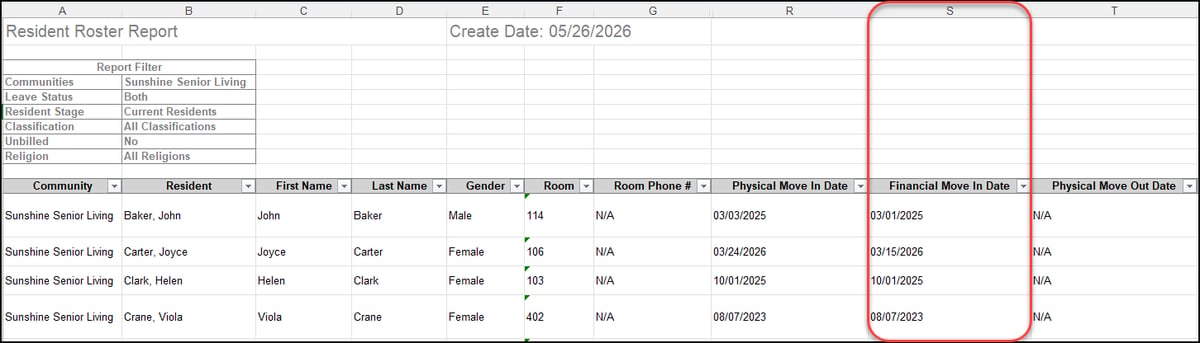 Resident Email on Profile snapshot and Roster ReportAs of our May 20 release, staff can now see resident email addresses at a glance and pull them in bulk. The resident email address, entered in the Basic Information section of the resident profile, now displays on the Resident Profile snapshot under DOB, Age, and Room Phone # (if applicable). The Resident Roster Report (Excel export) also includes a new Email column, so communities can pull all residents and their emails in a single report. 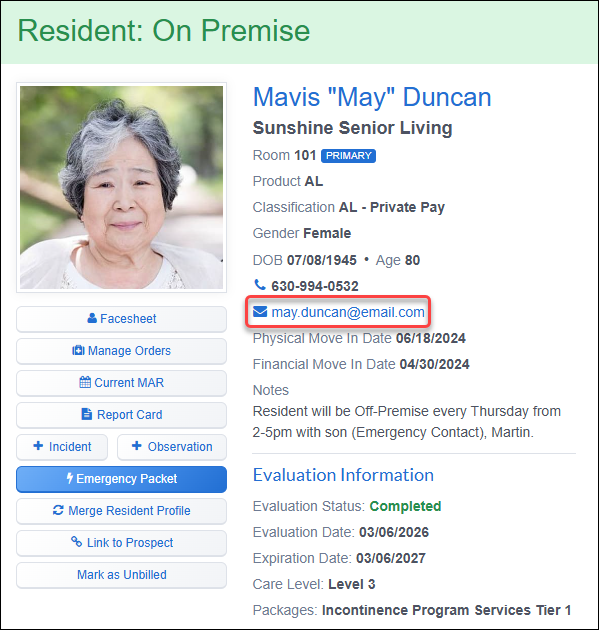  Recurring Community TasksAs of our May 20 release, staff can now configure Community Tasks to recur on a schedule rather than recreating them manually each time. From the Create Task or Edit Task panel, checking "Does this task repeat?" opens a recurrence block where the user picks a Daily, Weekly, Monthly, or Yearly frequency along with an interval. Recurring tasks display a loop icon on the assigned Community Tasks list. Hovering over the icon reveals the schedule. When a recurring task is completed, the next occurrence is created automatically with the same attributes. Recurrence can be turned off by unchecking the box or deleting the next open task in the chain. Editing the schedule only affects future occurrences. 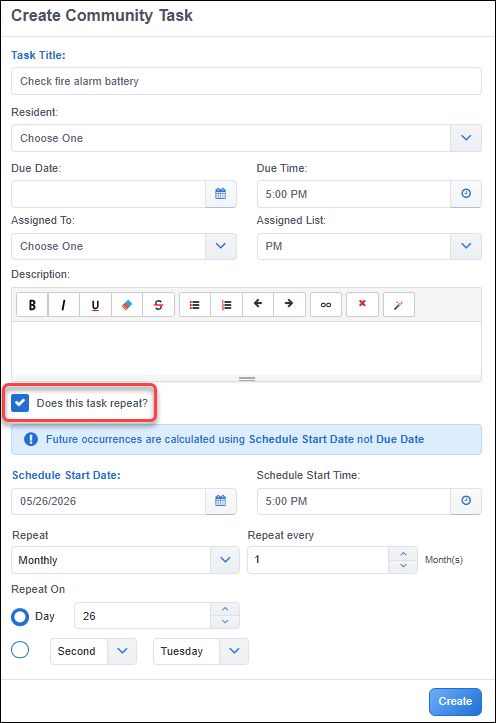 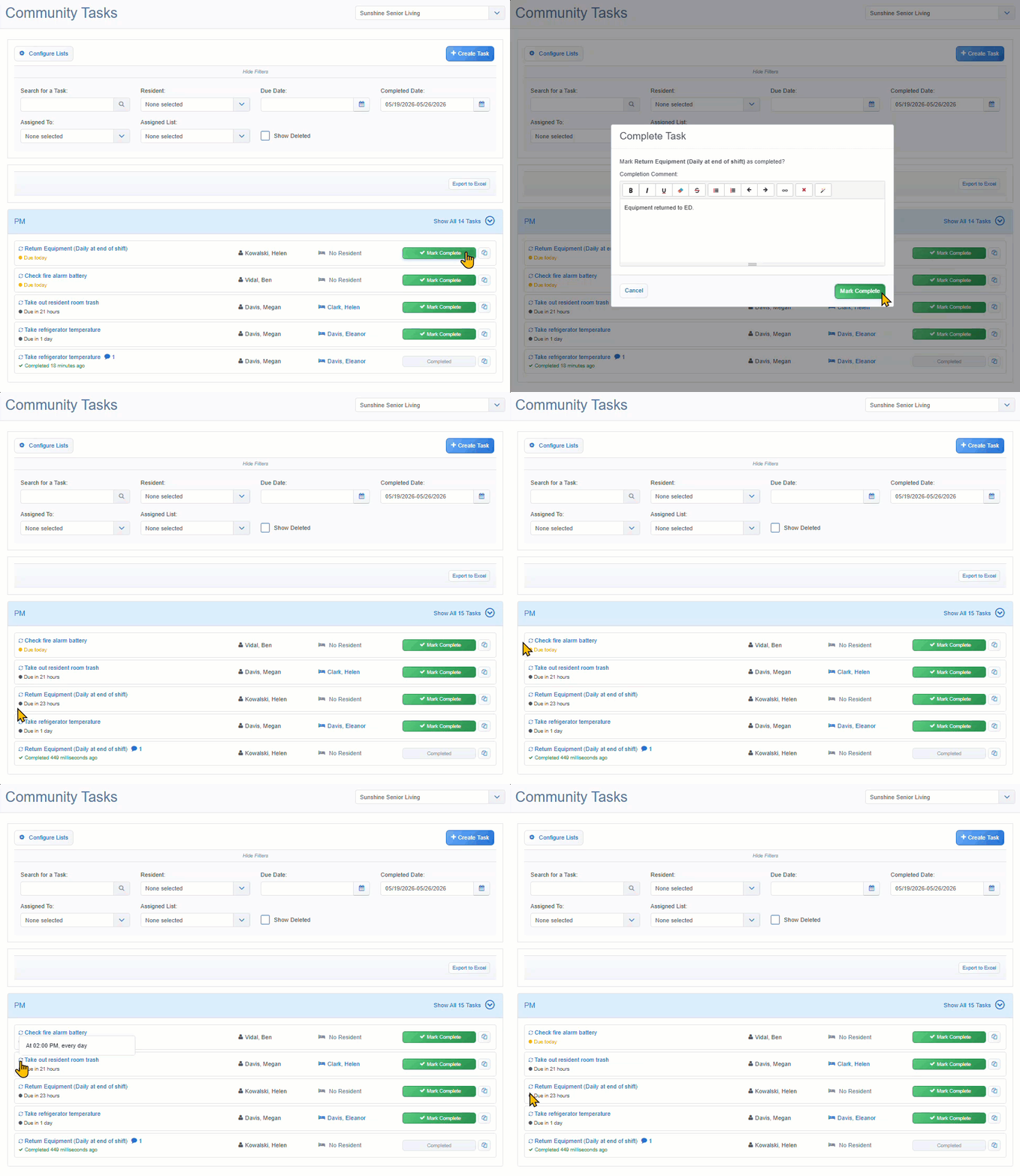  Caregiver gender preference tag in Care TrackingAs of our May 20 release, caregivers can now see at a glance which care tasks have a gender preference before they begin. When a gender preference (Female only or Male only) is configured, it now displays as a visible tag on applicable Care Tracking tasks. This preference is set per care item on the Care Plan, and the tag flows automatically to every care tracking task generated from it. 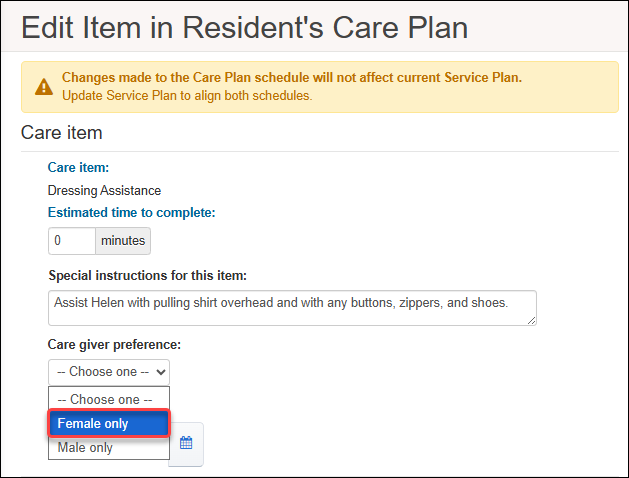 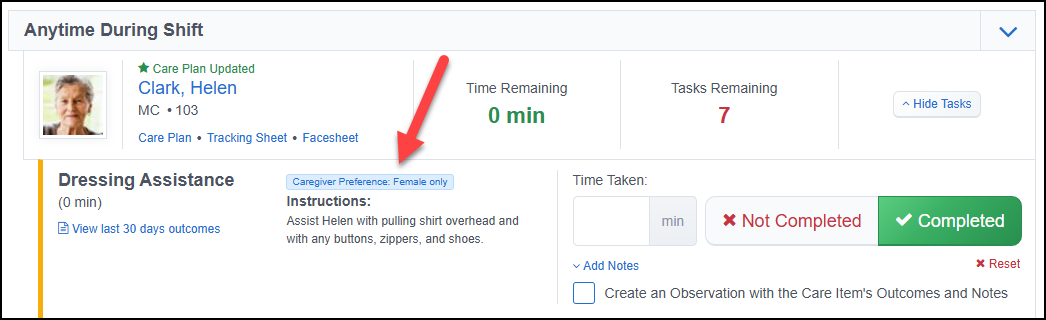 Days of the Month frequency for Care SchedulingAs of our May 20 release, communities can now schedule care to occur on specific calendar days rather than weekdays. A new Days of the Month frequency is available to use when scheduling tasks on the Service Plan and adding or editing items to the Care Plan. Users can multiselect the 1st–28th plus a Last Day of Month option that resolves to the correct final day for each calendar month. Selected days and the Monthly frequency display on the Care Plan PDF, Tracking Sheets, and the Service Plan PDF. On tracking sheets, non-selected days appear as grayed-out cells. 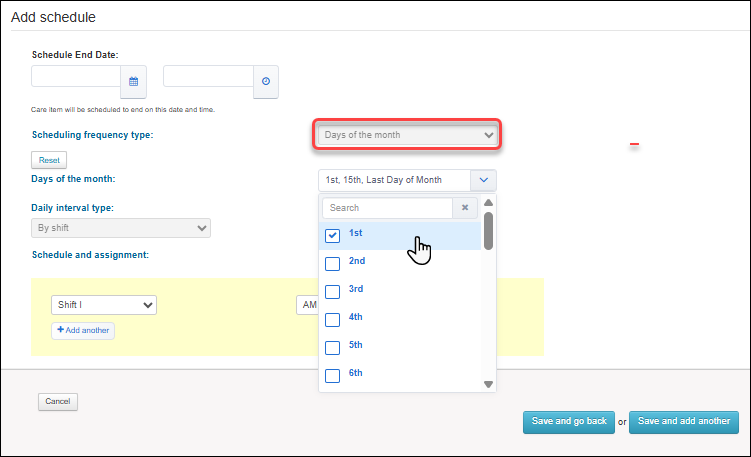 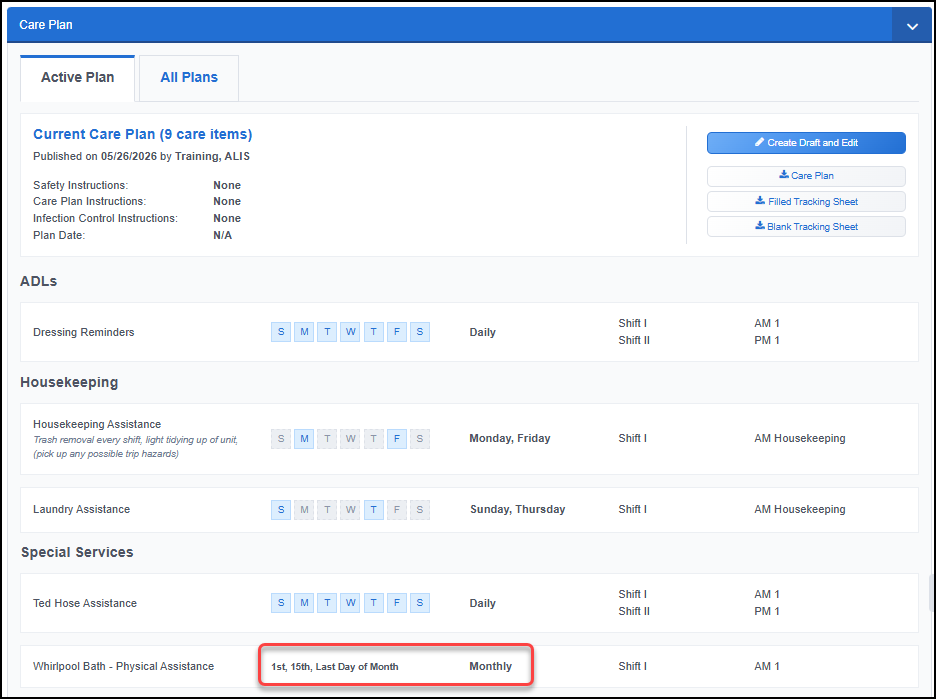  Export to Excel in the Approval CenterAs of our May 6 release, finance teams can now export Approval Center data to Excel for reporting and audit tracking. All three Approval Center tabs (Needs Your Approval, Open Requests, Completed) now include an Export to Excel button that exports the current view, respecting filters, sort, and community-level access. The export includes per-tier approval details and Invoice # and Invoice Date (when exported from the Completed tab). 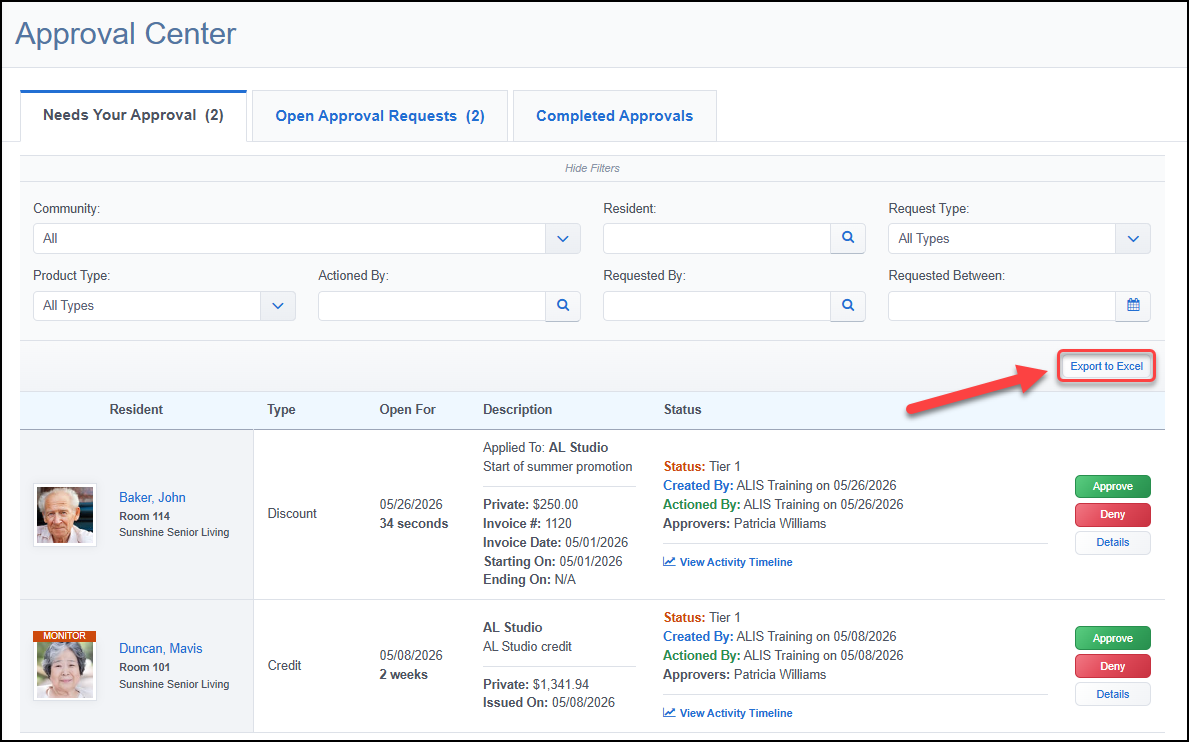 Unapply and Delete actions for credits and discountsAs of our May 6 release, the Edit Invoice workflow has an improved experience for managing credits and discounts. The previous trash icon has been replaced with explicit Unapply and Delete actions.
Anything applied across multiple invoices can only be unapplied. Updated modals capture a required reason and apply standard period-close validations, and audit logs now track each action distinctly. 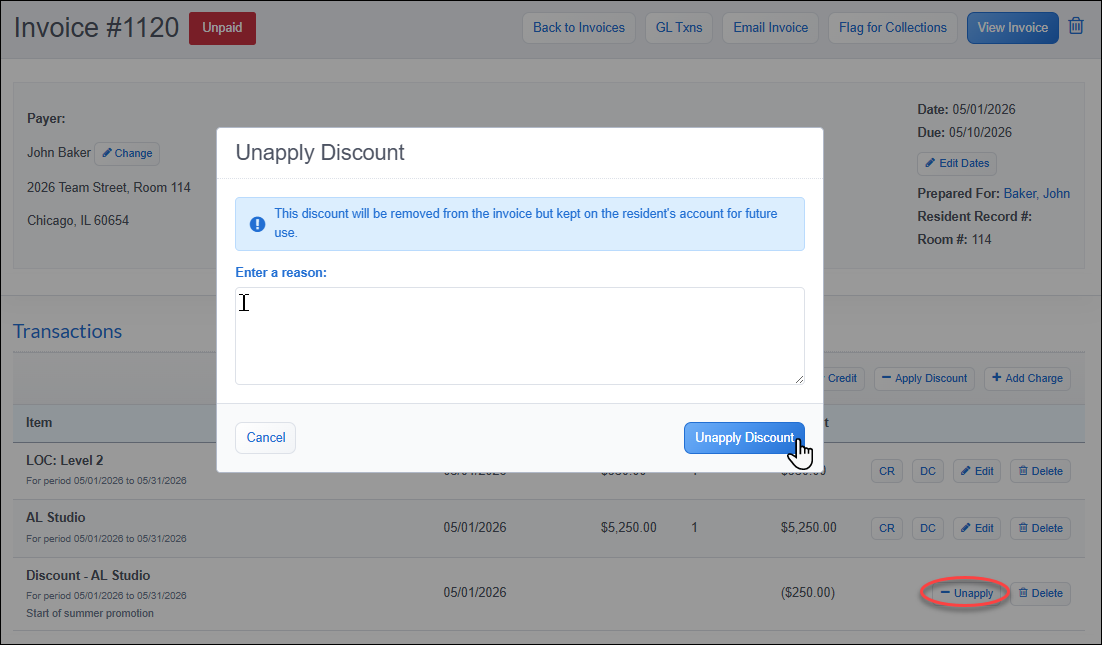 QuickBooks IIF export file formatAs of our May 20 release, communities on QuickBooks Desktop can eliminate the manual file cleanup required by the standard Desktop export. A new QuickBooks JE – IIF GL integration type is available in Billing Settings → GL tab for users currently on the QuickBooks Desktop (not Online) version. Selecting this GL option ensures journal entries will import directly without needing to reformat. The export file produces a tab-delimited .iif file with a unique transaction ID per entry, so QuickBooks blocks duplicate re-imports. Account names in ALIS must exactly match the QuickBooks chart of accounts. It is recommended to confirm your chart before the first export. 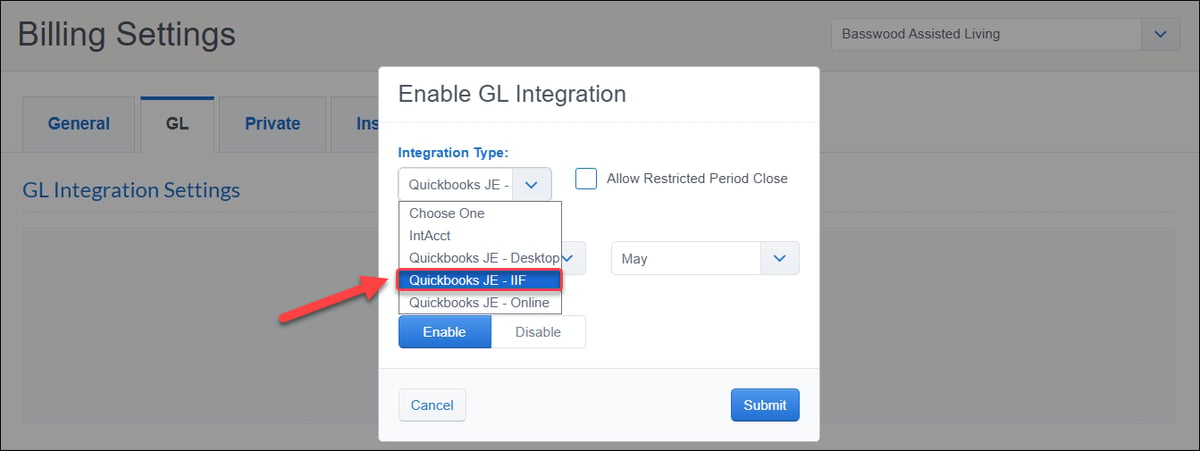 Contact your Account Manager for assistance with integration enablement and settings configuration.  Prospect pipeline data added to the Move In ReportAs of our May 13 release, communities can now see how long each new resident spent in the prospect pipeline before moving in. The Move In Report (Excel export) now includes four additional columns: Prospect Stage, Prospect Score, Inquiry Date, and Days in Pipeline. The Days in Pipeline calculates as:
The calculation respects each community's configured applicant and end-follow-up stage CRM settings. 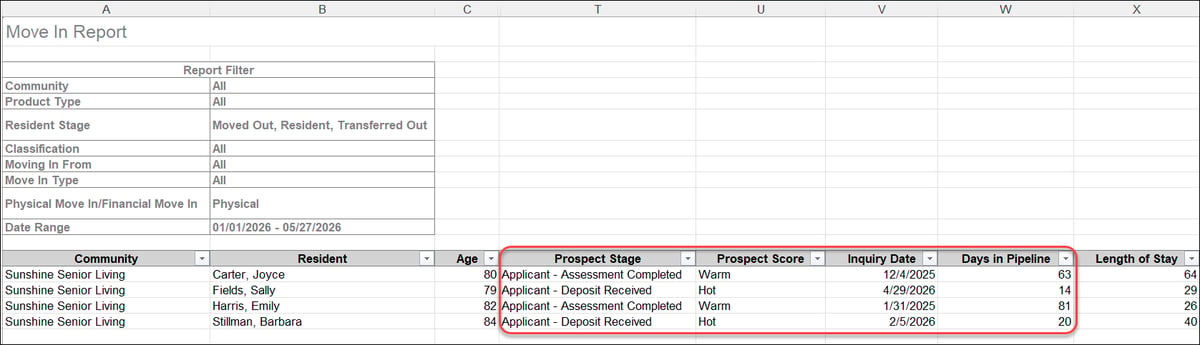  Company-level curation of ALIS HQ ReportsAs of our May 27 release, company administrators can now choose which of their shared HQ reports appear for their staff, adding company-level layer on top of the existing role-based permissions. A report must be both included by the company in ALIS HQ settings and permitted by the user's role to be accessed. All currently enabled reports remain included by default upon release, so no action is needed to maintain current behavior. 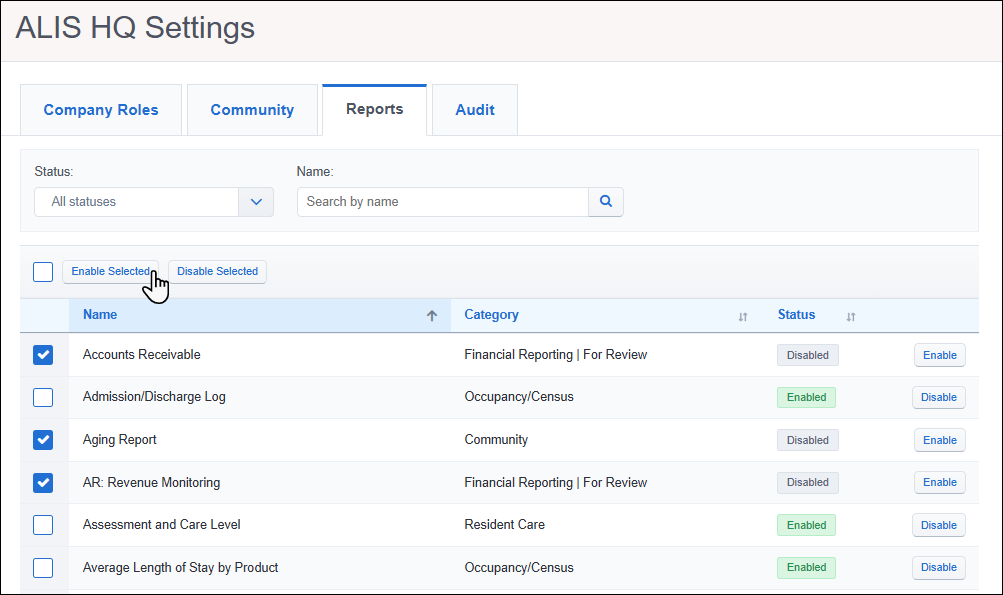 Contact your Account Manager for assistance with HQ Reports enablement and settings configuration.   EyeWatch LIVE is an AI-enhanced safety monitoring system designed for senior living communities, memory care units, and hospitals to prevent falls, elopements, and unauthorized entries. It utilizes a combination of camera-based artificial intelligence and live virtual nurses to actively monitor residents' rooms, particularly during high-risk overnight hours. When potential risks are detected, the system immediately alerts on-site staff while allowing the virtual nurses to use two-way audio to reassure residents and intervene before an incident occurs. Want to enable EyeWatch LIVE or another integration? Reach out to info@go-alis.com to get started. 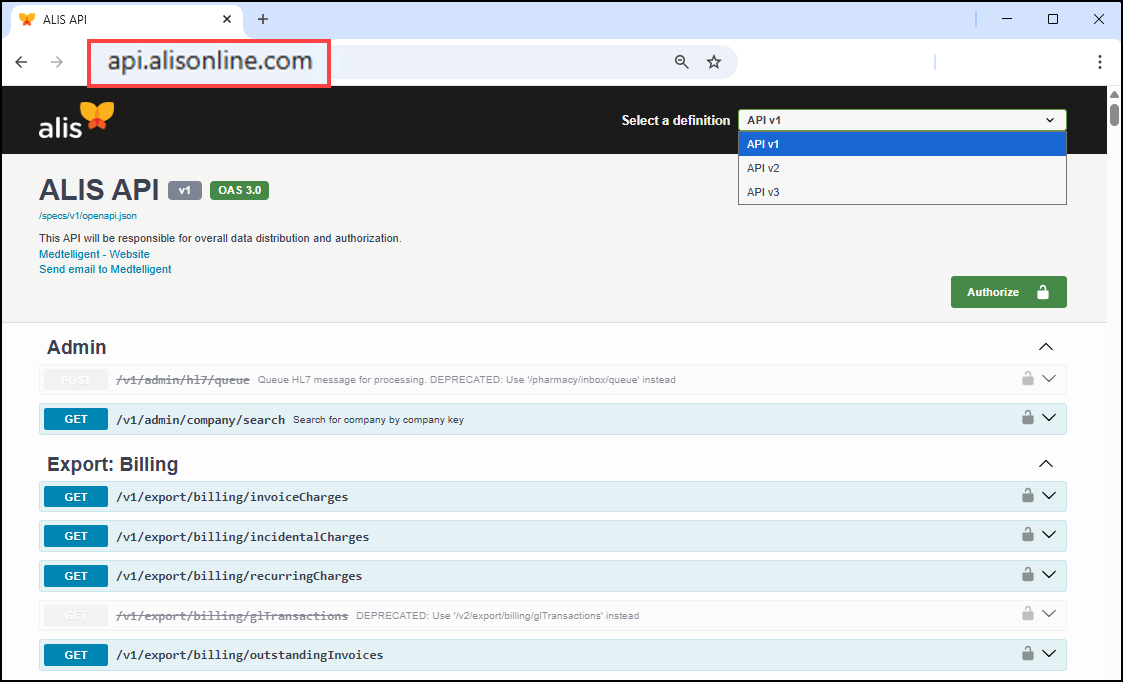 New v2 and v3 export API endpointsAs of our May 6 release, new API endpoints use streaming and compression so clients can pull large volumes in a single unpaged call through Excel or Power BI without hitting timeouts:
Additional data on v1 export endpointsAs of our May 13 release, two existing v1 export endpoints now return additional data:
Contact your Account Manager for assistance with API access and locating specific endpoints.  Click HERE to view our list of bug fixes in the last month's releases.Release emails and webinars occur monthly. The next scheduled release is: Wednesday June 3rd 2026 |