Monthly Release RecapALIS releases occur on a weekly basis. This email covers release information from July 29 - August 19, 2026. Upcoming Webinars & TrainingJoin our upcoming webinars to explore the latest product updates, new features, and best practices.
Want to stay connected to ALIS? Share this email or sign up here.  Custom Resident TagsNow define your own resident identifiers as custom tags, such as fall risk, elopement risk, or pet care. Once the feature is enabled by the ALIS team, you can configure custom tags in Company Settings → Resident Tags and assign them to individual resident profiles. Custom tags appear alongside the existing built-in tags in the All Residents list, the Resident Roster Report display screen, Manage Orders, Med Pass, the Evaluation Center, Care Tracking, and other key locations. 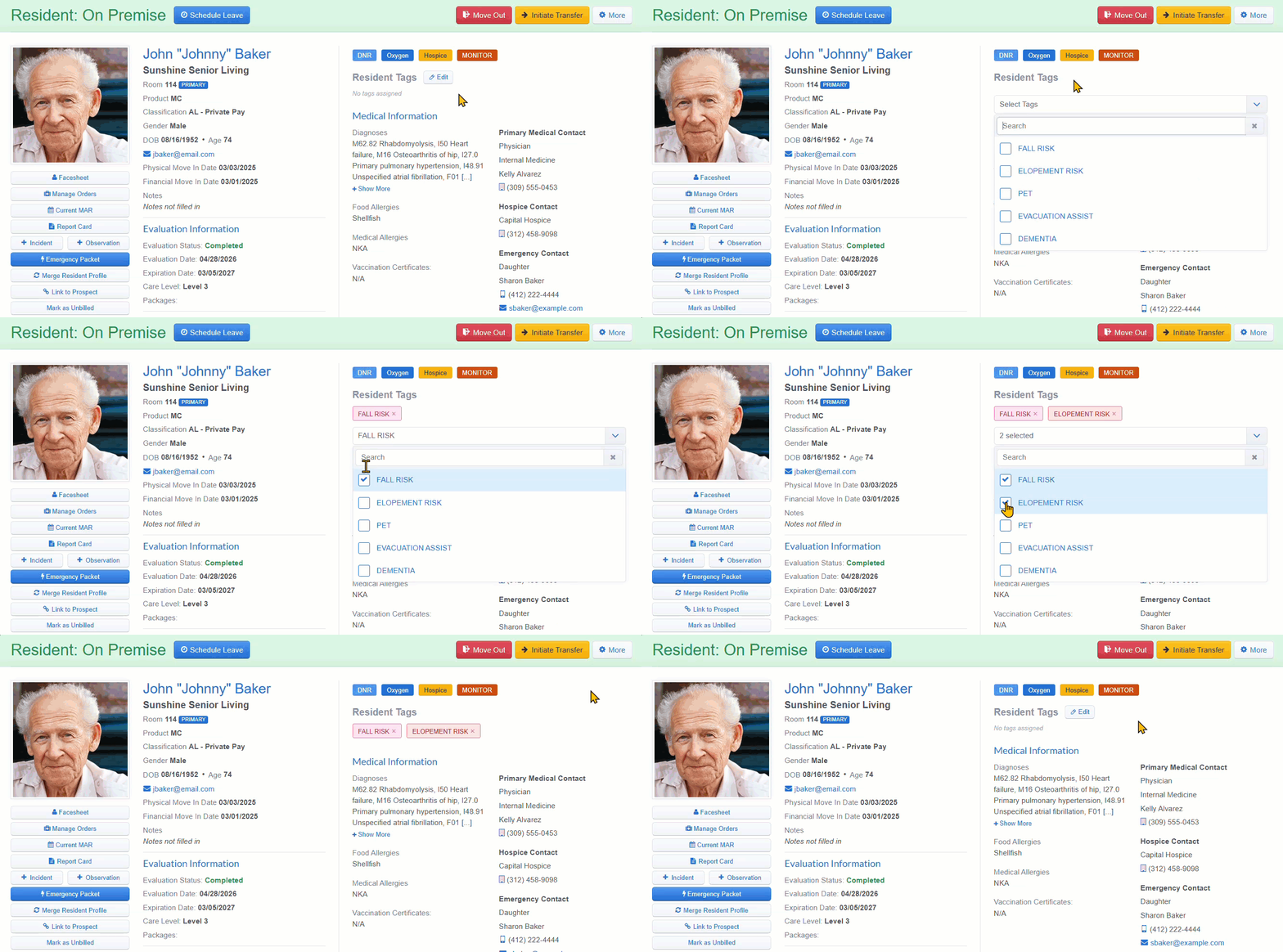 Custom Mealtime Attendance StatusesMealtime attendance statuses are now customizable. In addition to Present, Not Present, and On Leave, you can add your own, such as Tray Service or To-Go Meal. Configure them in Resident Settings → Mealtime Attendance Status. Each status uses a single-character symbol that appears on the Mealtime Attendance report and carries through to the Excel export and printed PDF. The report is now linked directly on the Attendance page. Disabling a custom status stops future recording but preserves it on historical records. 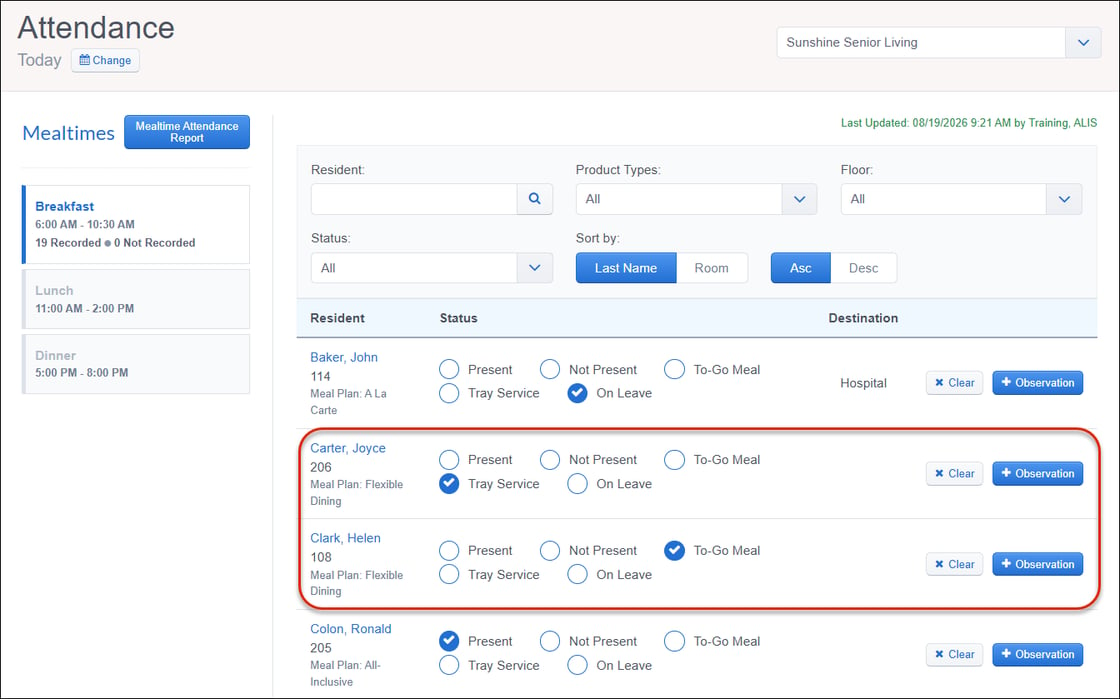 Weight Tracking and Variance Report: New FilterThe Weight Tracking and Variance Report includes a new resident filter that defaults to Current Residents, keeping moved-out and transferred residents out of the view. You can switch the filter to All Residents to see current and moved-out residents together, or to Moved Out to view those residents on their own. 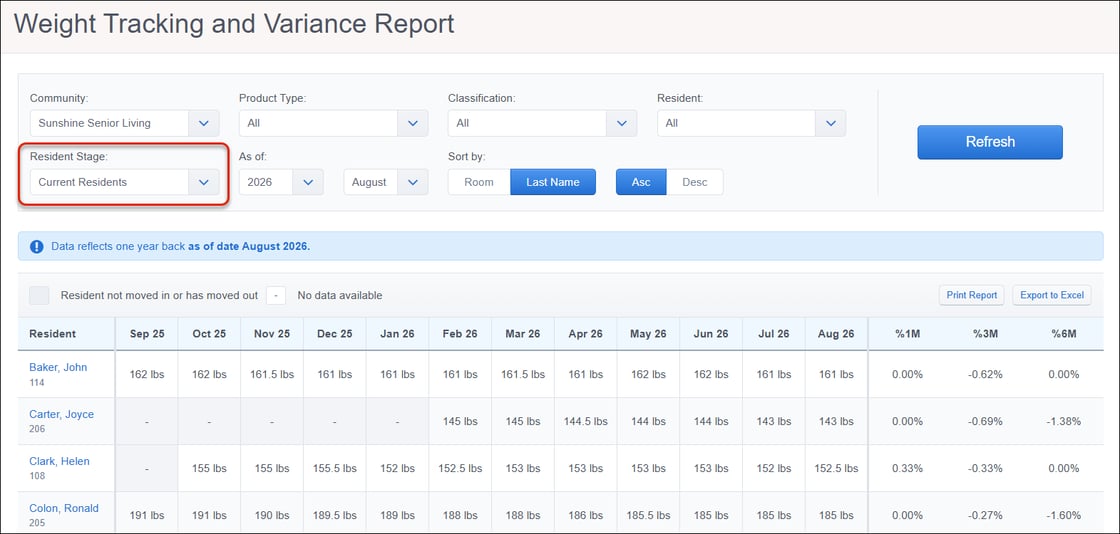 Resident Profile: Monitoring Link Pre-filters ResidentThe "View all active monitoring events" link on a monitored resident's profile now opens the Resident Monitoring Center pre-filtered to that resident, rather than to all monitored residents. Clear the filter to restore the full community view. The Monitoring tab and section counts remain community-wide totals, and the filtered view shows that community count above the filtered list. 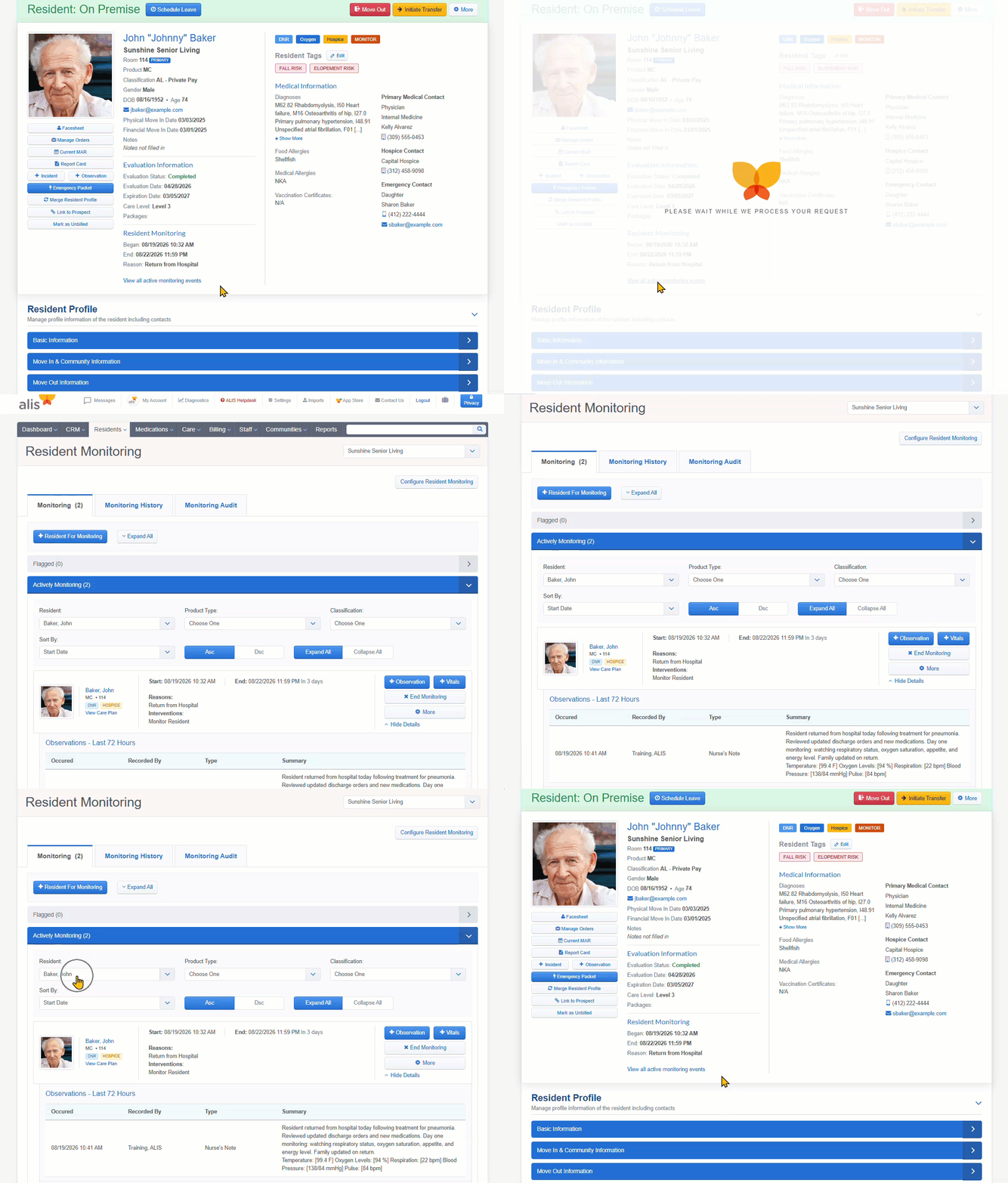 Audit Log for Emergency PacketEmergency Packet generation is now captured in the resident profile Audit History. Each time an Emergency Packet is produced, ALIS records an entry with the date, time, and staff member who generated it, whether it is produced as an on-demand download or as part of a Records Request. 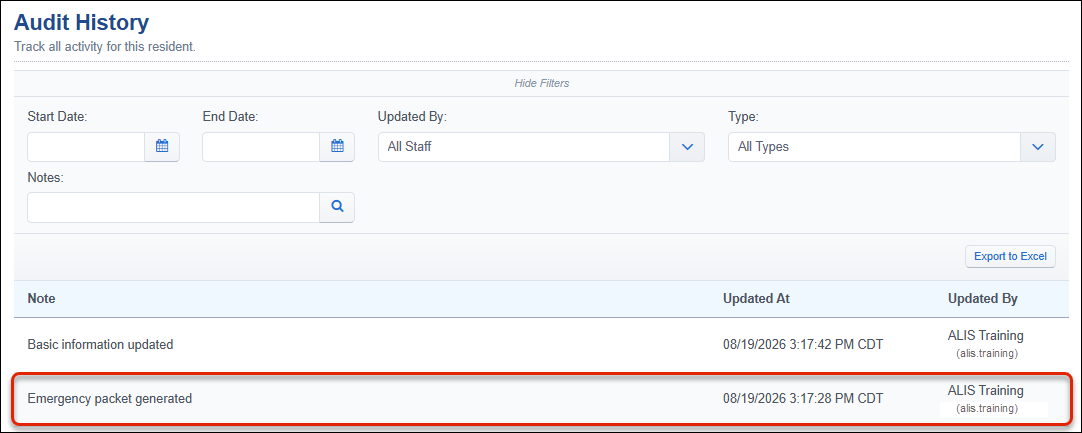 Vital Signs Reports: New "Recorded By" ColumnThe Vital Sign Details Report and the Vital Sign Summary Report now include a "Recorded By" column showing which staff member entered each vitals record. 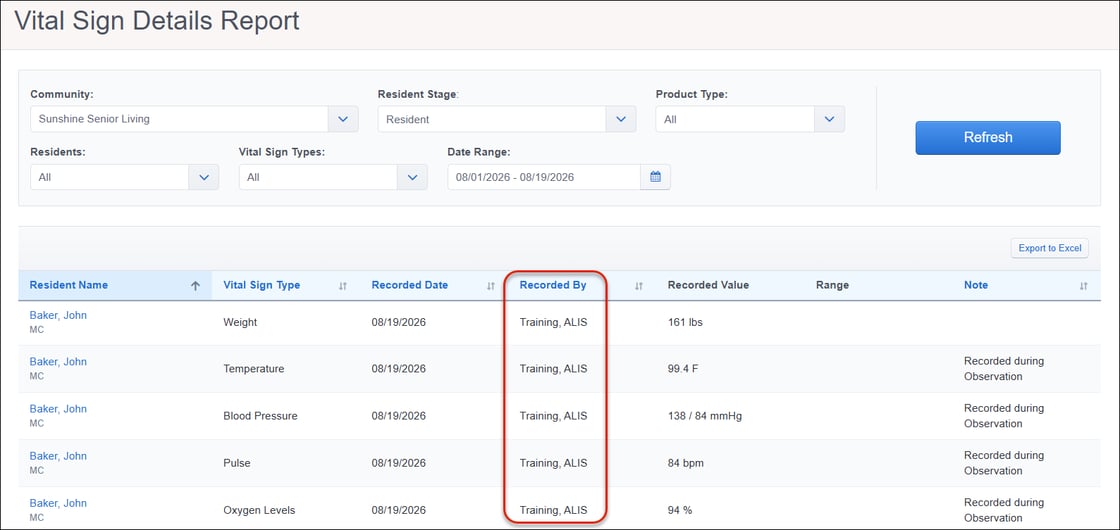  ALIS Pay: Refund ImprovementsALIS Pay refunds now follow the same settlement and clearing logic as standard refunds. You can no longer refund an ALIS Pay ACH payment until it has settled, so refunds are not issued against funds that have not yet cleared. Attempting to refund an unsettled payment shows a message that it is pending settlement and can be refunded once cleared, typically 3 to 4 business days after payment. Once settled and refunded, ALIS Pay refunds generate the "Refund Check Sent" clearing transactions that standard refunds already produce. Mark the refund as "Check Sent" to create the correct GL entries and keep accounts in balance, and the status updates to Refund Processed or Refund Declined once settlement returns. 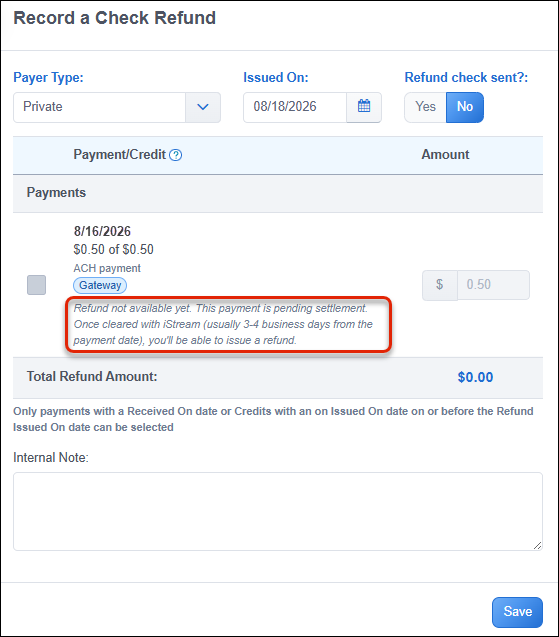  Voice Dictation on CRM Free-Text FieldsVoice dictation, already elsewhere in ALIS, is now available across the large free-text fields throughout the CRM. You can dictate instead of type on the prospect Story; notes for prospect, contact, and referrals; all new task and completion notes; health-profile fields, room and competitor notes; and move-in details fields. 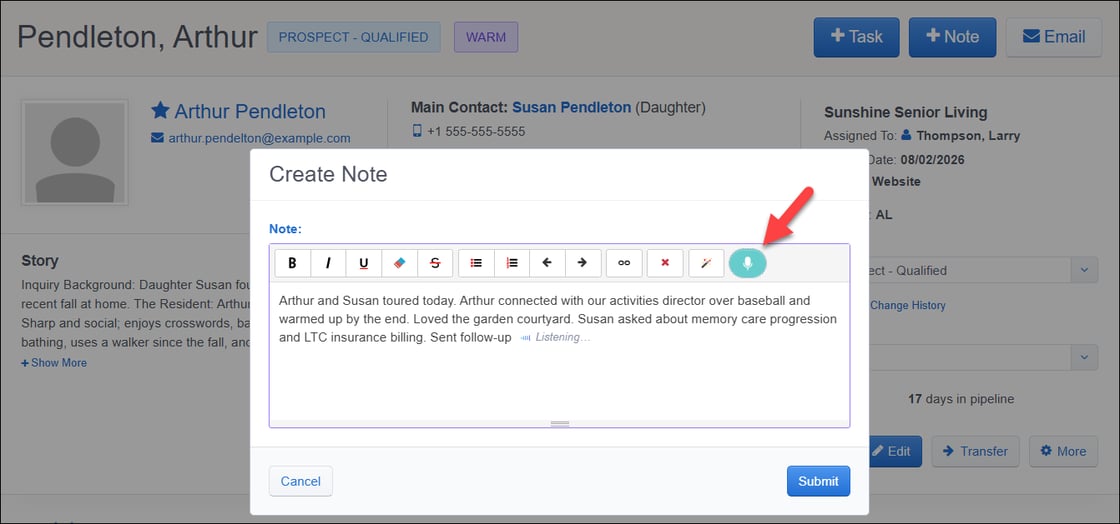 Configurable Due Dates for TasksAuto-created task due dates are now configurable per task type. You can set how soon after a lead is created its auto-created task is due in Minutes, Hours, or Days. Configured per community in CRM Settings → CRM Task Types, this enables you to make an urgent first-contact call come due in minutes while a tour follow-up stays at several days. Leaving it blank keeps the next-day default. This timing also applies when you create a task manually. If you add a task of a type that has a due-date setting configured, the Add Task pane pre-fills the Due Date and Due Time based on that setting, counted from the current time, rather than opening blank. Both remain editable, and changing the task type recalculates them unless you have already edited them by hand. 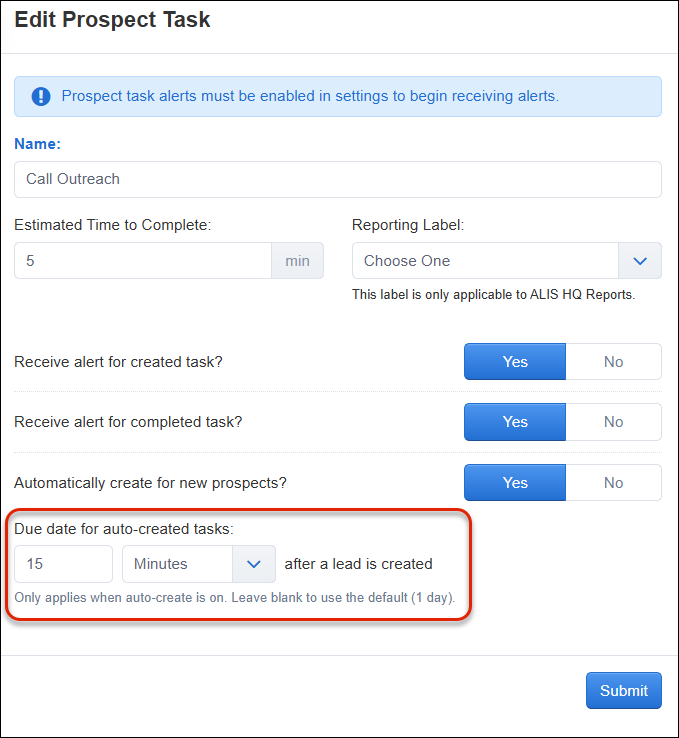 Prospect Contact and Details in TasksProspect contact details now surface automatically within the tasks workflow. When you create a new task, the Contact field pre-fills with the prospect's main contact and stays editable. When you complete a prospect task, the panel now shows the prospect's name, stage, score, inquiry date, task notes, and the main contact's clickable phone and email. Tasks for referral sources show the source's full name, organization, phone, and email. 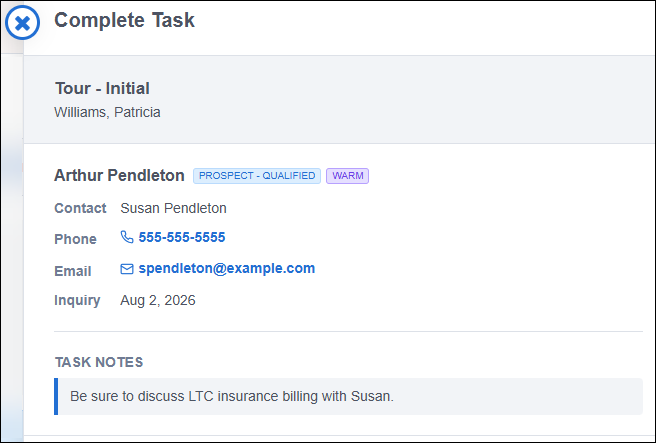 Prospect Story: Pre-fill TemplateThe Story field for prospect profiles now supports a company-wide rich-text template. Configure it in any community's CRM Settings → Prospect Story Template. The template is shared across the company, so saving or updating it in one community automatically applies it to all others. Once saved, the template pre-fills the Story for every new prospect. Editing an existing prospect applies it only when they have no Story yet, so existing or intentionally cleared stories are never overwritten. 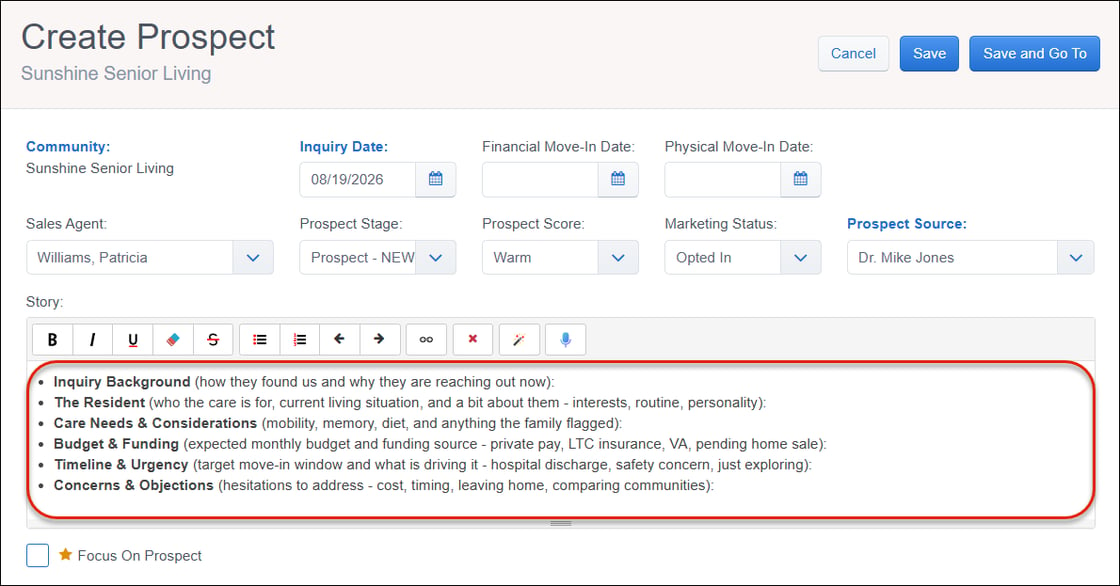  Schedule Leave: Multiple Leave DestinationsMultiple leaves with destinations is now default-enabled for all communities. You can capture a full leave journey as connected events, such as an initial hospital stay, then a rehab or skilled nursing stay, then a return to the community. Billing Center event settings are unchanged. Leaves still drive the same automatic actions, like pausing care charges after a set number of days away and reinstating them on return, now applied across the total days of a multi-destination leave. 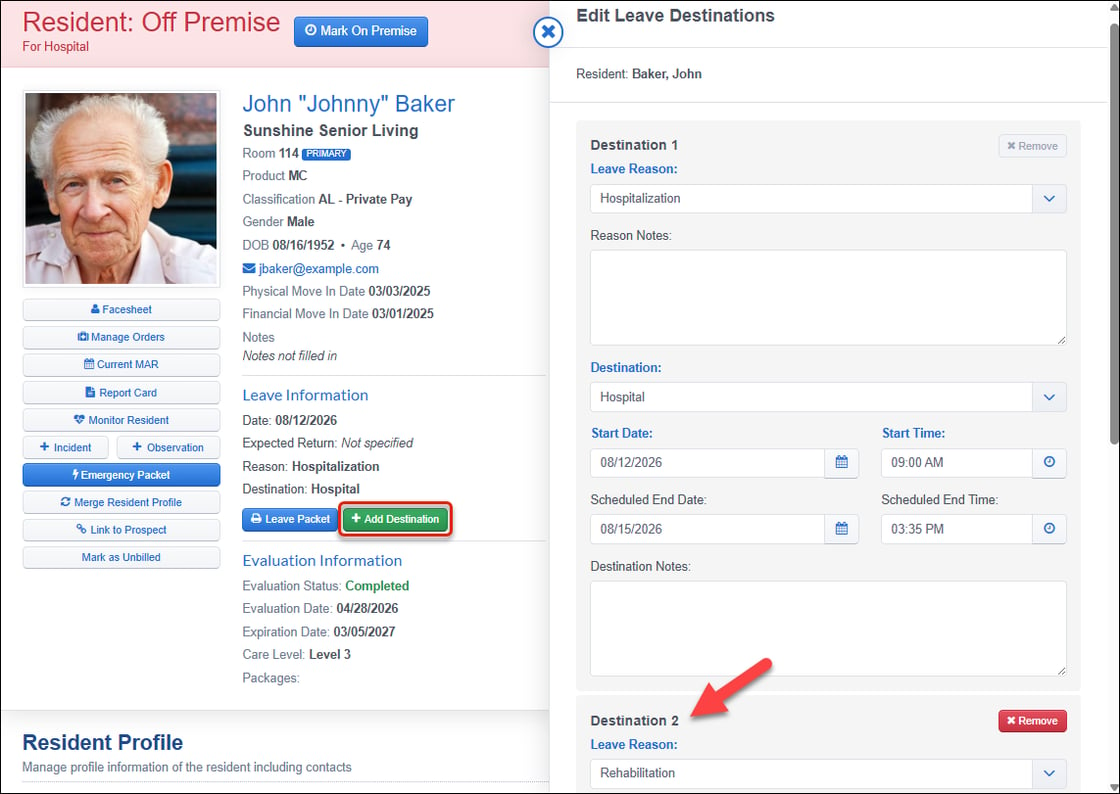  Incident Settings "Jump to" LinksQuick "Jump to" navigation links now appear at the top of the Incident Settings page, letting you move directly to the Forms, Tasks, Locations, or Custom Fields sections without scrolling through the full page. 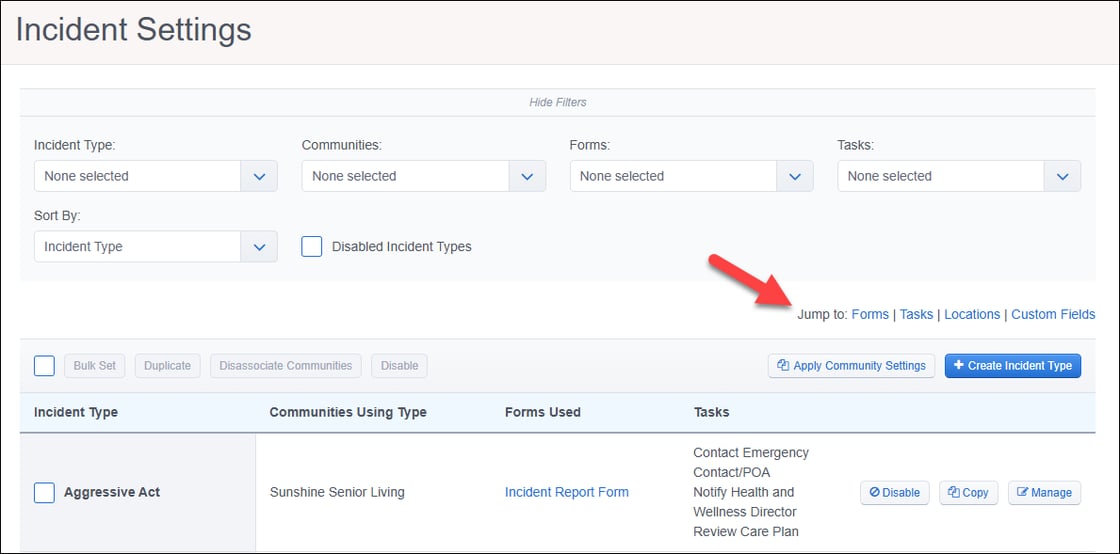  Partner API: Resident Evaluation DataResident evaluation data is now available on the Partner API. Your integration partners can read a resident's evaluation data directly, using new endpoints that return the full picture of an evaluation, including its questions and answer choices, the resident's responses and evaluator notes, and the most recent completed service plan with its needs, goals, and interventions. Partner API: Sync Completed CRM Tasks from External Sales ToolsCompleted prospect tasks can now sync into ALIS from an outside sales or marketing platform. If you manage prospect outreach in a connected tool, completed tasks flow into ALIS automatically, keeping your CRM in sync with no re-entry. Tasks arriving from a partner appear on the prospect's task list just like completed tasks directly in ALIS, using your community's existing CRM Task Outcome Types. Want to enable an integration or get access to the ALIS API? Reach out to info@go-alis.com to get started.  Financial Move-In Date and Room Assignment AlignmentALIS can now keep a resident's Financial Move-In date aligned with their earliest room assignment. A new Manage Financial Move-In Date screen, opened from the Resident Profile → Move In & Community Information, lets you view and update both fields together. Room actions such as assigning a room, editing a start date, deleting a room, or adding earlier history automatically adjust the date to match, and every change is logged in the resident's history. To prevent aligned records, ALIS blocks saving a Financial Move-In date later than an existing room assignment. Ending a room assignment does not change the date. Want to be an early adopter? This is currently off by default but available on an opt-in basis. If you're interested in adopting it early, contact your Account Manager to turn it on now. 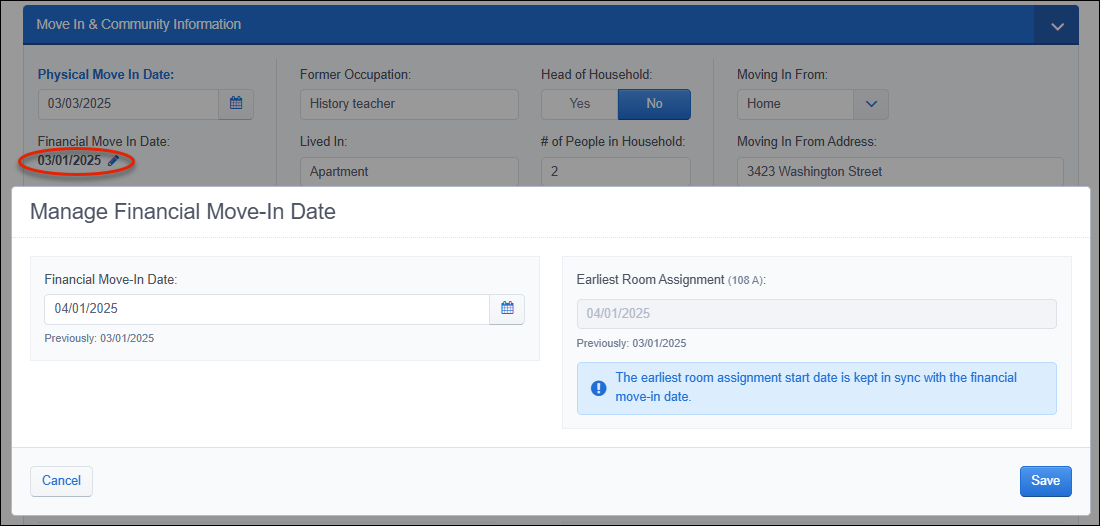  Click HERE to view our list of bug fixes in the last month's releases.  ALIS In The NewsALIS is a finalist for two McKnight's Tech Awards — the EHR Integrations category alongside Ascent Living, and the Keep It Super Simple category with Edgewood Healthcare (and CarePredict). Winners will be announced on September 16. ConferencesWhether you're at the same event, in the area, or just want to say hello, we'd love to meet up in person. See where we'll be next, and feel free to schedule a meeting with us on our conference and events page here. Need assistance?Your Account Manager is your first stop for settings changes or feature configuration. For general support, reach us at 1-888-404-ALIS or visit support.alisonline.com. The next scheduled release is
|