These notes covers release information from the past month.(April 8 - April 29, 2026)Click here to sign up for monthly release emails. License Plate # field added to Resident ProfileAs of our April 8 release, communities can now easily track and store more resident vehicle details by capturing license plate numbers alongside parking assignments. A new License Plate # field has been added to the Resident Profile → Move In & Community Information section. License Plate # is also included in the Resident Roster report (Excel export). 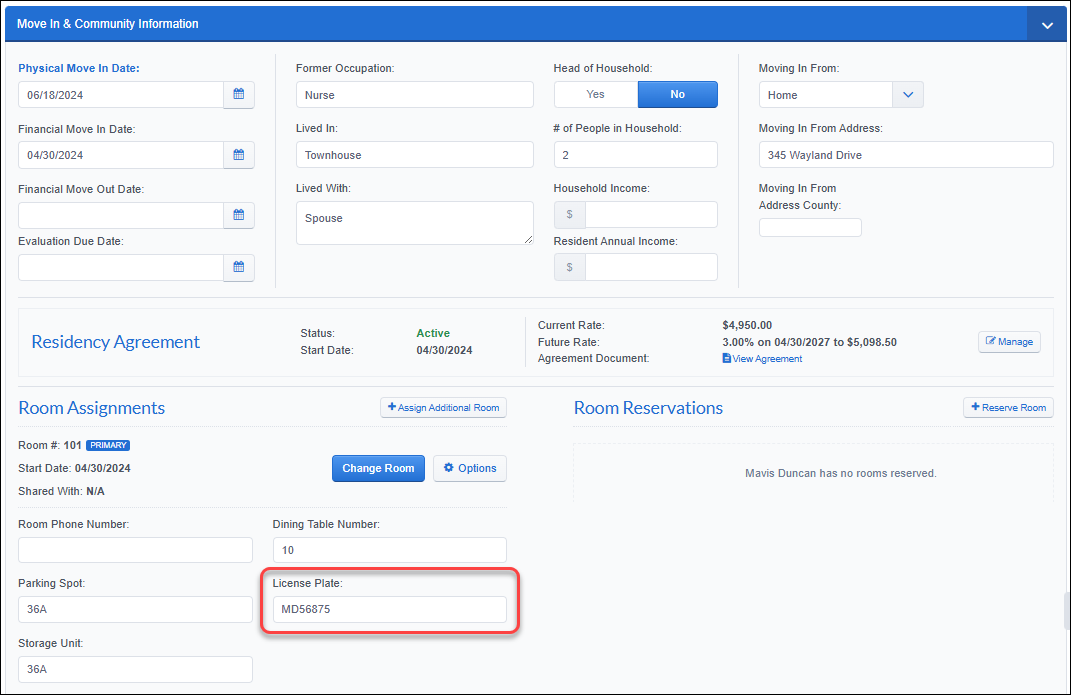 "Races" column added to Move In Report exportAs of our April 15 release, administrators can access more comprehensive resident demographic data in Move In reporting. The “Races” column has been added to the Move In Report (Excel export), which appears alongside existing resident demographic columns. When a resident has multiple races selected in the Basic Information section of their profile, they display as comma-separated values in the export. 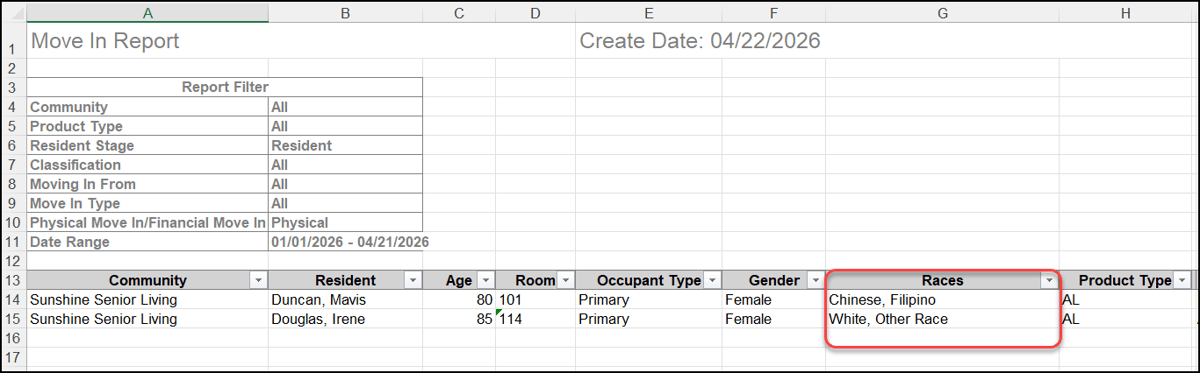 Nickname-aware search in All ResidentsAs of our April 22 release, staff and administrators can now quickly locate resident profiles using the names they are commonly known by. Residents with a nickname on file display in the All Residents grid, and nicknames can be used in search (case-insensitive) across multiple combinations, including the nickname alone or paired with first/last name. 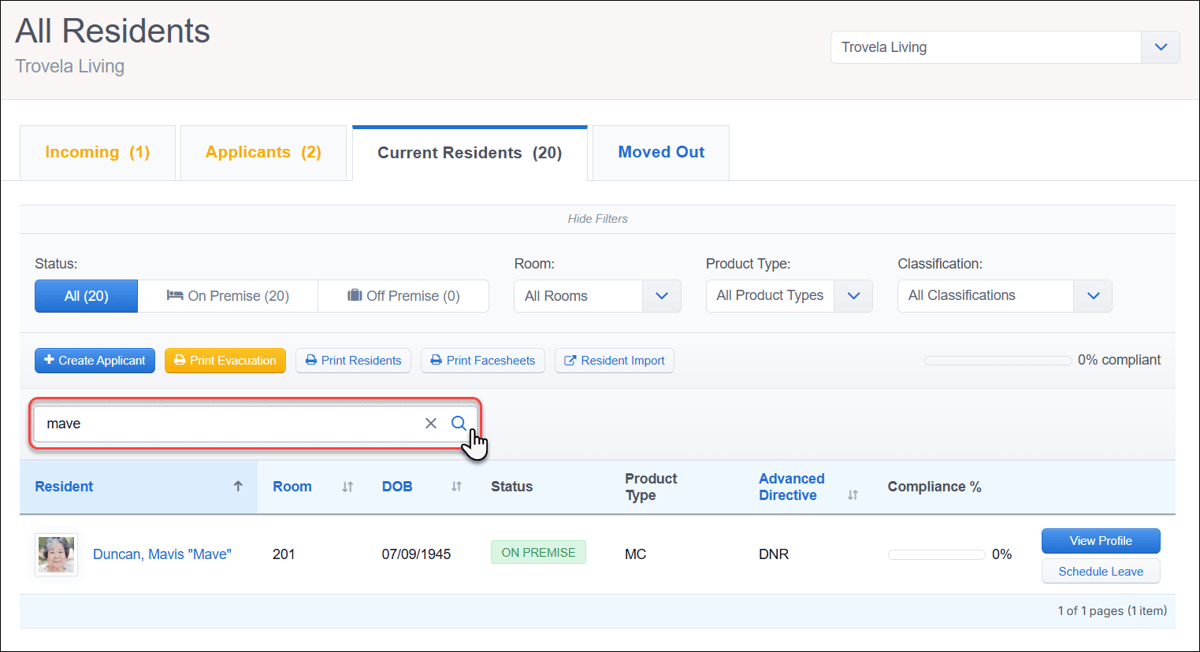 Gender on Resident Profile snapshotAs of our April 29 release, resident profiles now display residents' gender prominently on their profile for quick at-a-glance reference. The Gender field is shown in the resident snapshot section. If no value is saved on the profile, the snapshot displays as “Gender None.” To update this field, go to Resident Profile → Basic Information section. 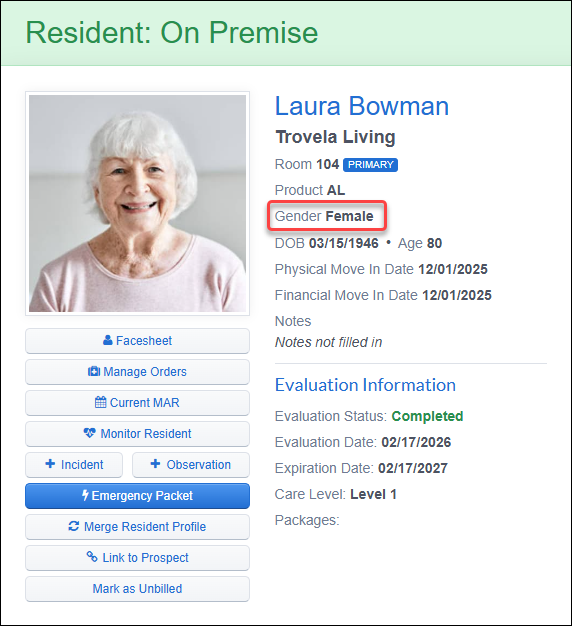  Speech-to-text transcription in key workflowsAs of our April 22 release, users can now quickly capture notes using the integrated speech-to-text transcription in key documentation workflows. Speech transcription is available in the following areas:
This feature is enabled by default for all users with access to these workflows. 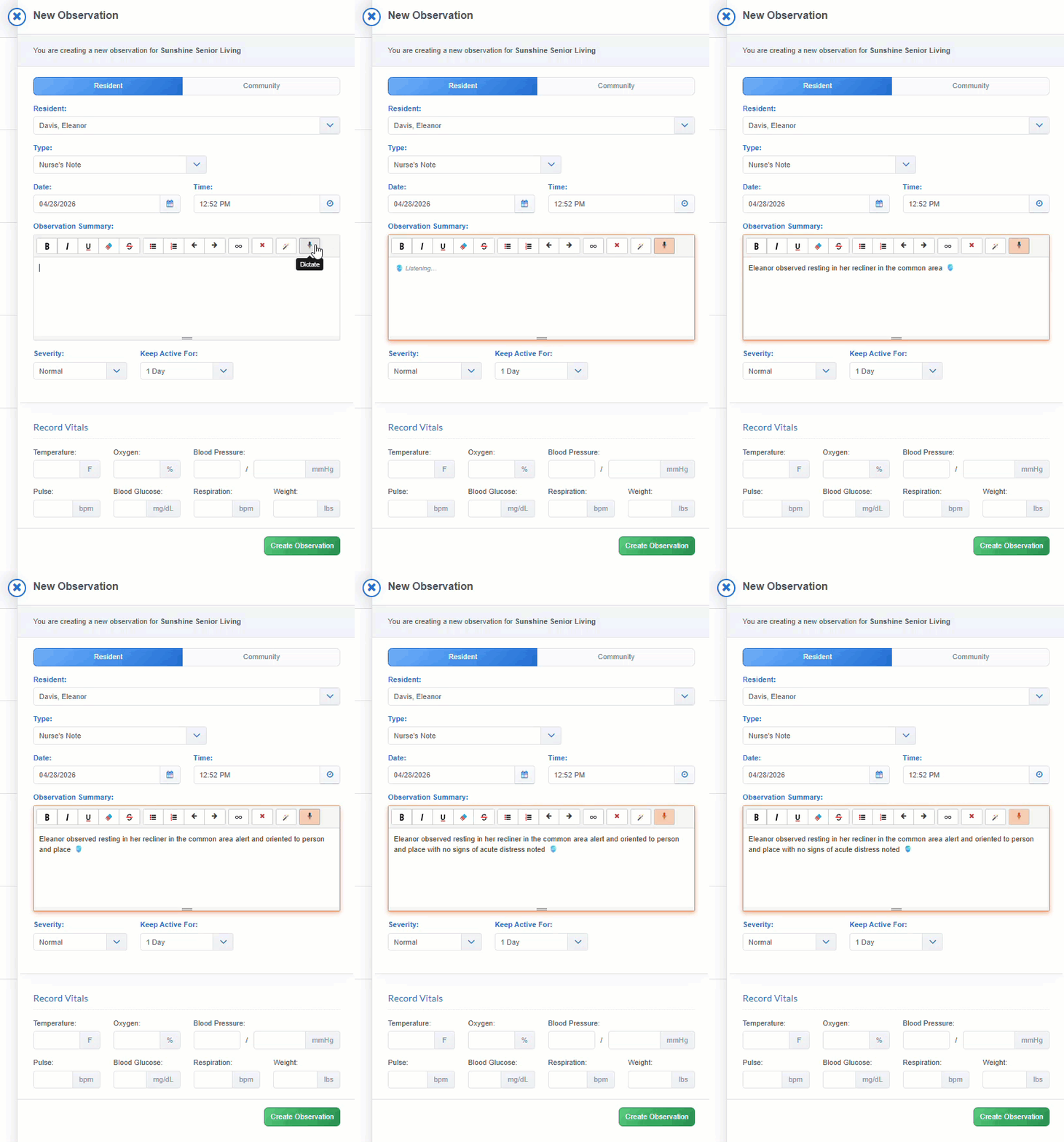  Framework LTC orders auto-select "UNIT"As of our April 8 release, the Drug Unit of Measurement dropdown now automatically pre-selects “UNIT” instead of “MISC” for applicable pharmacy orders, improving accuracy during order verification. This update applies to all Framework LTC pharmacy connections with orders that contain SOPN or UNITS dose form codes (commonly insulin sliding scale orders), where “MISC” was previously being populated. Already processed orders with units saved as “MISC” are not retroactively updated. 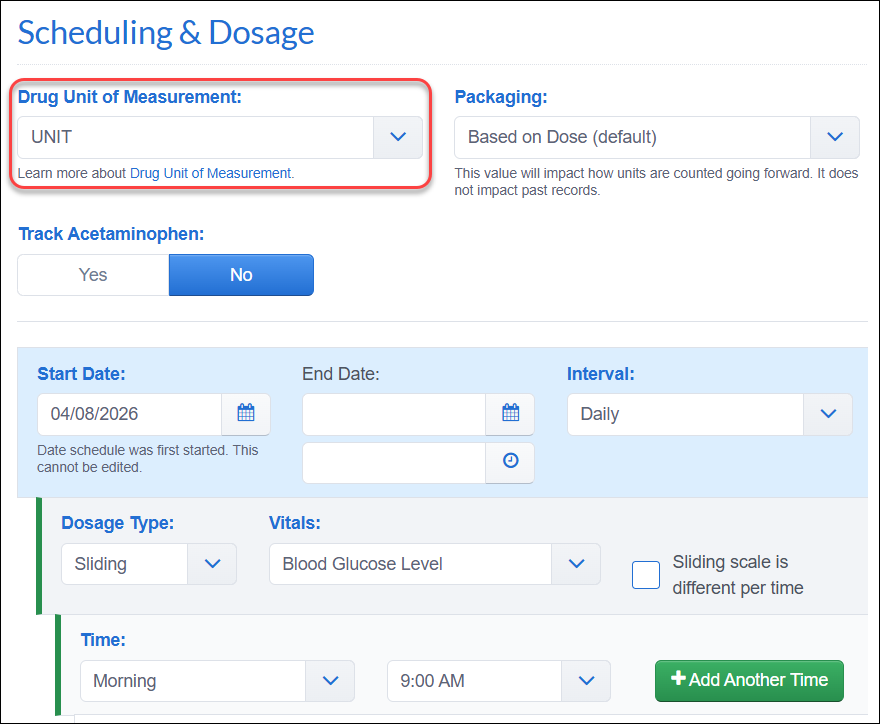 Pharmacy Orders added to 'Merge Resident Profiles'As of our April 8 release, merging resident profiles now supports reconciliation of pharmacy connections and linked orders, ensuring continuity of active medication data during the merge process. A new Pharmacy Connection and Linked Orders section on the Merge Data page prompts staff to select which pharmacy-linked orders to keep, determining the orders to be carried forward into the active profile. Only one pharmacy connection, along with its associated orders, will be retained on the primary resident profile. The rejected connection and its orders will be disabled. 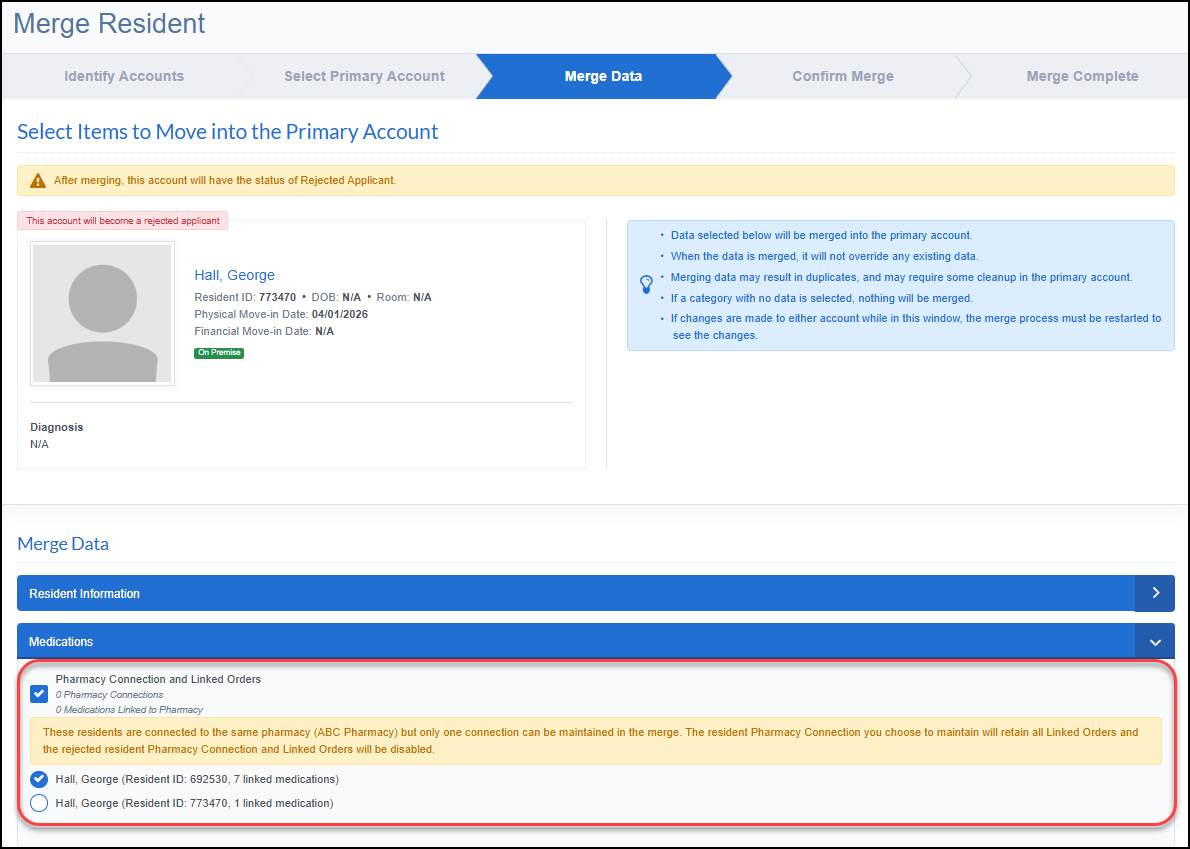 Two-person verification for Drug Count adjustmentsAs of our April 29 release, an optional setting enables a two-person verification to improve accountability in drug counting. When the “Require two-person verification for refills” setting is enabled in your Medications Settings → Drug Count, approval is required from two staff members before a transaction can be saved. Two-person verification applies to the Add Refill and Adjust workflows. Person 1 is the logged-in user, and Person 2 is selected from a staff dropdown and confirms the action using their password. Once verified, transactions cannot be edited or deleted. Both witness names appear in the Staff column of the Manage Quantity page and Drug Count Transactions Report. This setting is disabled by default and applies to all refills and adjustments, not only controlled substances. 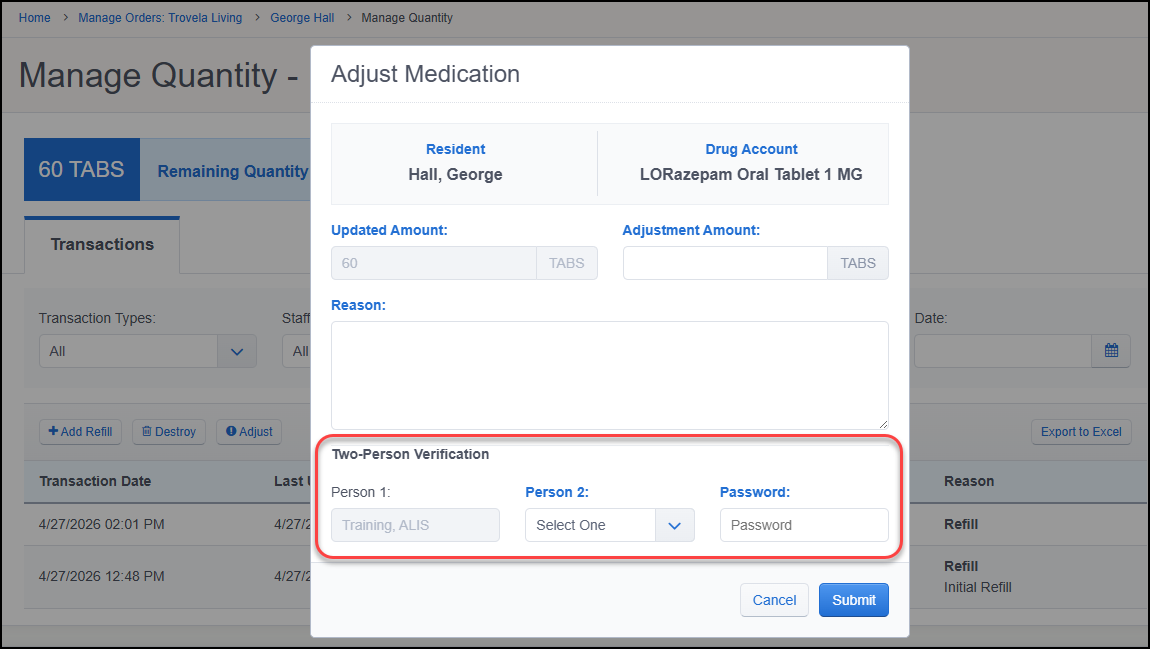 Contact your Account Manager for assistance with settings configuration.  Bulk Close Periods workflowsAs of our April 15 release, finance teams can manage period close more efficiently across communities with enhanced visibility and streamlined processes. On the GL Transactions page, a new Close Through option allows users to close all periods from the GL integration start date through a selected period, helping teams quickly bring prior periods up to date for a single community. The new Portfolio Period Status button opens a cross-community view of GL period status and introduces a Bulk Close feature, enabling teams to close single periods across multiple communities in one action. Together, these updates reduce administrative effort, enforce period close controls, and improve visibility when managing financial close at scale. 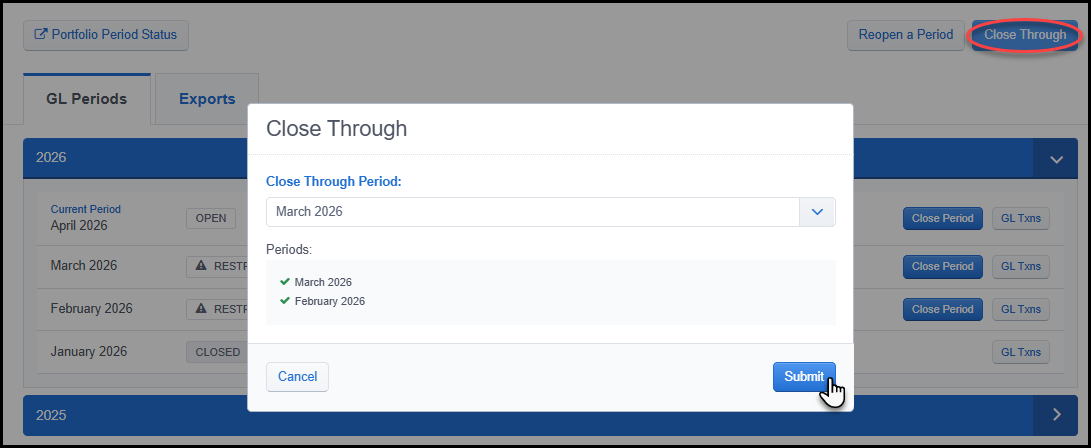 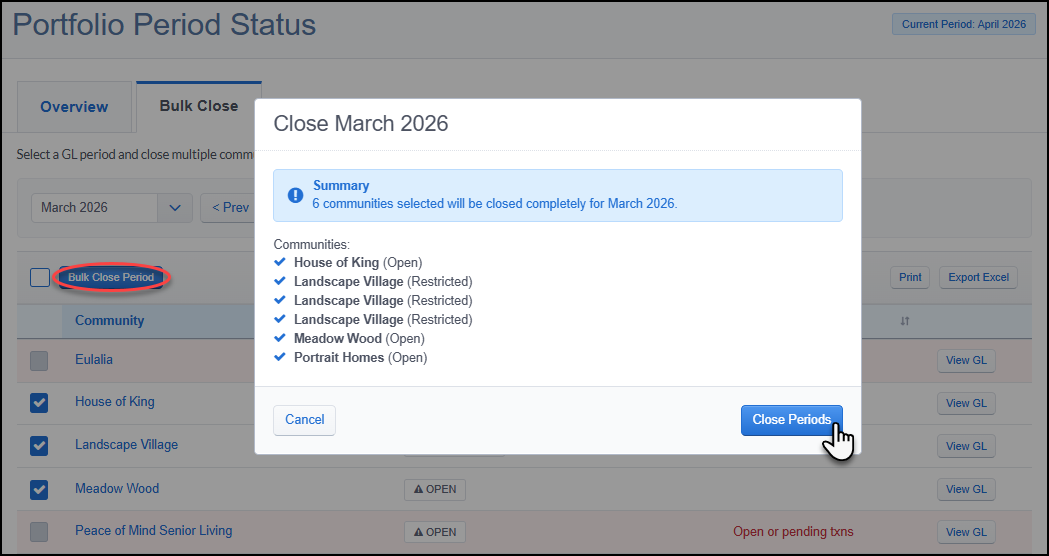 Per-diem Discount type for Billing ItemsAs of our April 22 release, users can now configure discounts with a per diem rate, allowing amounts to automatically scale based on the number of service days on each invoice. When adding or editing a discount for a per diem billing item, a new $/day option is available alongside existing $ and % types. The Exclude from Proration option is hidden for this discount type. Per diem discounts carry forward to future invoices and recalculate with each billing period. The Discounts Report displays these values with a “/day” suffix. 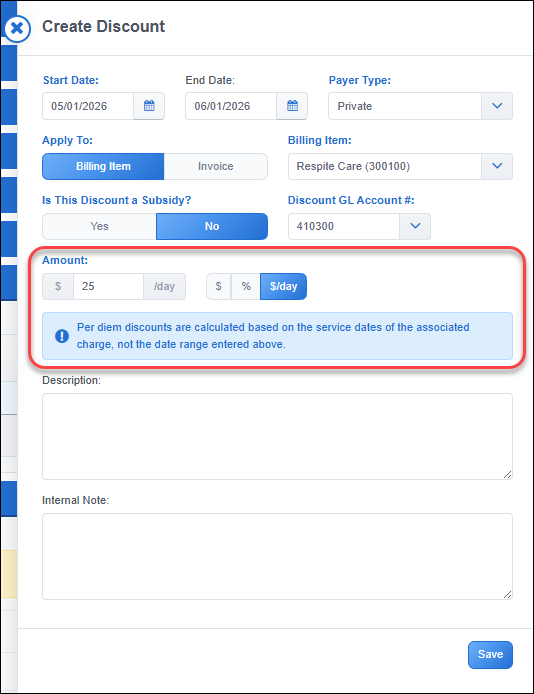 Return Recurring Charges when deleting invoicesAs of our April 29 release, users can now choose to carry forward recurring charges when deleting an invoice, helping prevent missed billing for services already provided. When deleting an invoice, a new option allows recurring charges to be either deleted or added to future invoice charges, where they will be picked up automatically on the next invoice. Returned charges retain their original amounts, including proration and discounts, and follow the same behavior as incidental charges in the existing workflow. 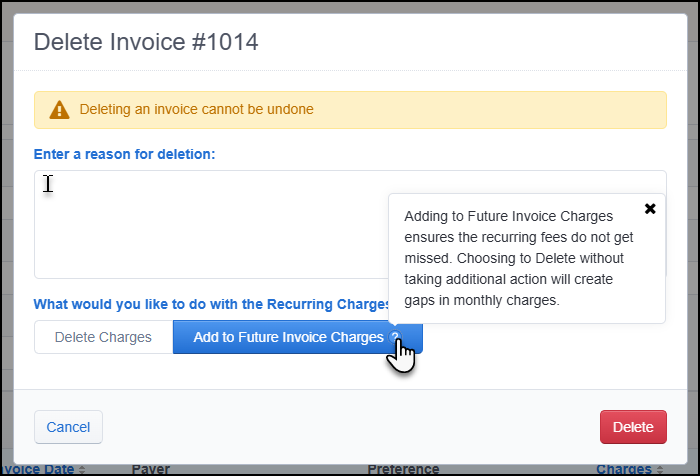  Referral Source details on Prospect ProfilesAs of our April 8 release, users can now more easily identify and select the correct referral sources when managing prospect data. The Prospect Source dropdown shows Referral Type and Referral Organization as subtitle text to help distinguish between similarly named sources. When a prospect’s saved source is a referral, these additional details display below the source name on their profile. 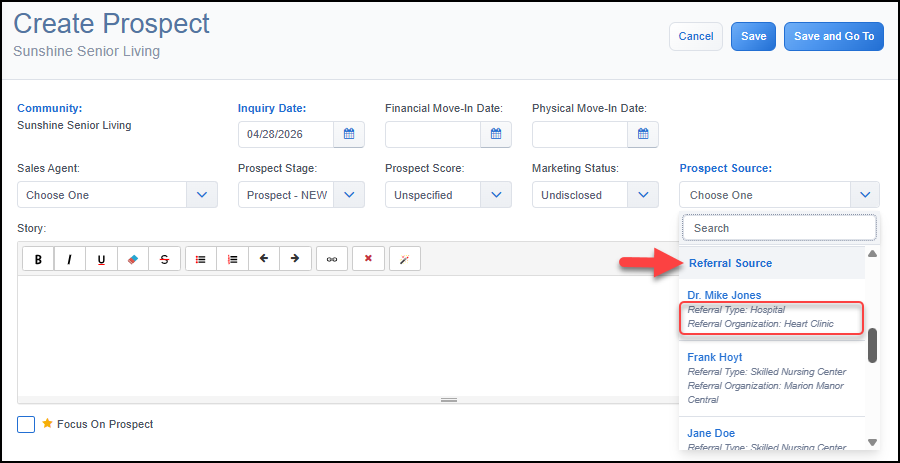  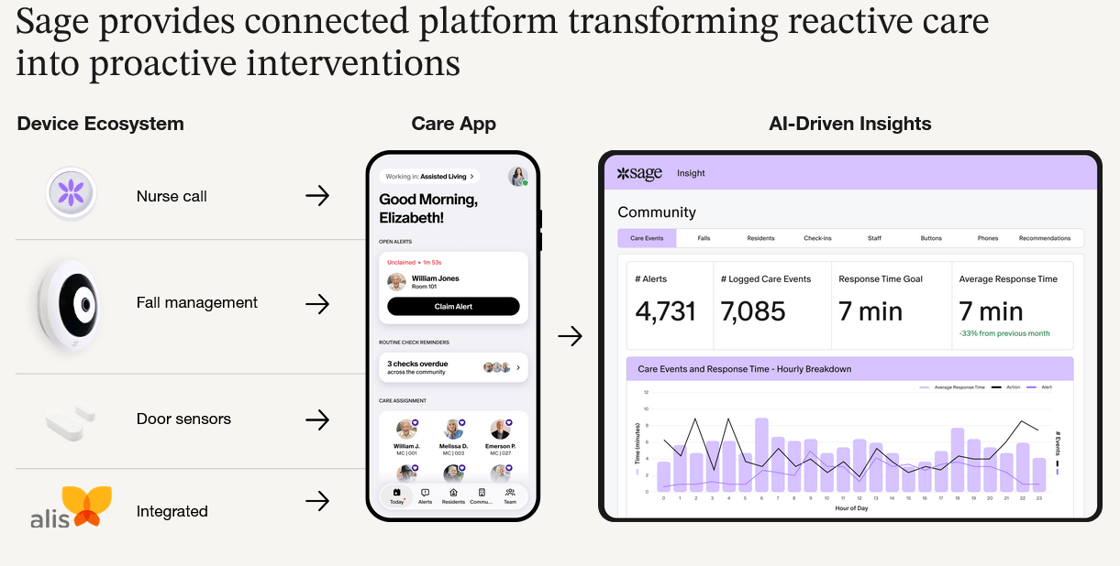 Want to enable an integration with us? Reach out to info@go-alis.com to get started. New APIs for Evaluations and Order AdministrationAs of our April 29 release, new paged API endpoints improve performance for high-volume data retrieval, resolving timeouts and difficult querying in Excel and Power BI.
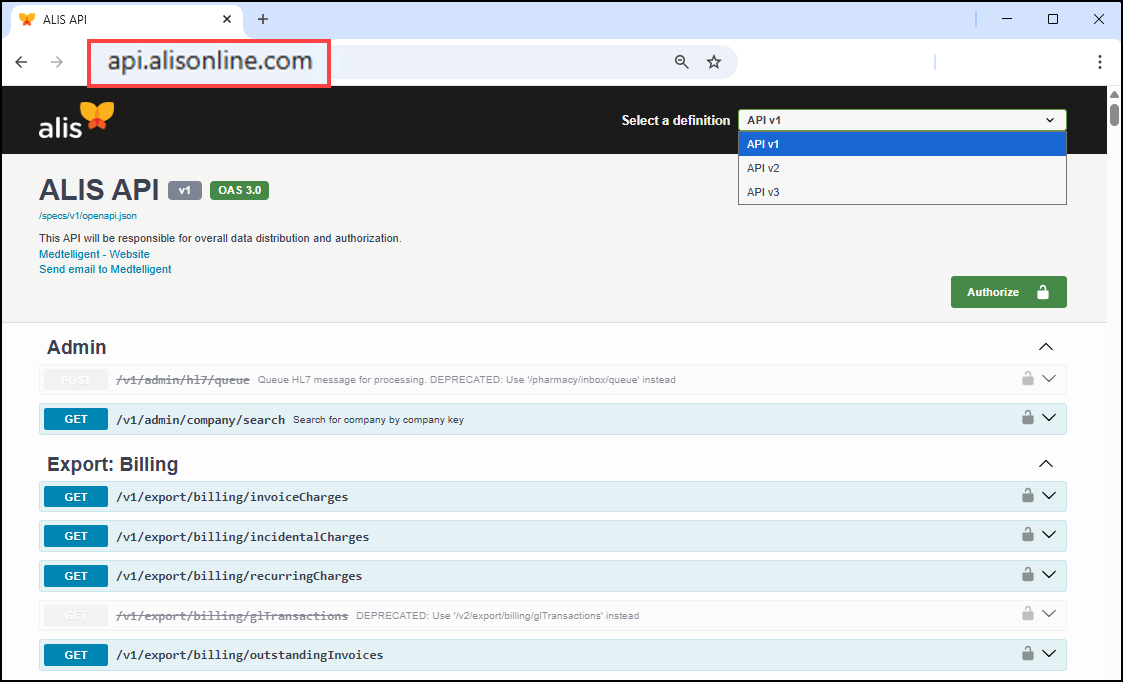 Contact your Account Manager for assistance with API access and locating specific endpoints.  Click HERE to view our list of bug fixes in the last month's releases. Release emails and webinars occur monthly. The next scheduled release is: Wednesday May 6th 2026 |