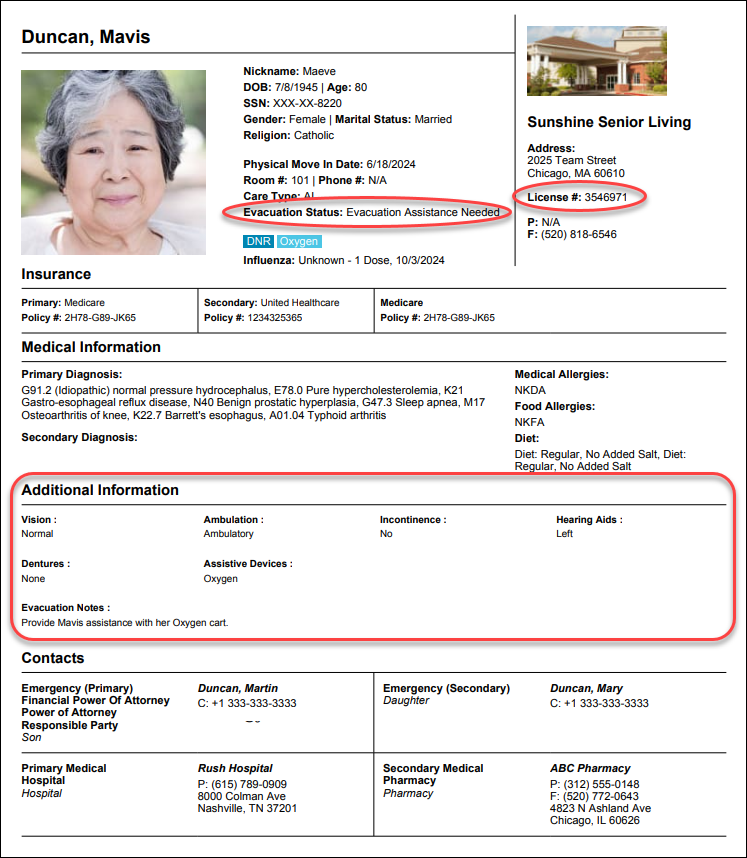
These notes covers release information from the past month.(February 11 - March 4, 2026)Click here to sign up for monthly release emails.Residents/eHRNew Facesheet settings: Additional InformationAs of our February 11th release, Facesheet PDFs include Evacuation Status (set in Health Profile) and License Number (set on Community Details page) by default. Now, easily pull details directly from the Health Profile to Facesheets in Resident Settings → Facesheet Settings → Additional Information menu:
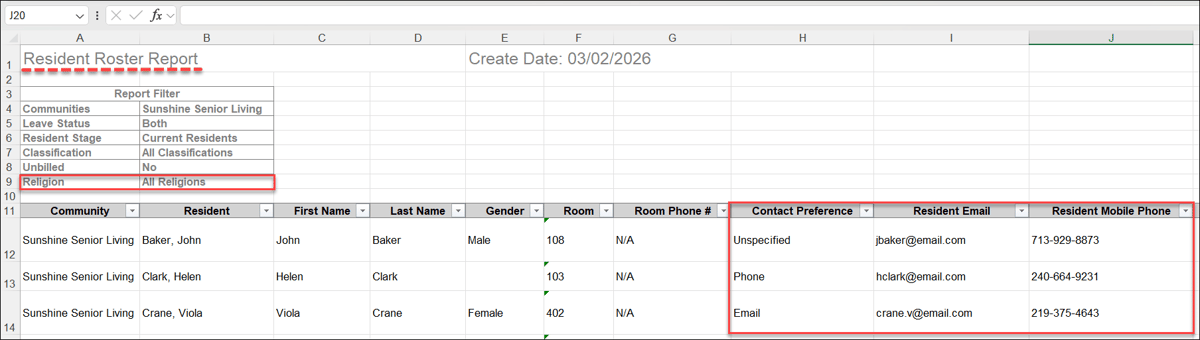
 New columns for Resident Roster reportAs of our February 25th release, data expanded for the Resident Roster Report. It now includes additional resident contact and demographic information:
 New column added to Incident ReportAs of our March 4th release, we added a Room Number column to the Incident Report—available on-screen and in PDF or Excel exports. This update makes it seamless to cross-reference ALIS records with room-based data from third-party fall detection systems like Inspiren. 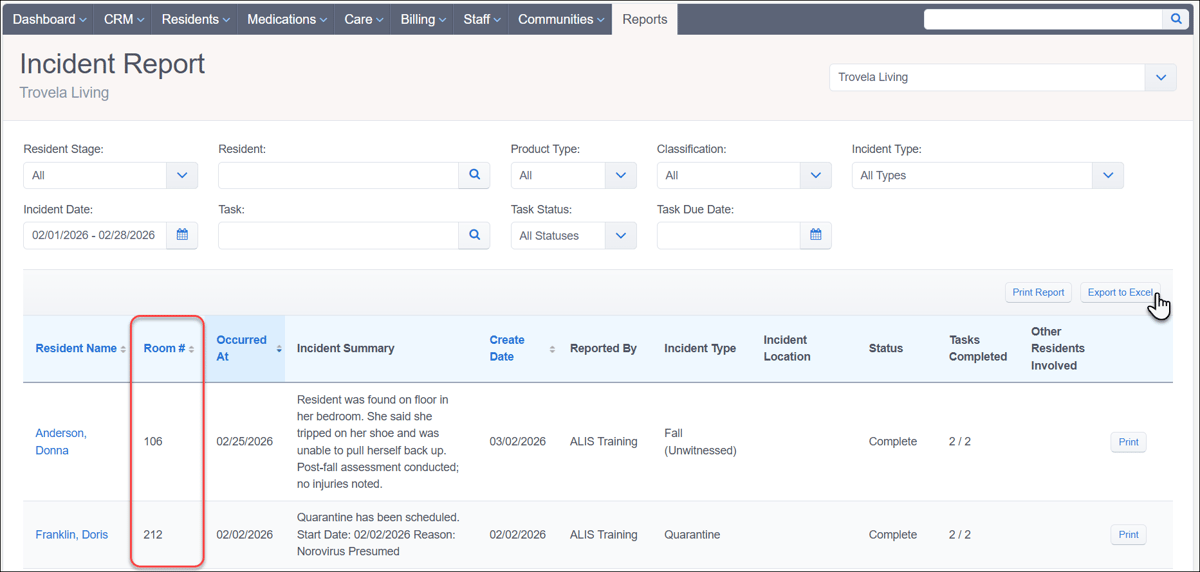 Incident Location options sorted alphabeticallyAs of our February 25th release, when reporting a new Incident you will see the Incident Location dropdown sorted in alphabetical order. This change enables staff to quickly select the correct location, especially when navigating a long list. 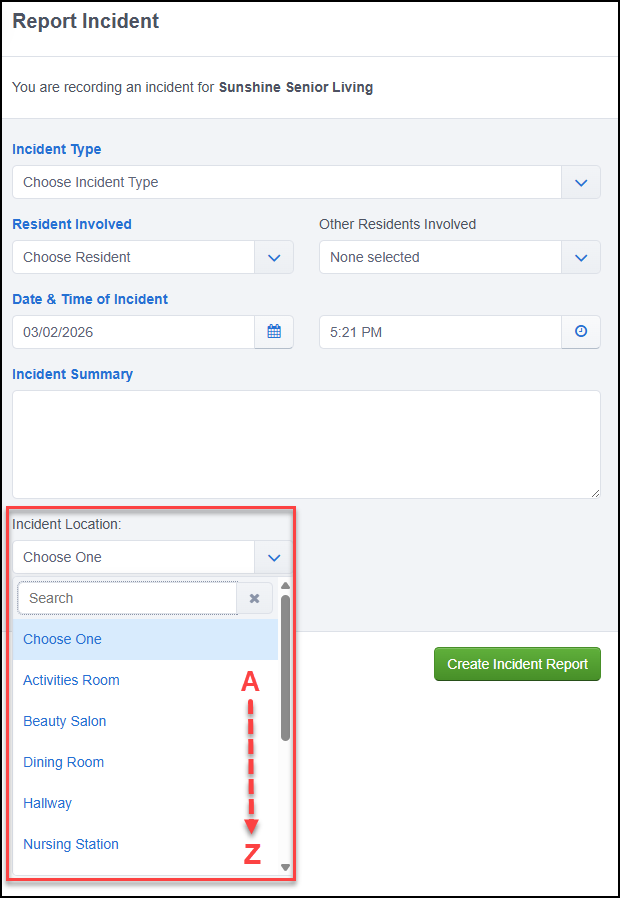 Resident Diet Roster exports as shown on-screenAs of our February 25th release, both PDF and Excel exports for the Resident Diet Roster report honor the sort order (e.g., by Room #) selected on-screen in ALIS. This update now provides consistency between digital and printed reports in an effort to reduce staff confusion during meal planning and production. 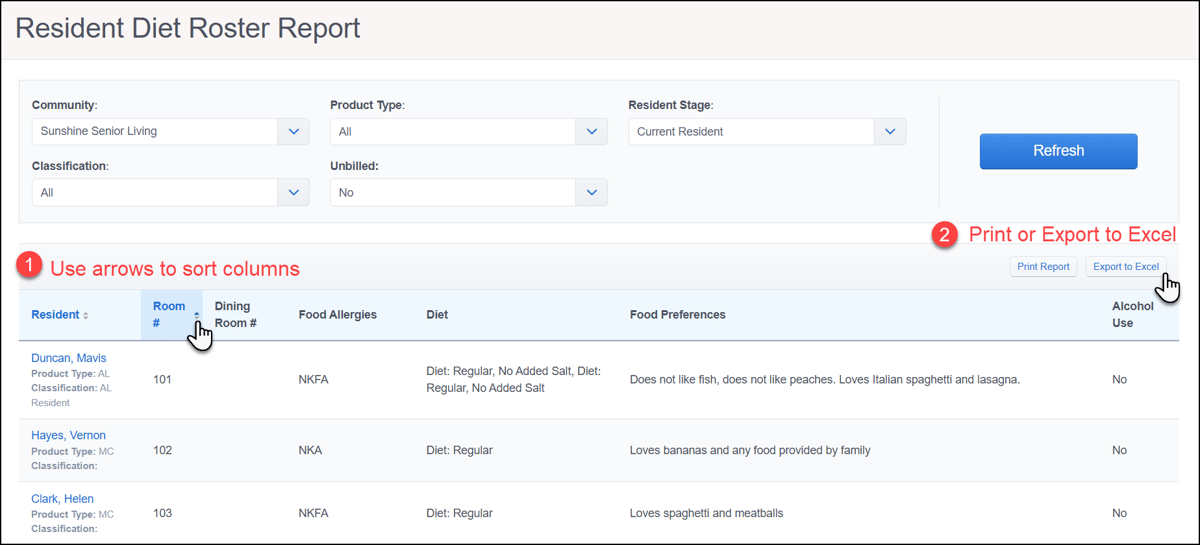 Contact your Account Manager for settings configuration assistance if needed. Clinical/eMARSmarter logic for 'Next Evaluation Reason'As of our February 25th release, we added smarter logic for Evaluation Reasons, ensuring your scheduling remains accurate and automated. In Resident Evaluation Tool Settings, you can now exclude specific Reasons from being auto-suggested once an evaluation is completed. The system will intelligently suggest the logical recurring reason—such as an "Annual"—rather than looping back to the first reason on your list. Additionally, when starting a new evaluation ALIS now automatically pre-fills the Evaluation Reason based exactly on what was scheduled during the resident's previous evaluation. 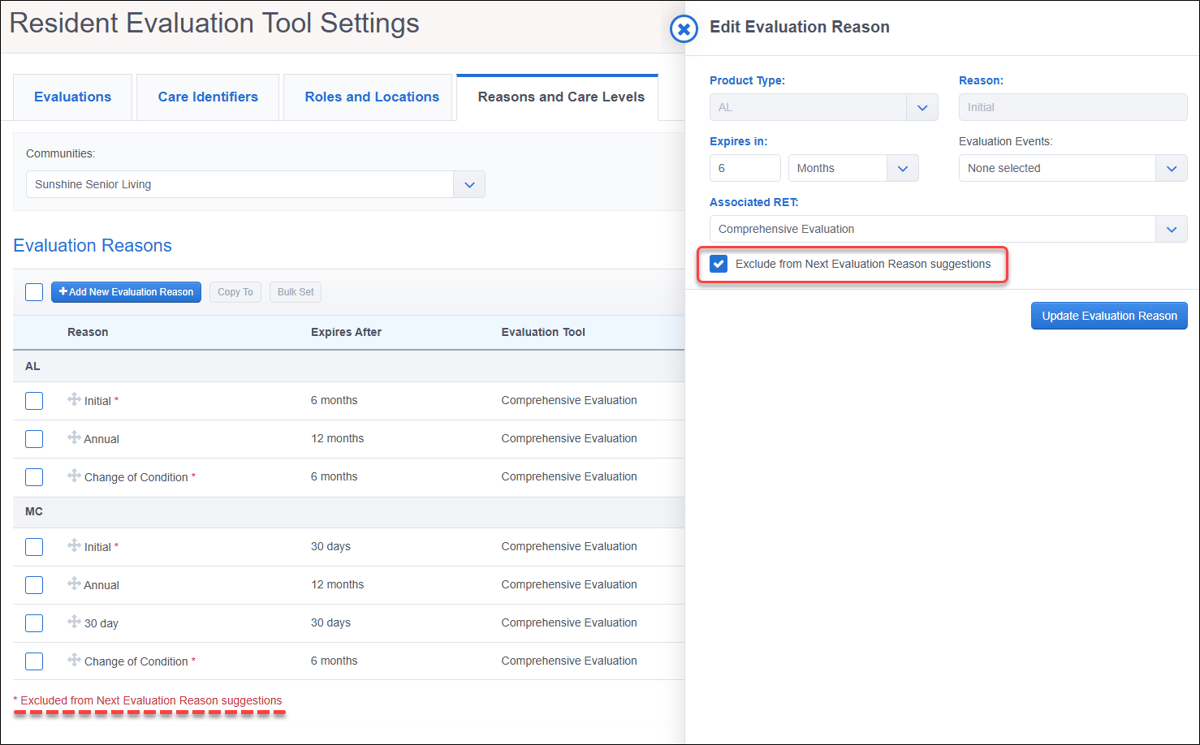 'In Cabinet' setting for Evaluations and Service PlansAs of our March 4th release, a new Company Setting gives you control over display of the 'In Cabinet' button on the Evaluation & Service Plan Details page. When disabled, "In Cabinet" is hidden from view. It will not affect any previously completed "In Cabinet" items. This setting is disabled by default for new companies. 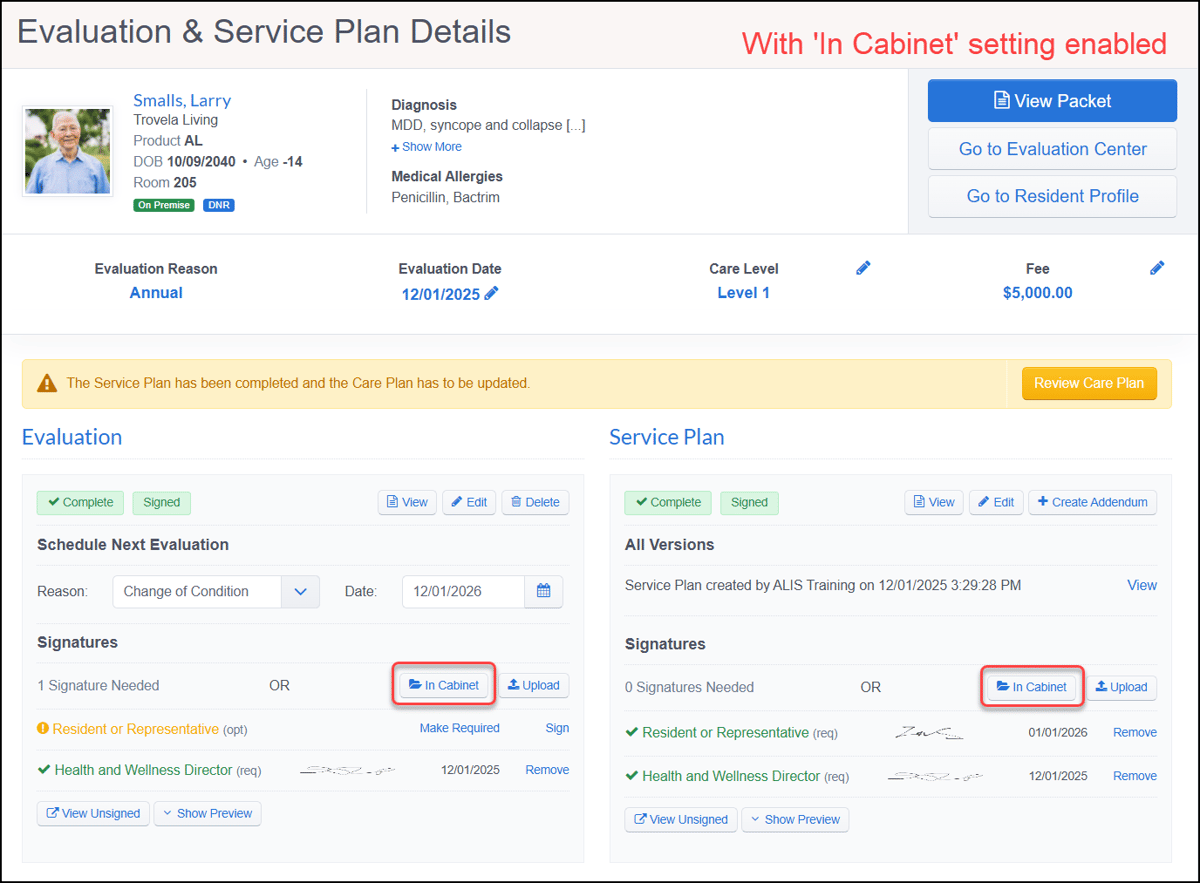 Pass Meds report filter updateAs of our February 18th release, this Pass Meds Report filter update ensures your search results are always accurate and visible. When the Recorded Status filter is set to Not Recorded, the Variance filter now automatically clears and becomes uneditable, preventing a conflict between filter combinations that could unintentionally hide data from your grid. 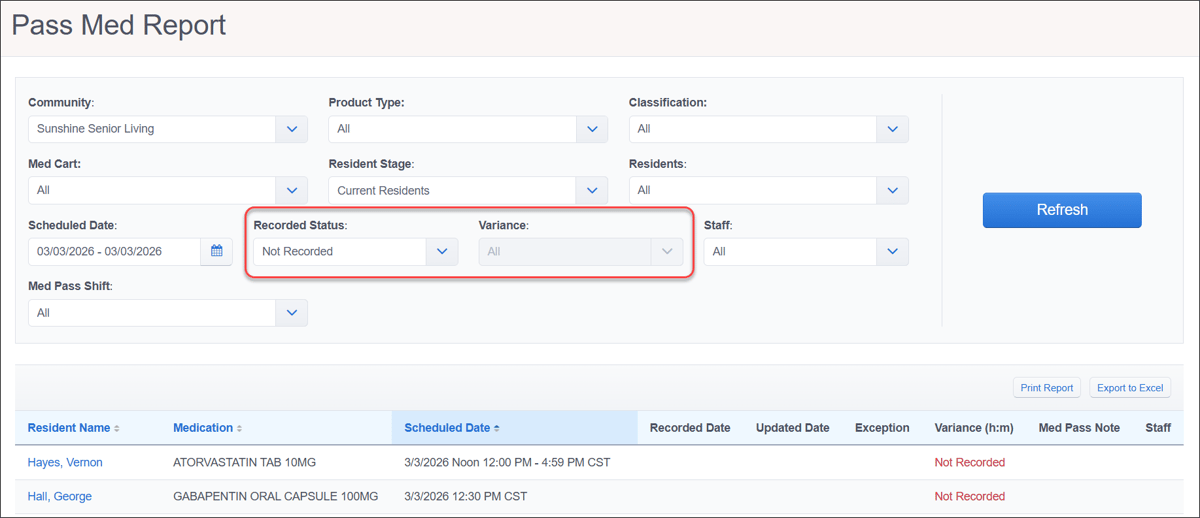 Filter persistence between Pass Med shiftsAs of our March 4th release, we introduced persistent filters in Pass Meds. This allows filter selections like 'Med Cart' or 'With a status of' to remain active as staff switch between the different shift tabs. Filters will now only reset when you navigate away from and return to the Pass Meds page, ensuring a fresh state for each new administration session. 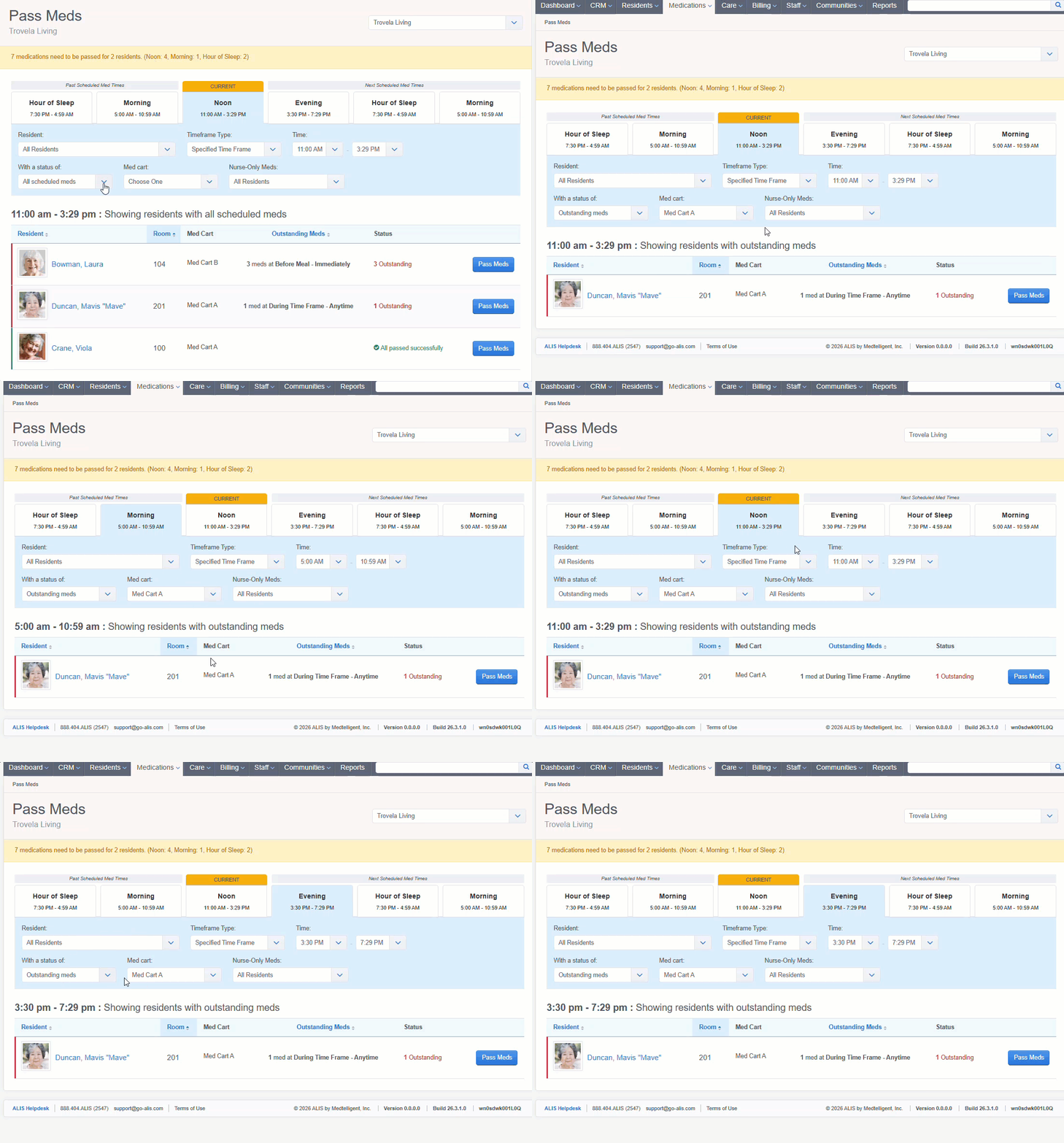 Contact your Account Manager for settings configuration assistance if needed.
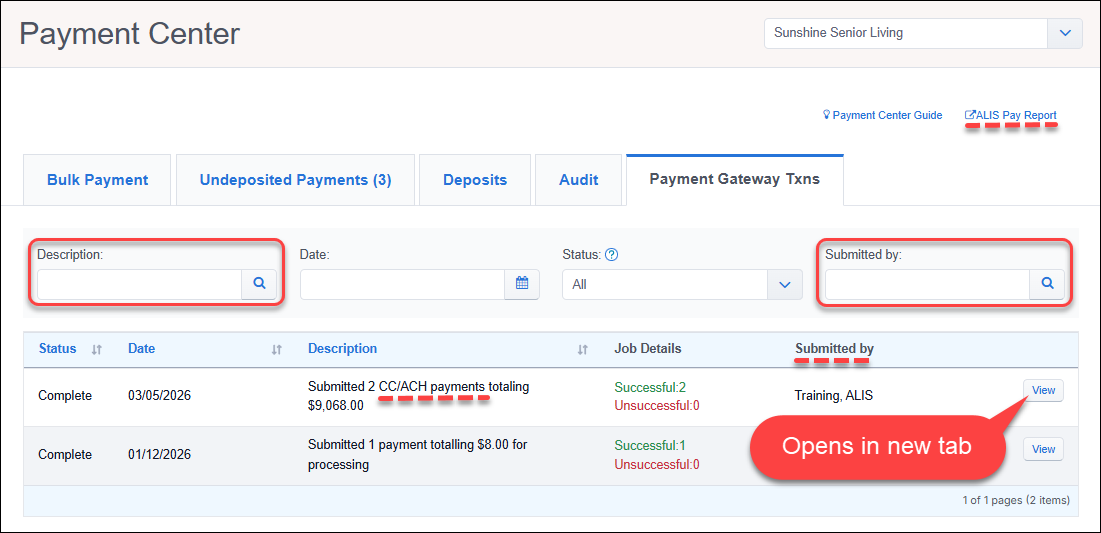
Revenue ManagementImproved iStream settlement file batchesAs of our February 11th release, we added improved iStream settlement batching to reduce the need for manual reconciliation. ACH payments from large deposits are grouped into the correct funding batches, making settlement files, bank statements, and deposits align better. 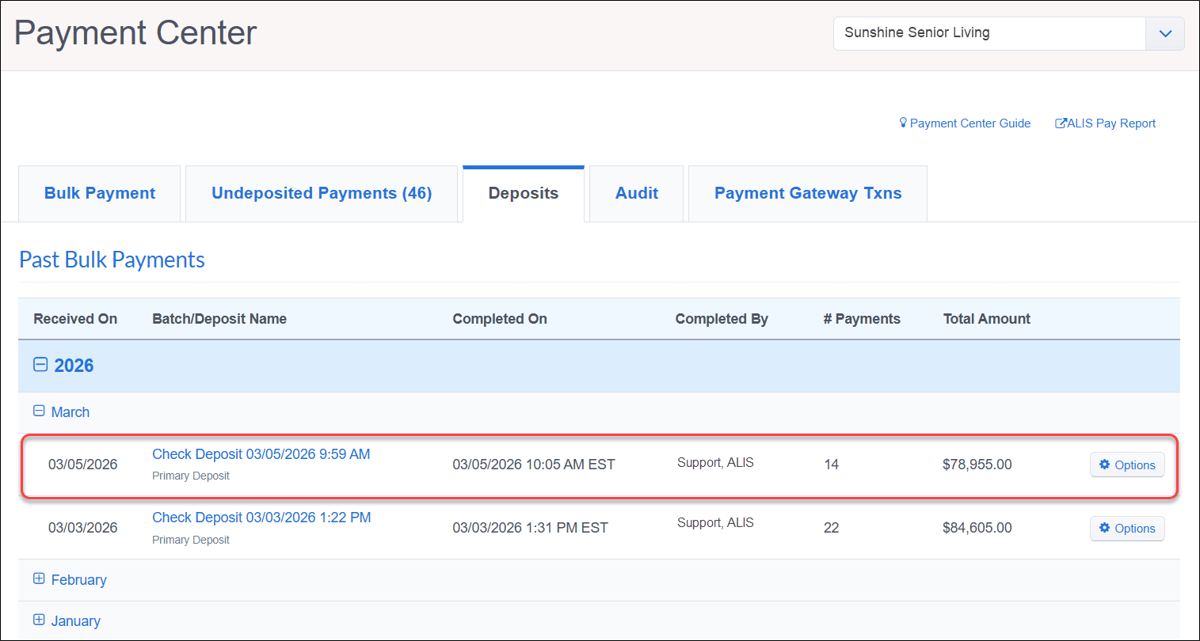 Allow deletion of Yardi, Netsuite, SFTP GL exportsAs of our February 25th release, those using Yardi, Netsuite, and other SFTP GL integrations have the ability to delete past export files. Deleting an export marks the transactions as 'unexported' so they can be corrected and re-exported, most useful for when GL accounts need to be reconfigured. Note that exports in closed periods cannot be deleted, and removing an export in ALIS does not retract files already staged in the SFTP folder or accounting system. 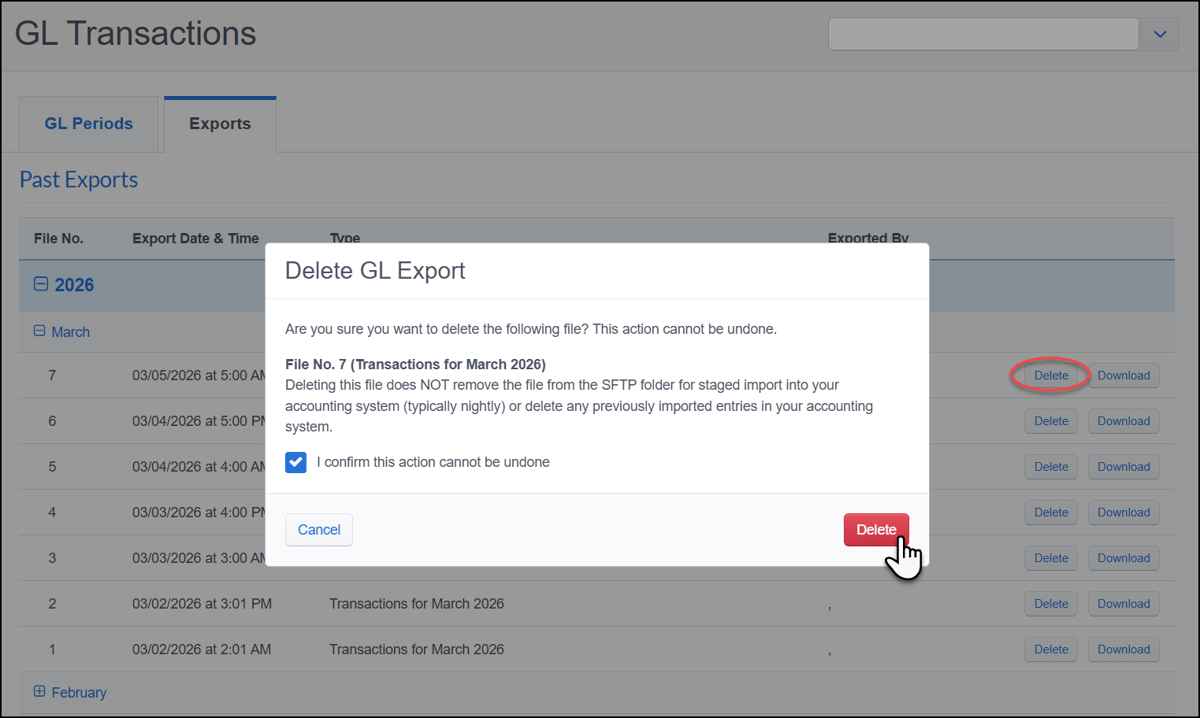 Better usability in Payment Gateway Txns tabAs of our February 25th release, we redesigned the Payment Gateway Txns tab in the Payment Center to improve usability and faster navigation. You can now identify batch types—such as ACH, CC, or Check— in the Description column and use new search fields to filter results by Description or Submitted by. Clicking View on specific payments now opens details in a new tab. Other updates include a refined pagination interface, a direct link to the ALIS Pay report, and the renaming of the 'Staff' column to 'Submitted by' for better clarity.
'Background Task Details' page improvementsAs of our February 25th release, the Background Task Details page (accessed by clicking View on a specific payment) has also been refined for better ease-of-use. We renamed the 'Staff' row to 'Submitted by' in the top details section for a more consistent experience between pages. The new Note search field allows for fast filtering of results for specific payers or check numbers. To ensure your data remains accurate at a glance, we removed non-payment line items—like "Generating Summary PDF" and "Processing n payments totalling"—from the table so they no longer inflate your successful or unsuccessful counts. Occupancy and CensusDecimals allowed for Floor Plan BudgetAs of our February 11th release, we updated Floor Plan Budget settings fields to support decimal values (e.g., 15.5), instead of forcing rounded numbers. This enhancement ensures greater precision in your financial tracking and allows the Weekly Occupancy Report to pull and display more accurate, granular data. 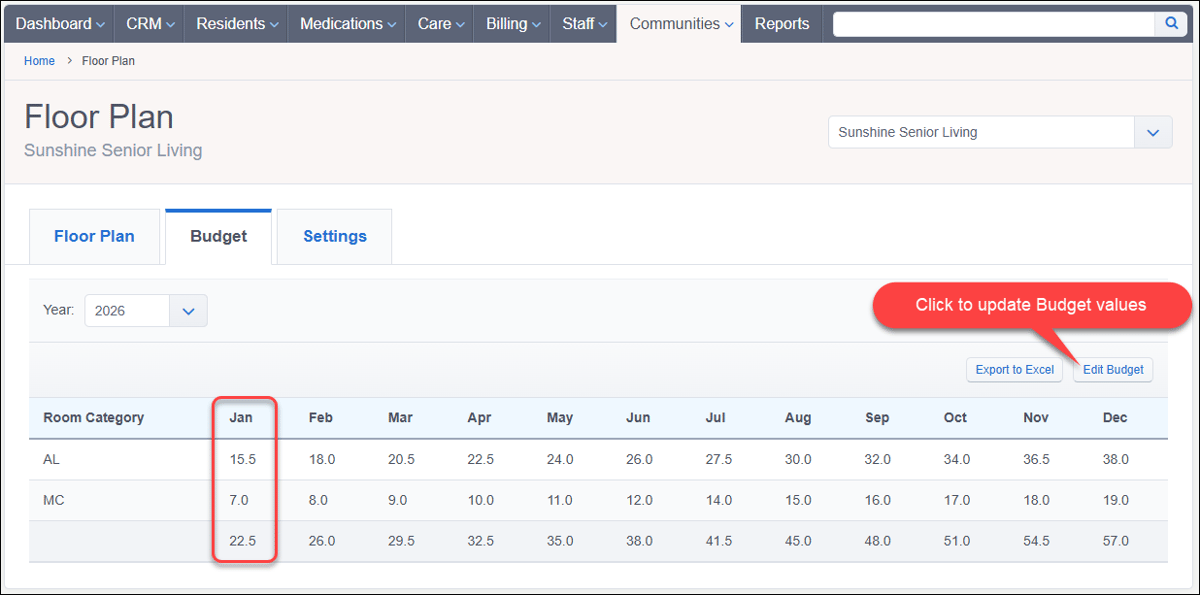 ALIS CRMCompany Prospect Search by Phone and EmailAs of our February 18th release, the Company Prospect Search in the ALIS CRM supports searches by Phone and Email in addition to Name. Users can now easily toggle between these three search modes, making it easier than ever to locate Prospect profiles. Please note that phone number searches specifically target only Prospect and Main Contact home phone numbers. 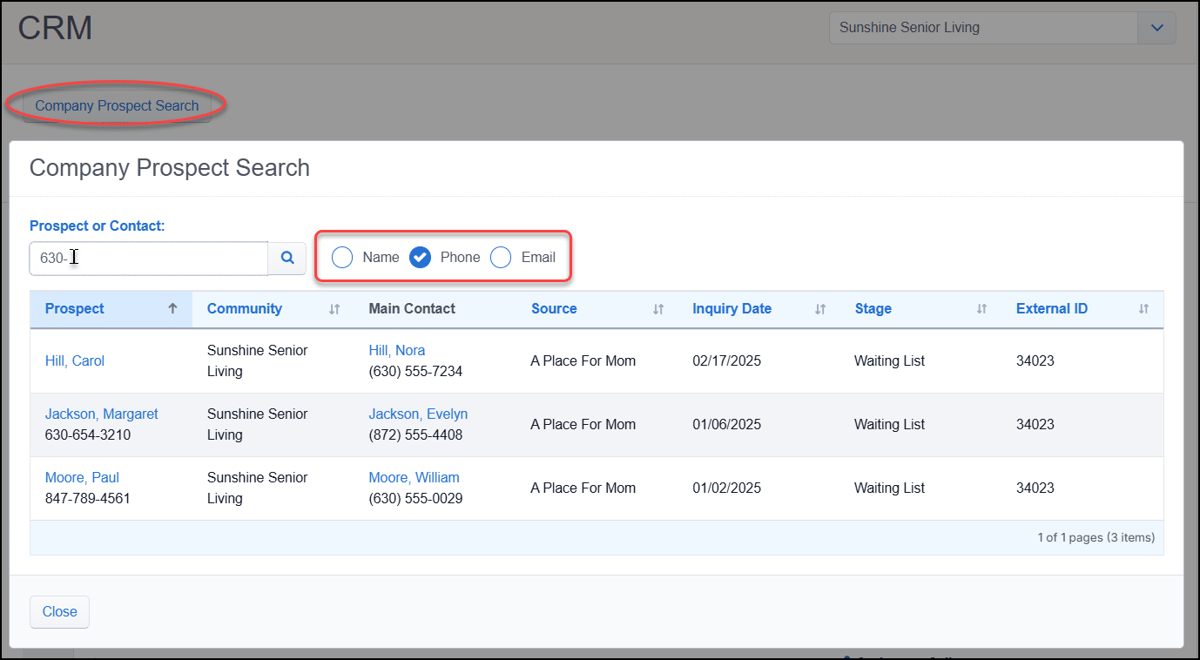 Contact your Account Manager for settings configuration assistance if needed. Miscellaneous EnhancementsUpload files directly to Inbound DocumentsAs of our February 25th release, upload files directly to Inbound Documents for immediate filing without relying on external fax or email ingestion. With the new 'Upload Files' button, you can now drag and drop or browse multiple files from your device. Each document uploads individually for quick and simple filing. 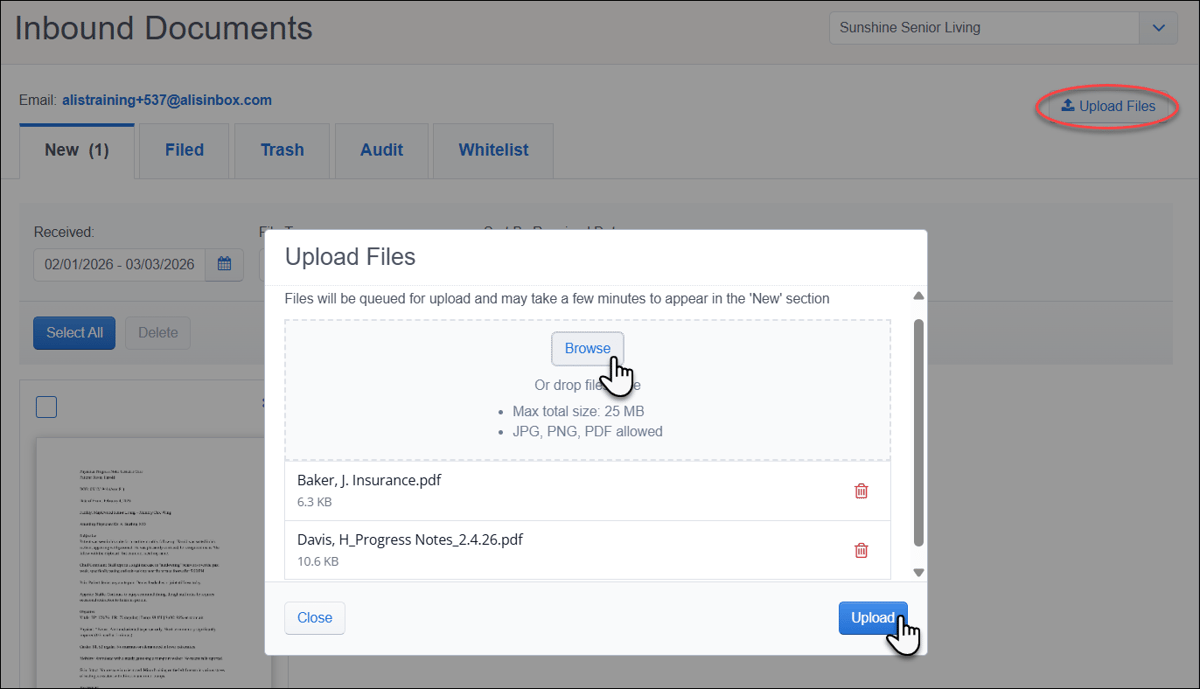 Expanded Compliance settingsAs of our February 25th release, we updated Resident, Staff, and Community Compliance settings to allow the upload of form templates without mark-up fields. This change makes it easy to centralize informational documents—such as transfer forms, welcome letters, or staff references—for quick downloading, printing, or including in an Emergency or Custom Packet on a resident profile page. 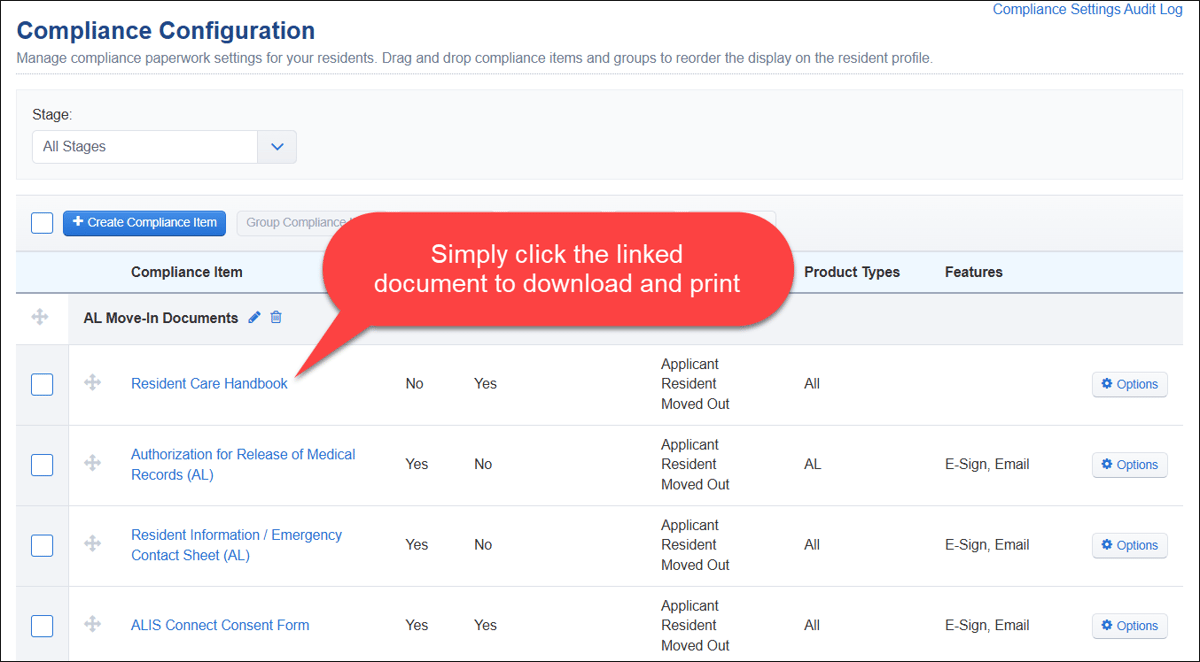 Rename Miscellaneous DocumentsAs of our February 25th release, we support renaming Miscellaneous Documents directly from the document list after they have been uploaded. This allows you to quickly correct or clarify document titles with a single click on the resident profile, eliminating the need to delete and re-upload files. 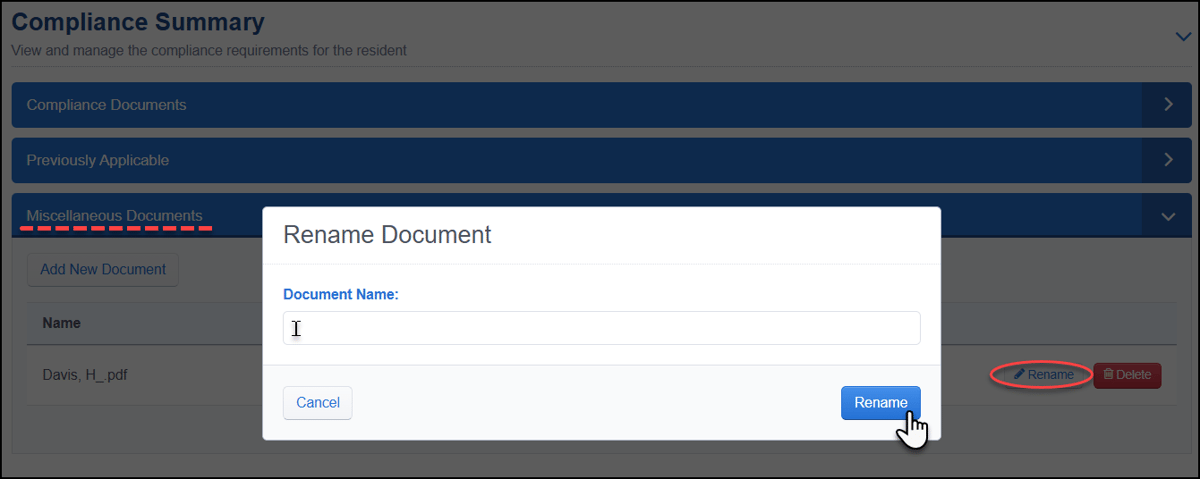 Staff Roster Report improvementsAs of our February 25th release, the Staff Roster report was improved to make analyzing and exporting your staff lists more efficient. You can now filter results by specific Security Roles and enjoy full column sorting on key staff attributes, giving you a more tailored view of your team at a glance. 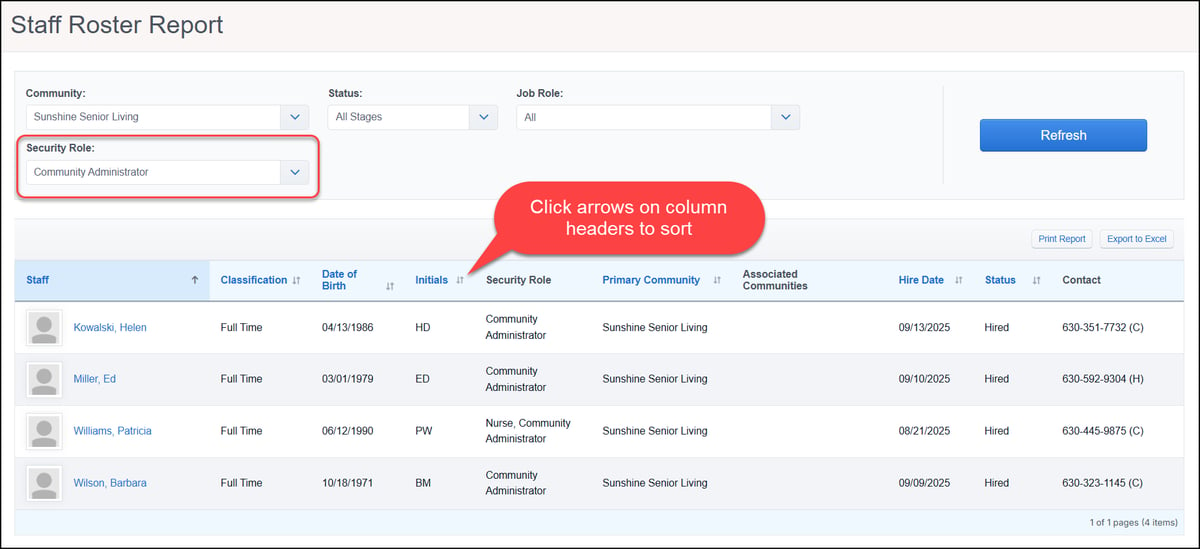 More details for Care Integration API endpointsAs of our February 11th release, we added more details to the Care Integration endpoints, providing Care integration partners with greater visibility into care task parameters. Using the /items endpoint, partners can easily identify when notes, start and end times, or 'time taken' are required for care tasks sent to ALIS. As of our March 4th release, we added an additional careProgram field to both /items and /scheduledCareTasks endpoints. This allows partners to identify exactly which care program a task belongs to, enabling more targeted data while maintaining full compatibility with existing integrations. 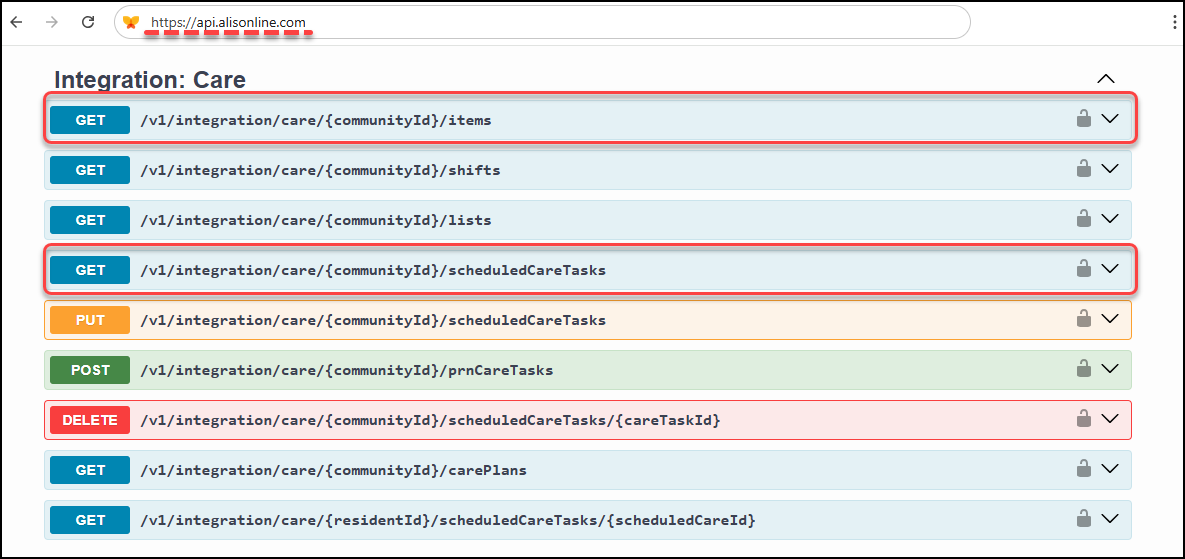 New Integration API endpoint to generate StatementAs of our March 4th release, we introduced a new API endpoint that generates a single resident’s statement PDF on demand. This /v1/integration/billing/{residentId}/statement/pdf endpoint was designed for use cases like the Sunbound integration, allowing a statement to be generated only when an individual resident’s balance changes. This reduces unnecessary bulk generation while still triggering the standard "Statement PDF Generated" webhook. 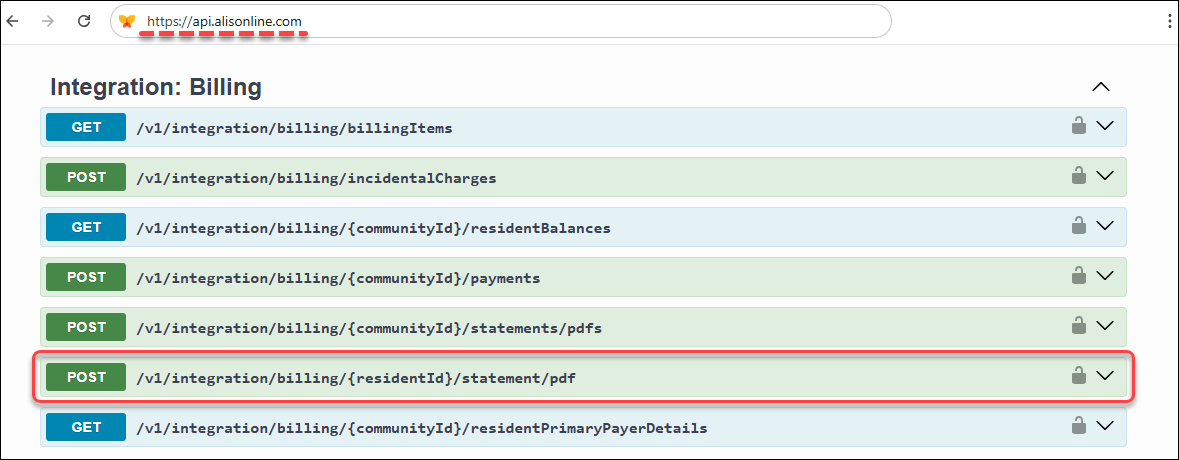 'Back to Top' button added to more ALIS pagesAs of our March 4th release, we added the 'Back to Top' navigation button to the All Residents, All Staff, Resident Settings, and Company Settings pages. The blue arrow button will automatically appear as soon as you scroll past headers, allowing for much faster navigation on these high-volume pages. 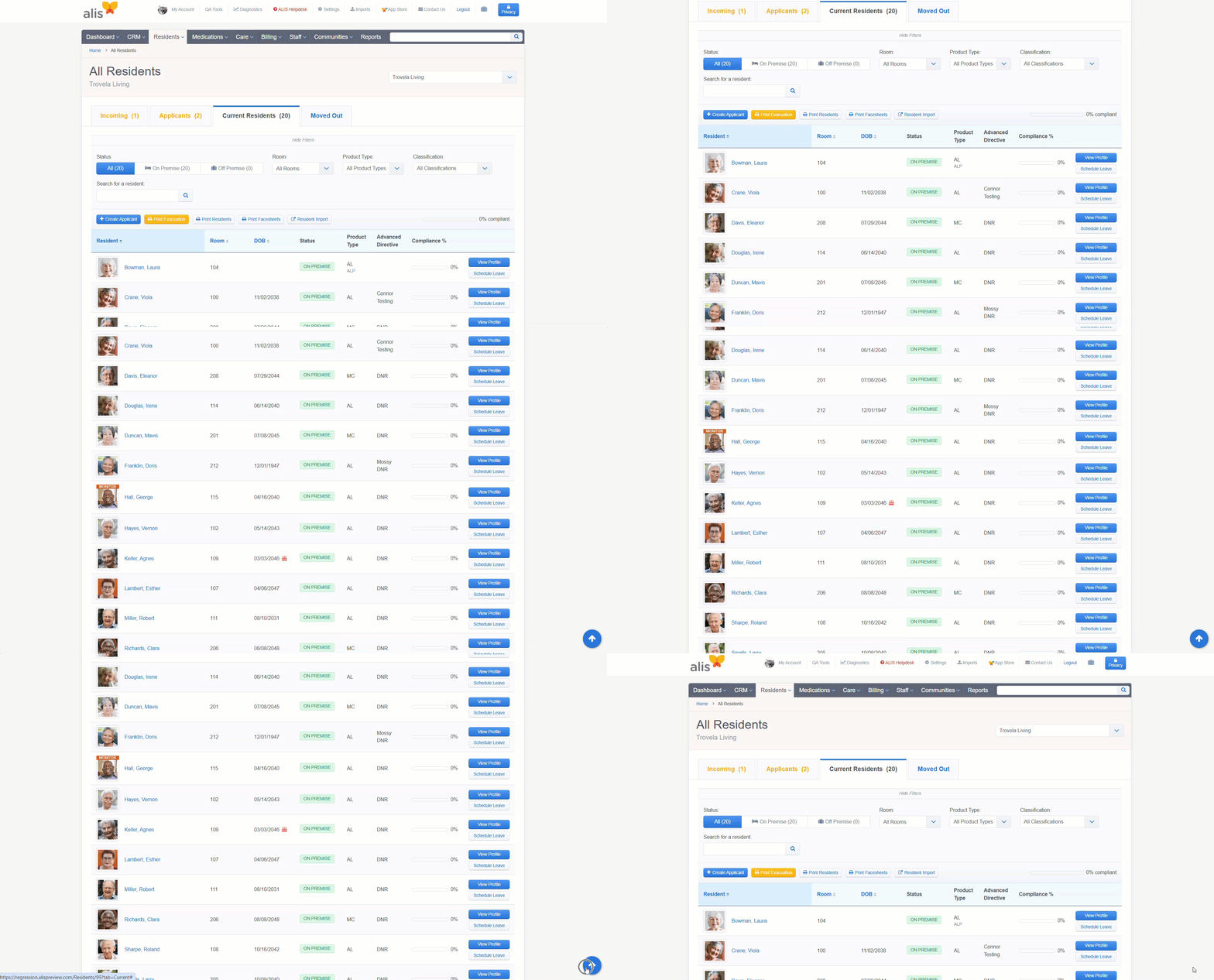 Contact your Account Manager for assistance with API access. Risk ManagementDownload Emergency Packets via Records RequestsAs of our February 25th release, we integrated Emergency Packets directly into the Records Requests workflow, making these important documents an option to select and include within your generated files. Once enabled in Company Settings, users with access to Records Requests no longer need to pull these packets individually from resident profile. 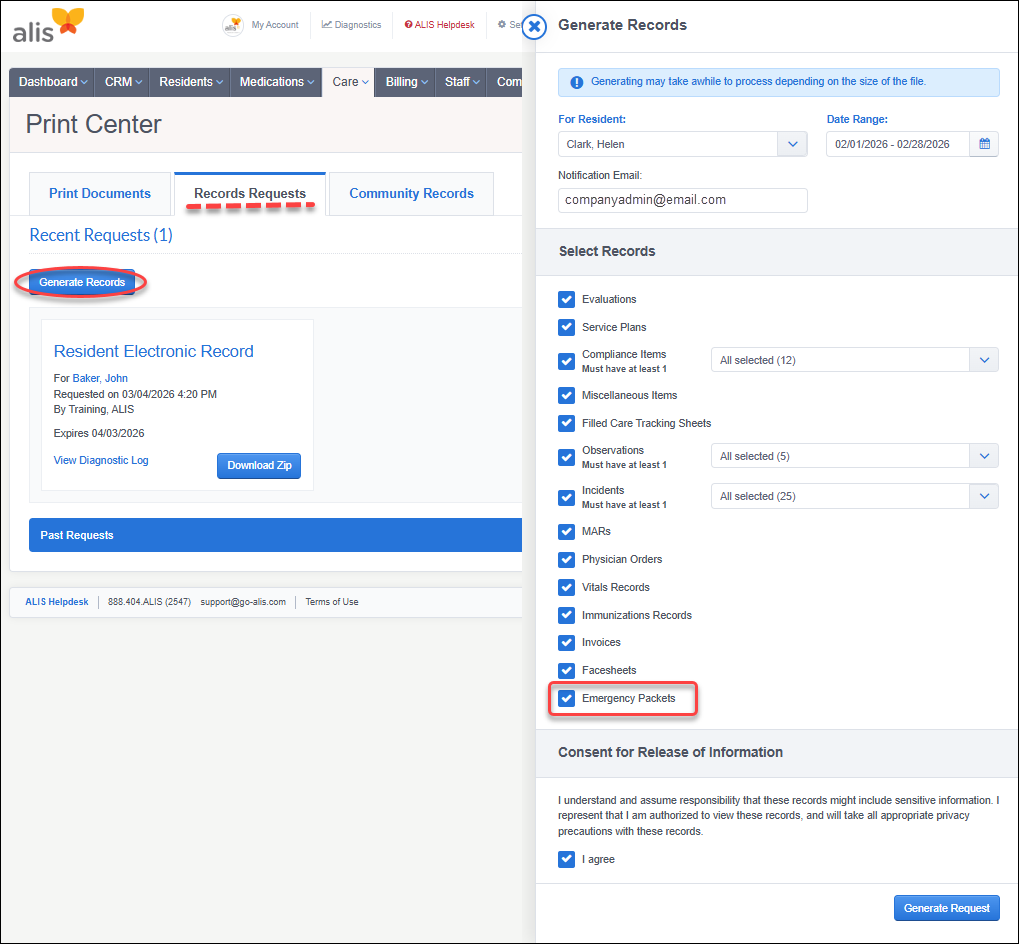 Third Party security role permission updateAs of our February 25th release, there is now a new permission under Third Party security roles to give you precise control over which external partners can generate Resident Report Card PDFs directly from the resident profile. This ability to 'View Resident Report Card' is enabled by default for Third Party roles. 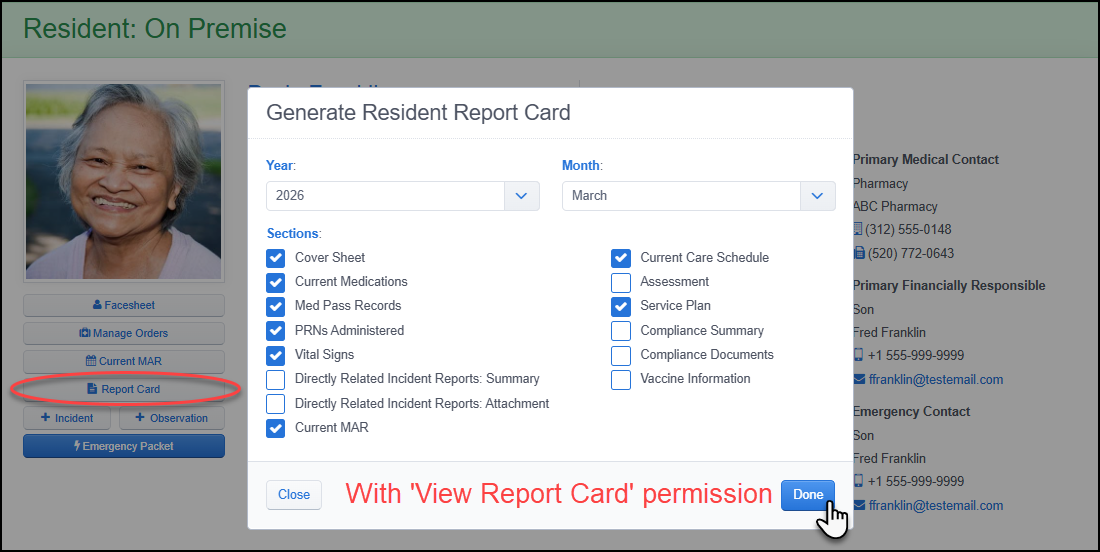 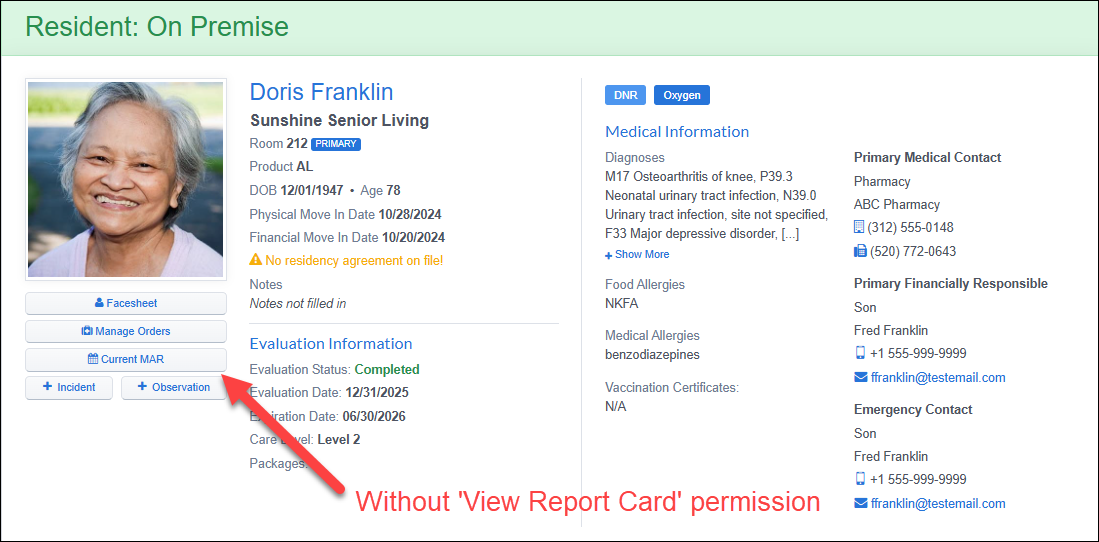 New 'Revert Move In' security role permissionAs of our February 25th release, a dedicated 'Revert Move In' permission was added to enable community teams to reverse a resident move-in made in error. This permission is enabled by default for all Company Administrator roles and can be granted to any other standard user role. 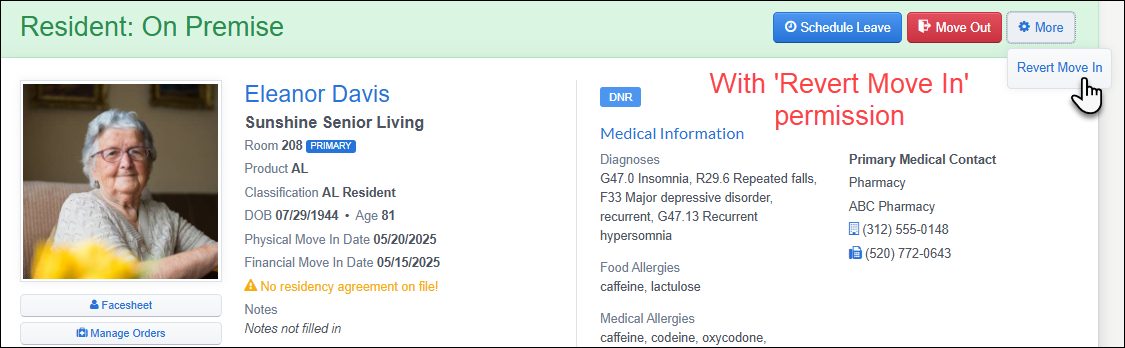 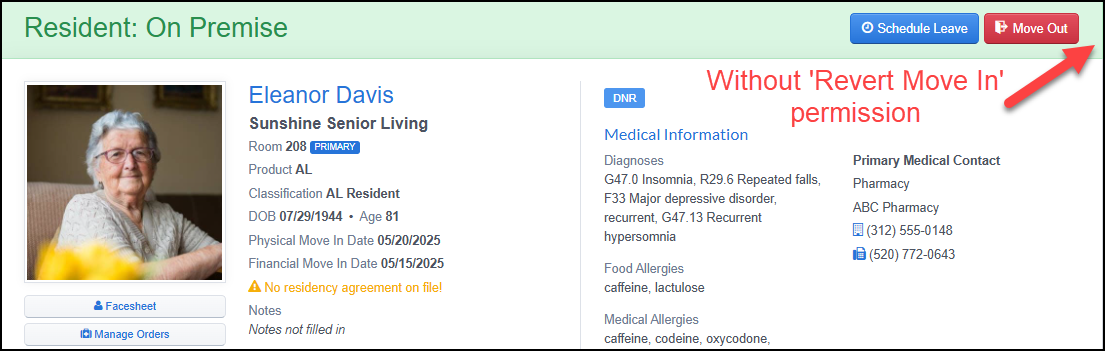 App Store/Integrations Set Deposit Account for Sunbound integrationAs of our February 25th release, we provided greater flexibility for those using the Sunbound payment integration by allowing you to select which deposit account—including secondary or tertiary accounts—is used for payments. Please note that enabling this feature requires an ALIS team member. Contact your Account Manager for configuration assistance. Want to enable an integration with us? Reach out to info@go-alis.com to get started. Bug FixesClick HERE to view our list of bug fixes in the last month's releases.
Releases occur weekly. Release Emails and Webinars occur monthly.If you have any questions or comments, please contact ALIS Customer Success.888.404.ALIS(2547) or support@medtelligent.com |
Releases 26.2.2.0-26.3.1.0
- Updated
- Print Article