ALIS 9.7.4 arrives Wednesday December 3rd 2025 at Noon (12 PM CT).
Click here to sign up for release emails.
Residents/eHREvaluation Center enhancementsEnhancements to the Evaluation Center streamline clinical workflows and provide administrators with greater control over resident evaluation and service plan data.
These key updates improve organization and ensure teams can efficiently prioritize necessary evaluations. 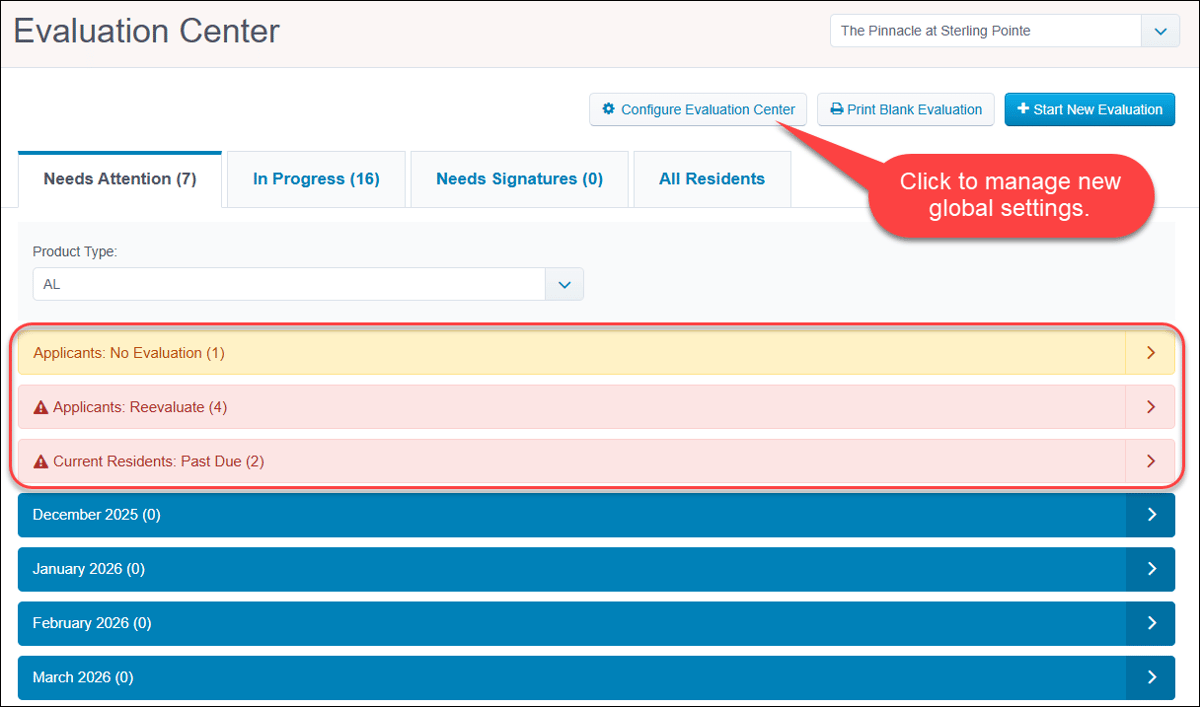 Pre-fill Observation Summary templatesTo improve consistency and guide staff charting, we added the ability to configure custom templates for any observation type within Company and Resident Settings. When a user selects a templated observation type, the pre-written prompts will automatically populate in the Observation Summary field. This powerful enhancement ensures staff capture necessary details efficiently while reducing the effort required to write comprehensive notes. 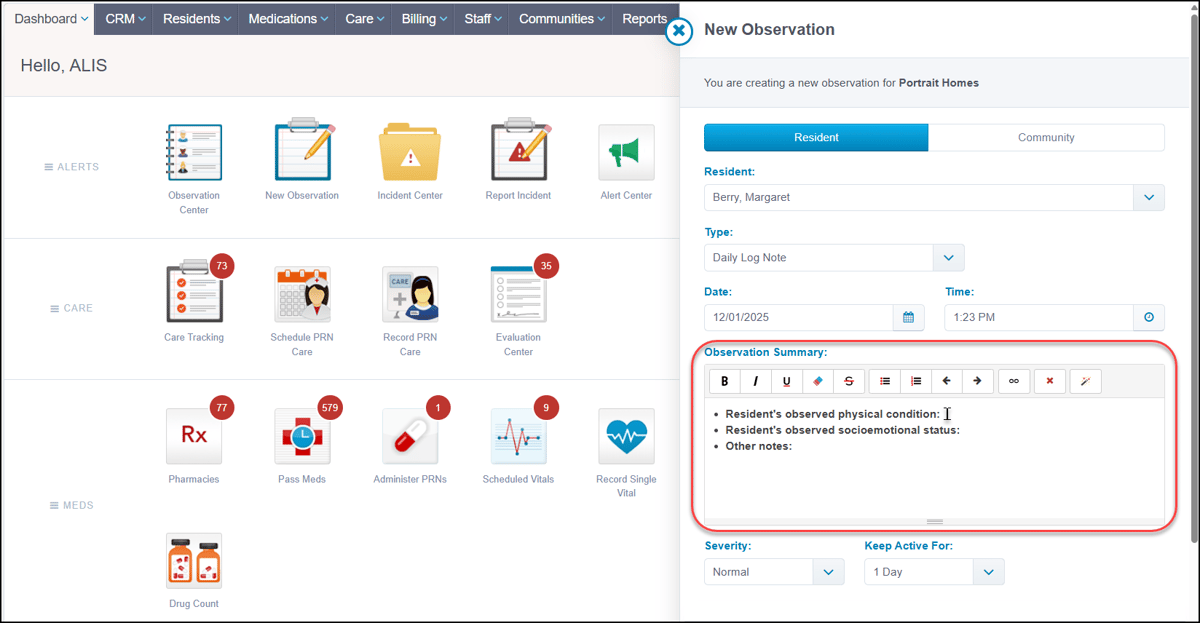 Contact your Account Manager for settings configuration assistance if needed. Clinical/eMARImprovements for liberally-scheduled ordersAs of the November 12th release, holistic improvements were made to more fully support liberally-scheduled orders.
These changes provide clinical teams with greater clarity and accuracy for medication administration and MAR auditing. 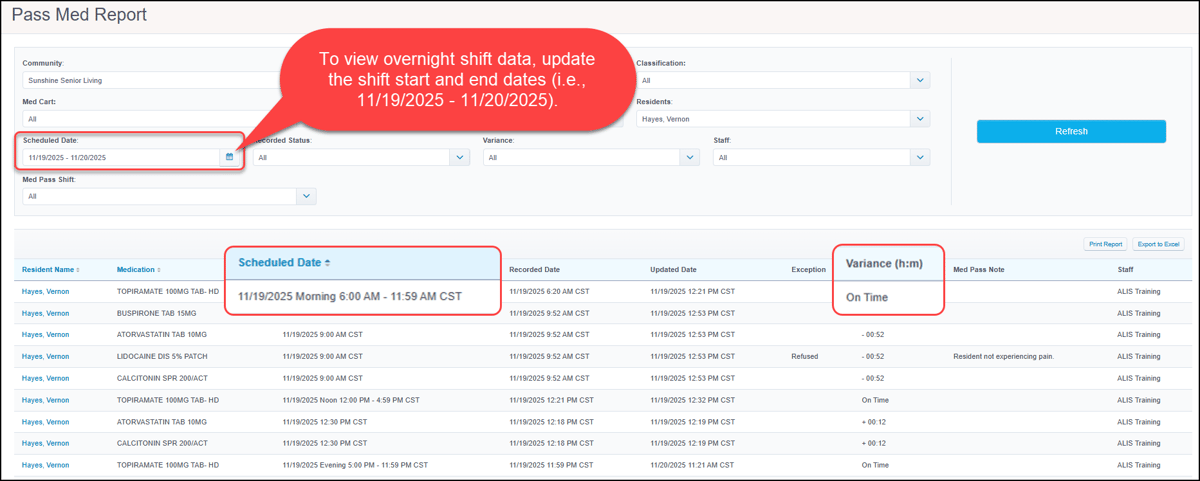 Revenue ManagementSeparated alerts for refundsTo eliminate confusion and improve financial tracking, we updated alerts to clearly distinguish between standard recorded refunds and ALIS Pay refunds. The Billing category contains a new alert for refunds that are simply logged in ALIS and not automatically returned via the gateway:
The ALIS Pay category contains an updated alert for refunds that are processed via the gateway:
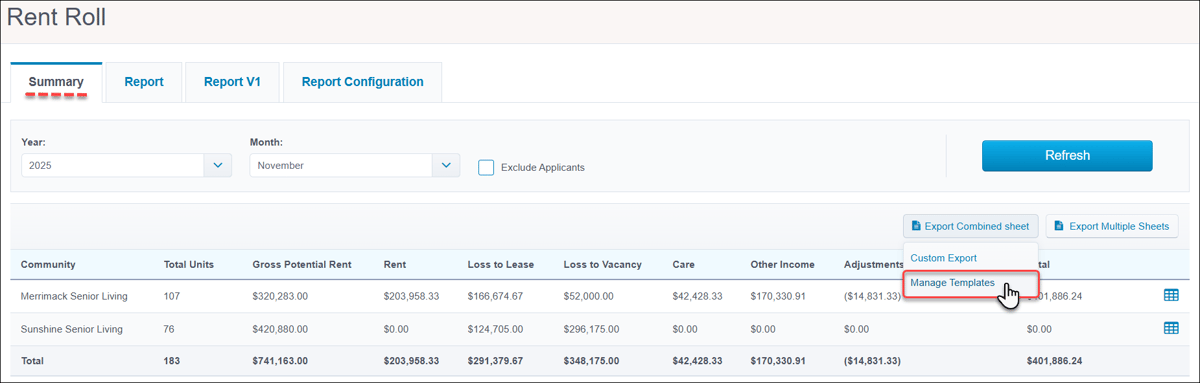
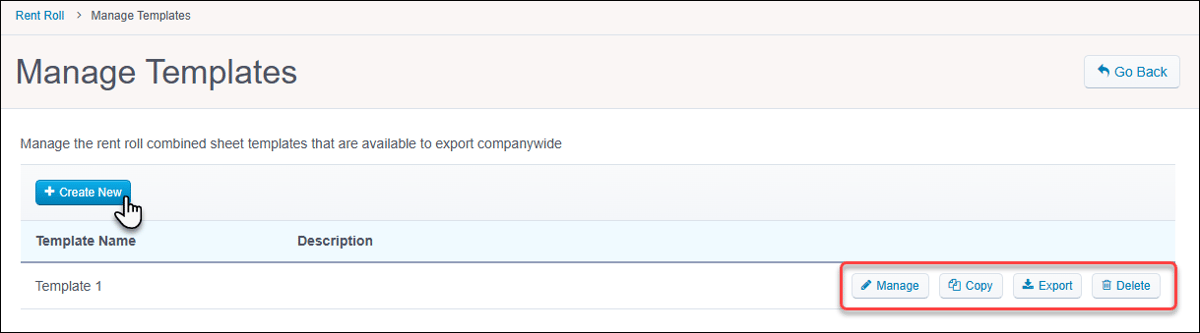
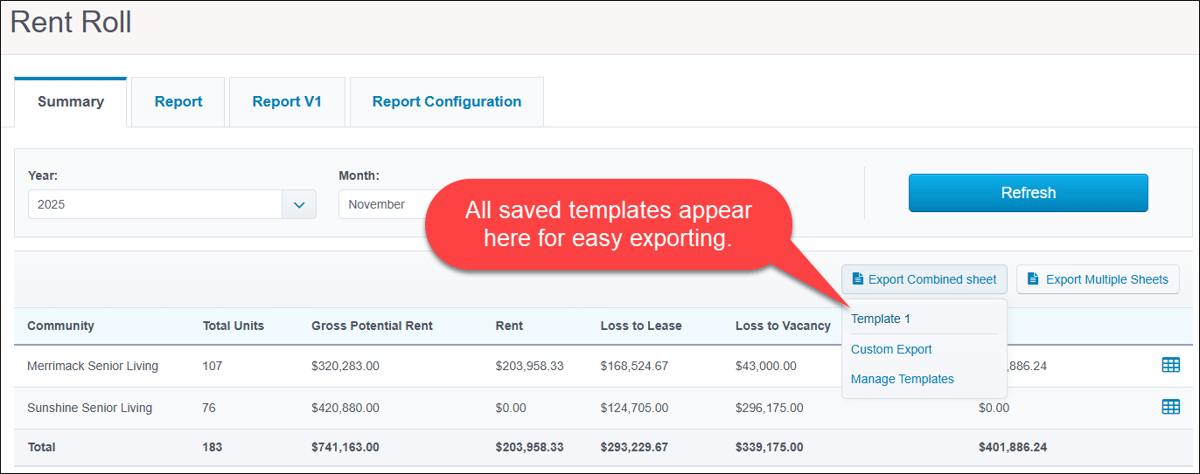
These alerts are automatically enabled for default alert categories, however they must be manually enabled for users assigned to customized categories. 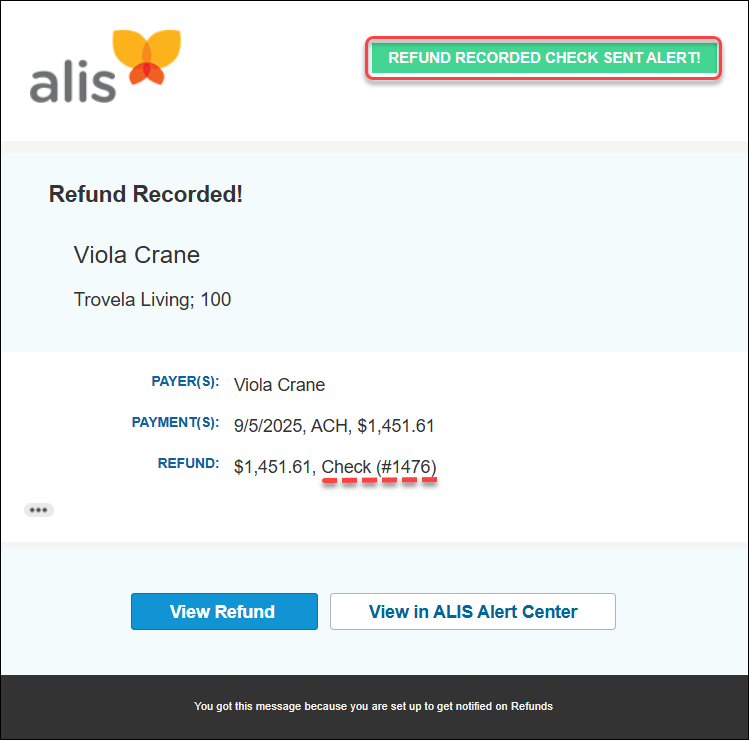 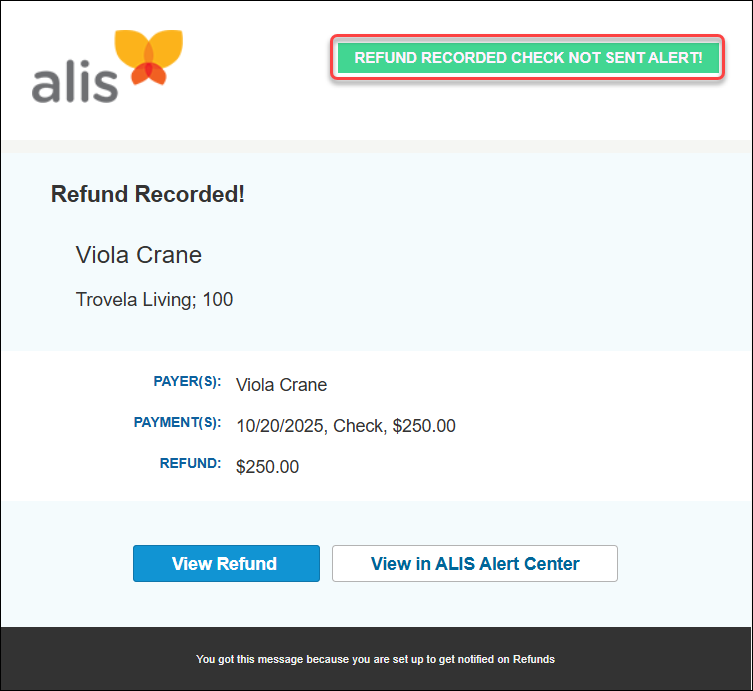 Contact your Account Manager for alert configuration assistance if needed. New 'Resident Stage' filter in Billing CenterFor further ease-of-use when processing billing events, we improved filtering in the Billing Center to assist with prioritizing billing tasks for specific populations. The new 'Resident Stage' filter allows users to easily isolate events by all resident stages and view only necessary data at any given moment. 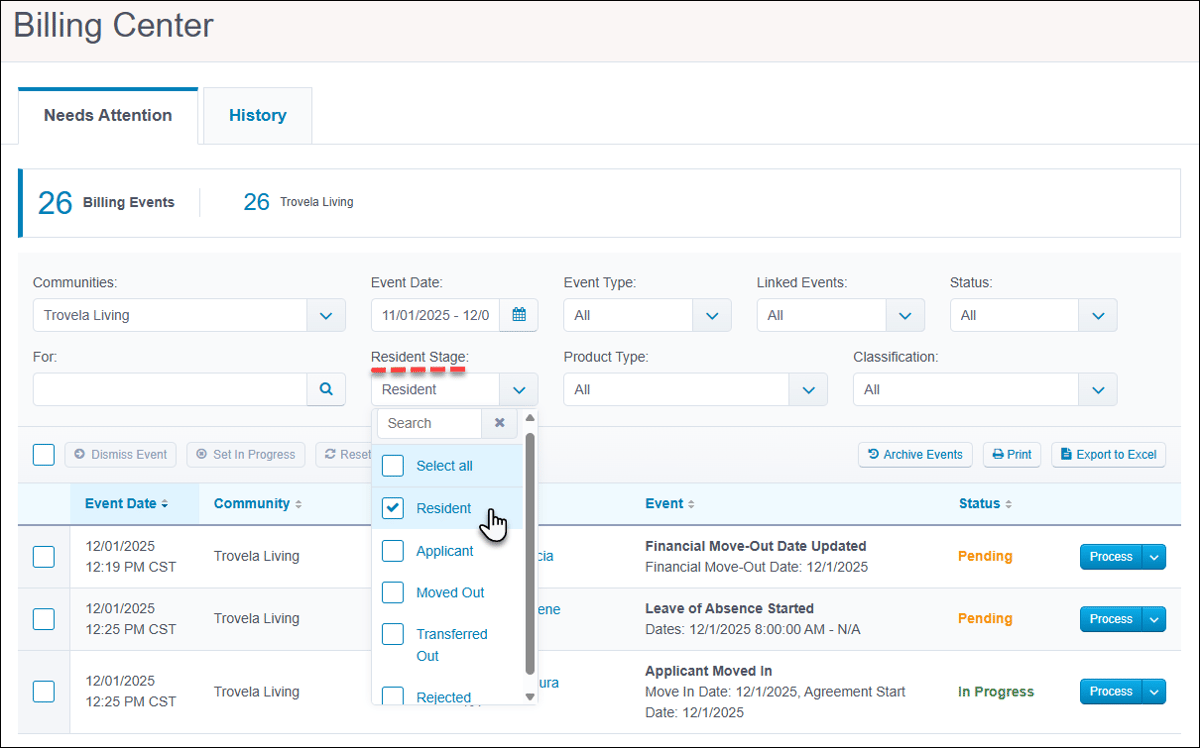 'Manage Templates' in Rent Roll SummaryAs of our November 12th release, the Rent Roll → Summary tab now accommodates the creation and management of unique export templates. The 'Export Combined sheet' button now contains the Manage Templates option which takes authorized users to a separate Manage Templates page. On the Manage Templates page, +Create New to configure columns and save the template version. Manage (edit), Copy, Export, and Delete templates from here. Saved templates are also immediately available in the 'Export Combined Sheet' dropdown in the main Summary tab, simplifying your future export workflows.
  'Select All' to copy Rent Roll GL configurationAs of our November 12th release, standardizing company Rent Roll GL configurations got even simpler. When copying GL account configurations in the Rent Roll → Report Configuration tab, there is now a Select All option in the Communities dropdown menu. 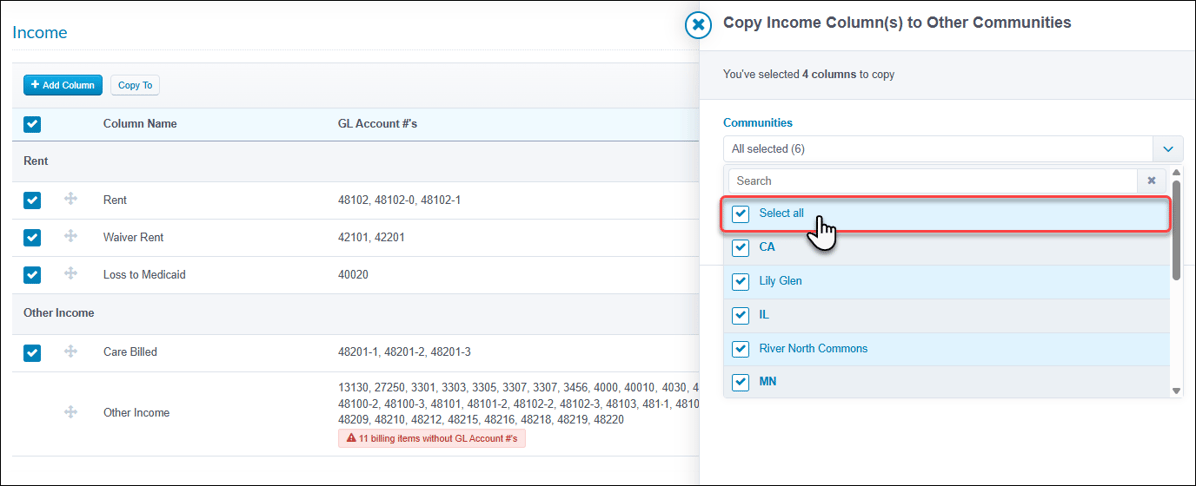 Only matching GL Account numbers can be copied to selected communities. Contact your Account Manager for further setup assistance if needed. CRMStaff Tasks Summary report enhancementsThe Staff Tasks Summary report → Community tab was upgraded to provide stronger oversight of tasks data. New multi-select Community and Task Type filters allow for more flexible data segmentation, while the new 'Totals' row at the bottom of the table clearly displays summed results. We also added navigation icons on each row so users can instantly jump to the Staff Member report tab for a detailed task breakdown. 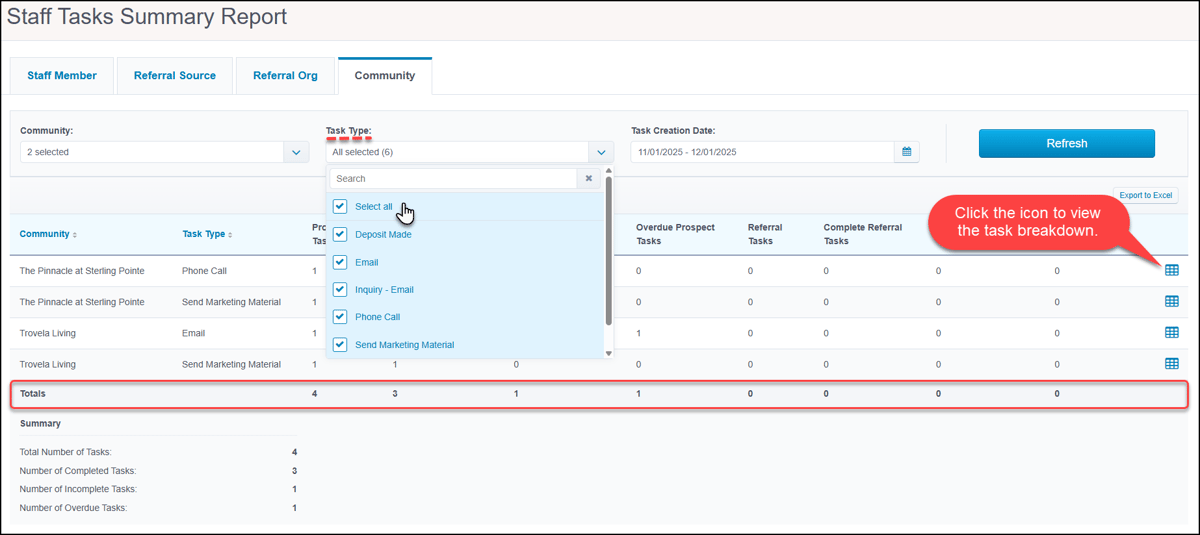 MiscellaneousEvaluations uploads via Inbound DocumentsThe latest addition to our Inbound Documents feature simplifies uploads for signed evaluations. Evaluations is now a supported document type. From this centralized location, staff can easily upload and file signed evaluations. When filed, the evaluation is automatically marked as Signed on the Resident profile and Evaluation & Service Plan Details pages. The existing PDF is replaced with your uploaded document. Note that if any evaluations are currently locked due to e-signature, they will not be eligible for filing via this method. 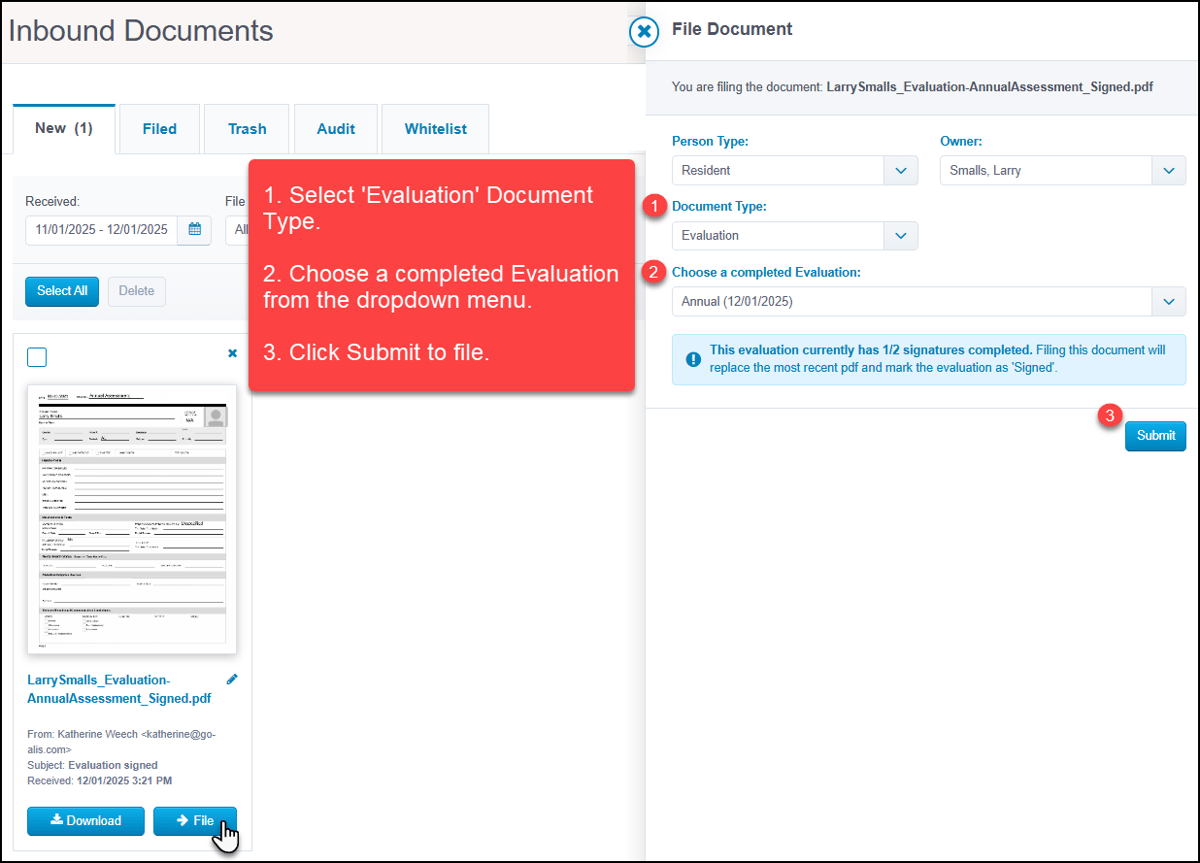 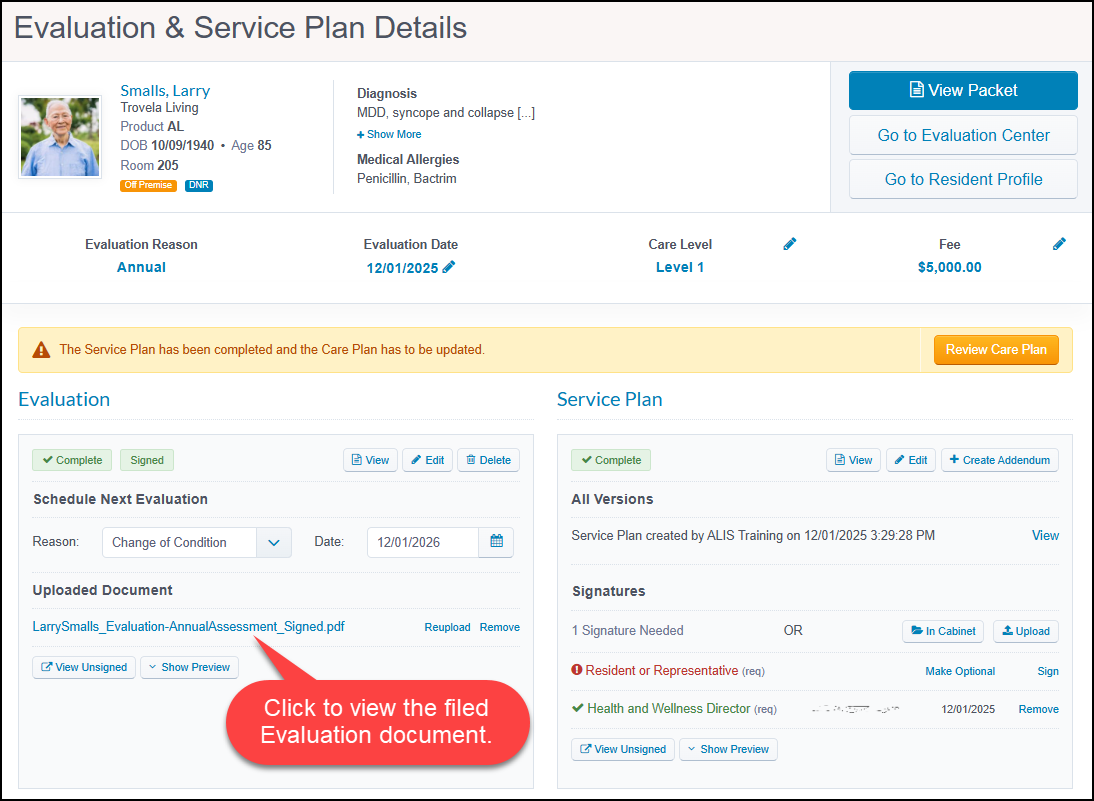 'Community' column added to Excel exportsTo facilitate better portfolio management, a 'Community' column is now included in the Excel exports for the following reports:
This update ensures simpler multi-community analyses and identification of data. Company logo on ALIS login pageAs of our November 12th release, company administrators can personalize the login experience by adding the company logo to the main ALIS login page. Simply upload a logo via the Communities dropdown → Company tab, and enable the display through Company Settings → General Preferences. We have also added a 'Not your company?' redirect link to the login screen to help users fix navigation errors. 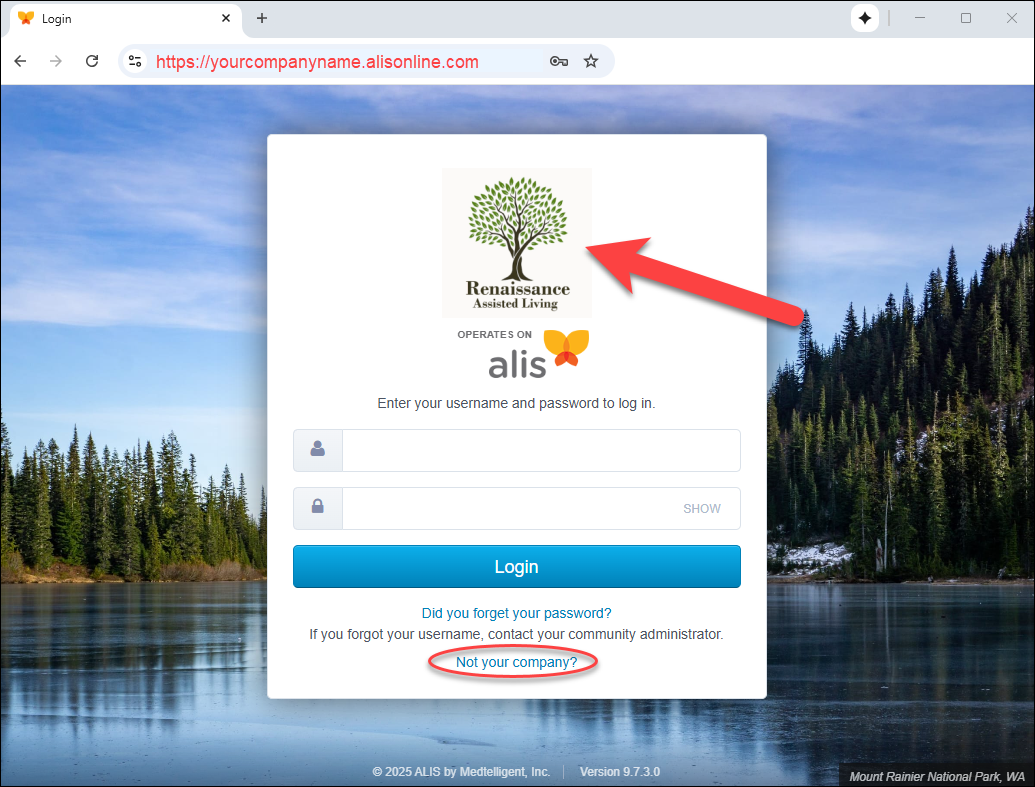 ALIS API Export updatesAs of our most recent releases, the ALIS Export API has expanded data availability to provide richer data for your custom reporting. We added new fields to several Export API endpoints:
Note: These additions change the column order of the export files. If your internal reports rely on hard-coded column indexes, they may need to be updated. We strongly recommend referencing field names rather than indexes to prevent disruptions. Bug FixesClick HERE to view our list of bug fixes in 9.7.3 and 9.7.4. App Store/IntegrationsNew column in NIC Map exportAs of our November 12th release, the Rent Roll export for the NIC Map integration now includes the specific number of days a room was occupied. Simply click the ‘Rent Roll’ link to download the file, and the Occupied_Days column will reflect the total number of days each bed was occupied in the selected month. 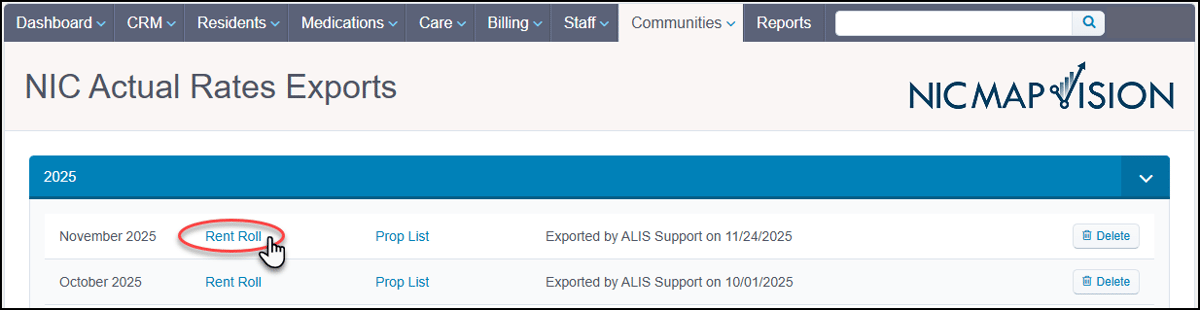 Want to enable an integration with us? Reach out to info@go-alis.com to get started. |