ALIS 9.7.0 arrives Monday October 6th 2025 at Noon (12 PM CT).
Click here to sign up for release emails.
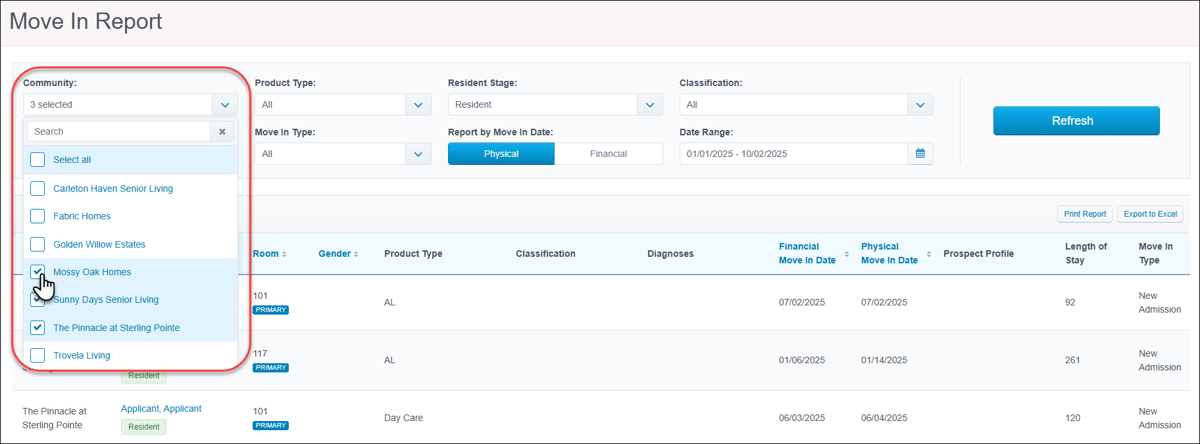
Residents/eHRObservations feature improvementsWe are excited to share improvements made to Observations. More easily find and print the exact information you need without having to export large reports. In the Observations section of the resident profile, you can pinpoint specific entries with new filters for Observation Type, Recorded By, Severity, and Date Range. Conveniently print individual observations using the new Print button from the resident profile and within the Observation Center. 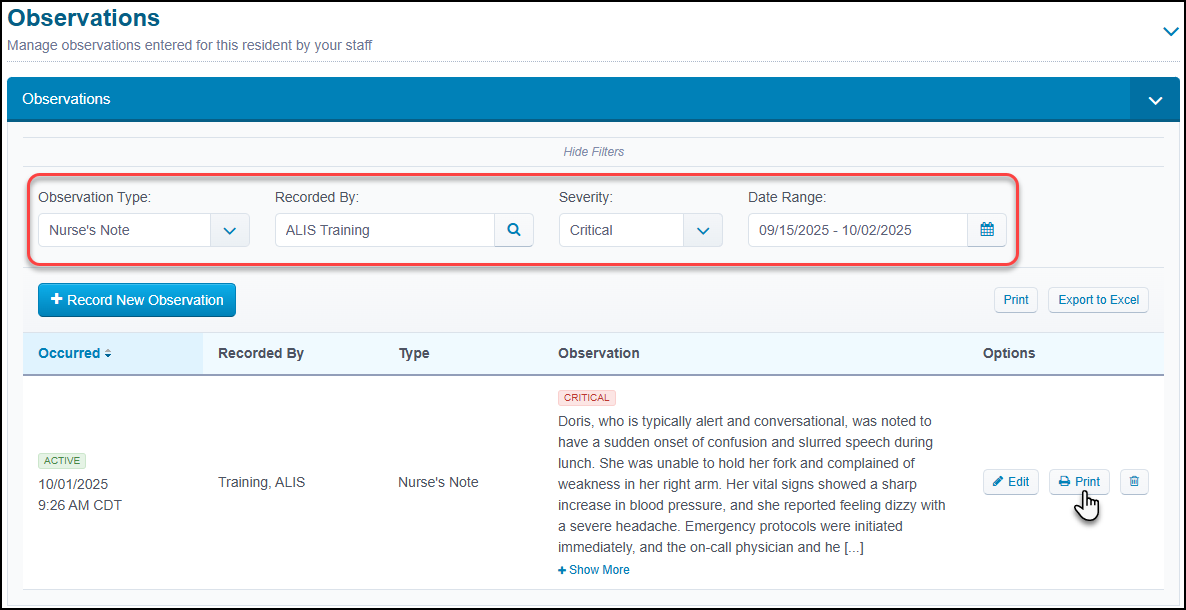 State-specific Health Profile menusTo better support your state-specific reporting needs, we created new dropdown menus in the resident profile only visible to communities in Minnesota or New York. Easily track Health Care Services or Serious Mental Illness data directly in the Health Profile section, eliminating the need to maintain separate documentation. This update simplifies data collection for state surveys by pulling information into ALIS HQ and ensures your compliance reports are accurate and readily accessible.    Custom expiration dates for ComplianceSeamlessly accommodate a variety of compliance schedules with the ability to fully customize item expiration dates. When creating or editing items in Resident Settings, the new Custom Date option allows you to then enter a specific number of days (7-2000) in which it will expire. This sets the default expiration date which shows when the item has the 'Edit in-progress' status on a resident profile. Users with permission will still be able to edit the expiration date further from this profile section if needed. 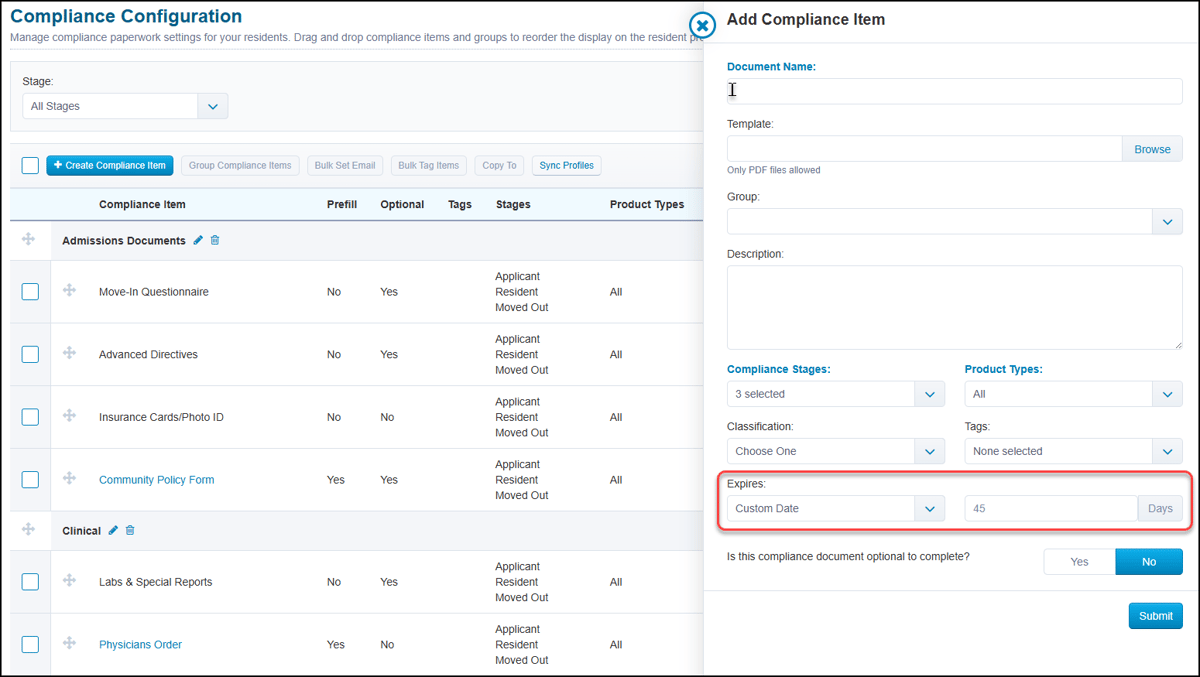 Access to Resident Settings requires specific security role permissions. Contact your Account Manager for assistance. Clinical/eMARFilter for exceptions in Pass Meds reportYou can now instantly identify and review medication exceptions from within the Pass Meds report. We replaced the previous 'All / Recorded / Not Recorded' toggle with a multiselect dropdown menu that includes a new 'Recorded with Exception' option. To view the exceptions status and reason data on a more granular level, users still have access to the dedicated Medications Exceptions report. 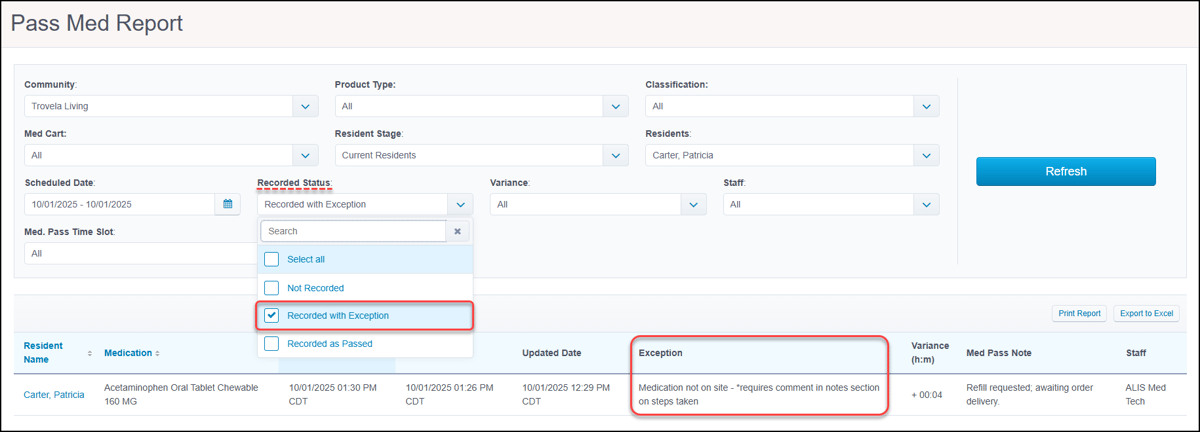 Revenue ManagementExclude Applicants in Rent Roll SummaryTo refine your financial reporting, you can now generate rent roll summaries and exports that focus solely on current residents. We added the popular Exclude Applicants filter option to the Rent Roll Summary report, which gives you more control and provides a precise overview aligned with the detailed Rent Roll report. 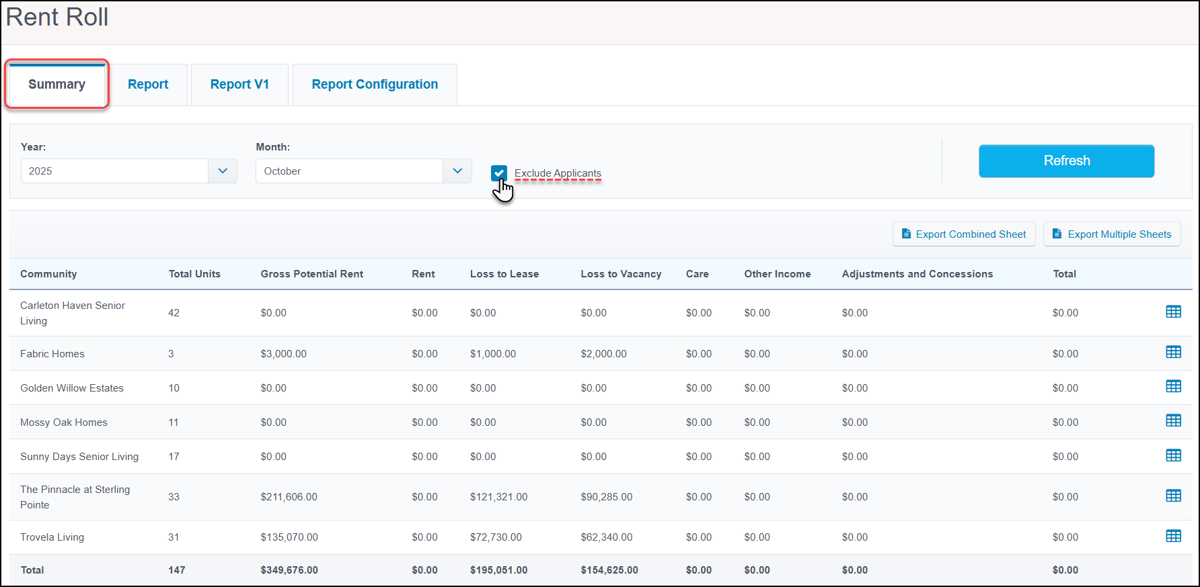 Credits added to 'Invoiced' tab in Invoice PreviewWe updated the table shown in the 'Invoiced' tab of the Invoice Preview to provide a more comprehensive view of resident billing. Now, the Credits column is displayed alongside charges and discounts, ensuring the invoice total is most complete and you can see the full financial picture of each invoice at a glance. 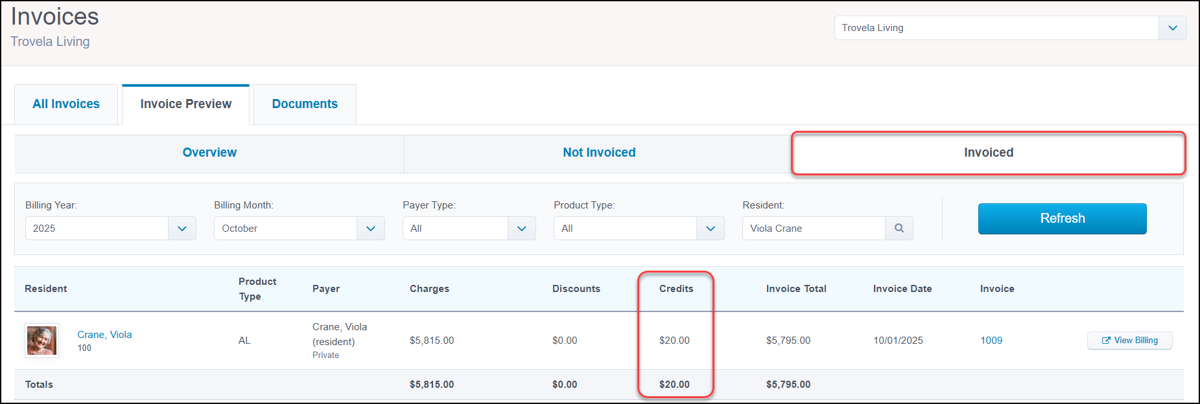 New tokens in Rate Increase TemplatesTo assist with creating more personalized rate increase communications, we added new available tokens. In Residency Agreement settings, craft welcoming letters and determine how they are addressed with separate tokens for a resident's first name and last name. 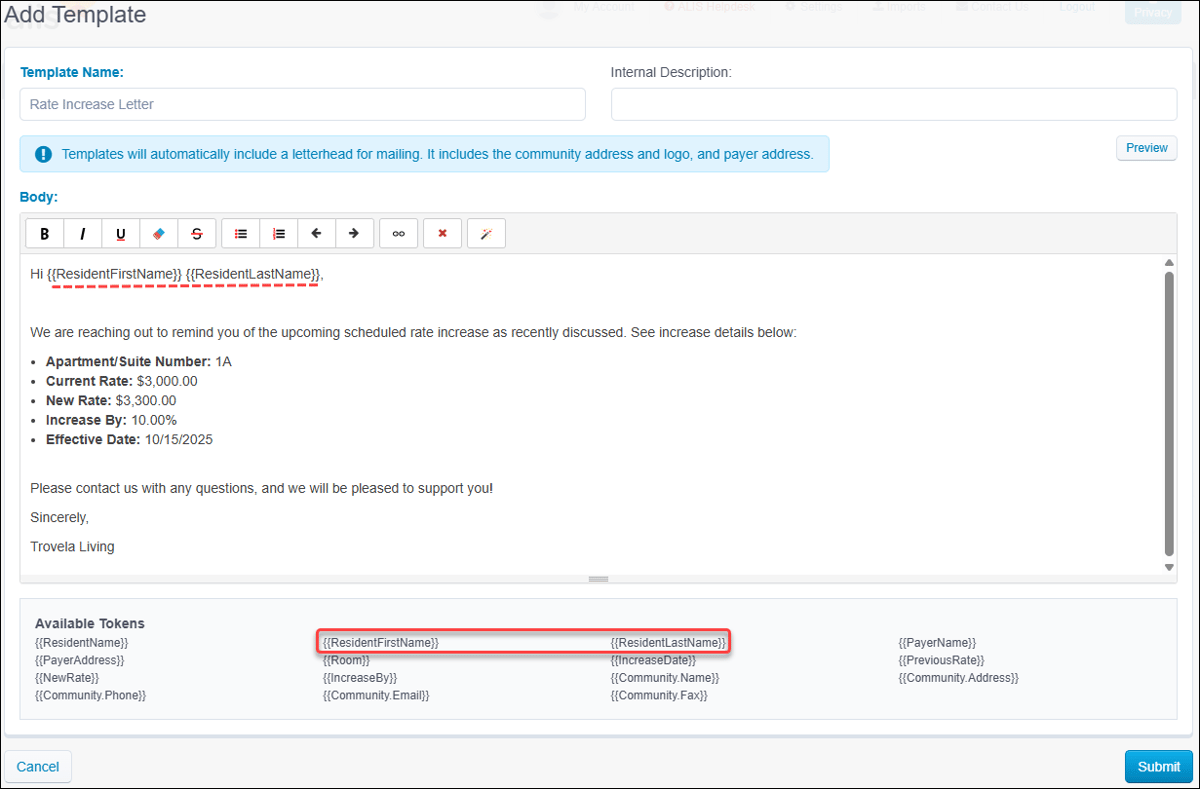 Custom 'On Leave' Billing Center event rulesWe continue to optimize the Billing Center to better support the various ways your team manages resident leaves. You now have more control of 'On Leave' event rules in Billing Settings with new options to set the specific Leave Day Length, include or exclude the day of the leave, and determine the Impact Review Start Date. These updates, along with a more streamlined design showing only relevant options per leave event, provides greater automation for a wider array of billing scenarios. 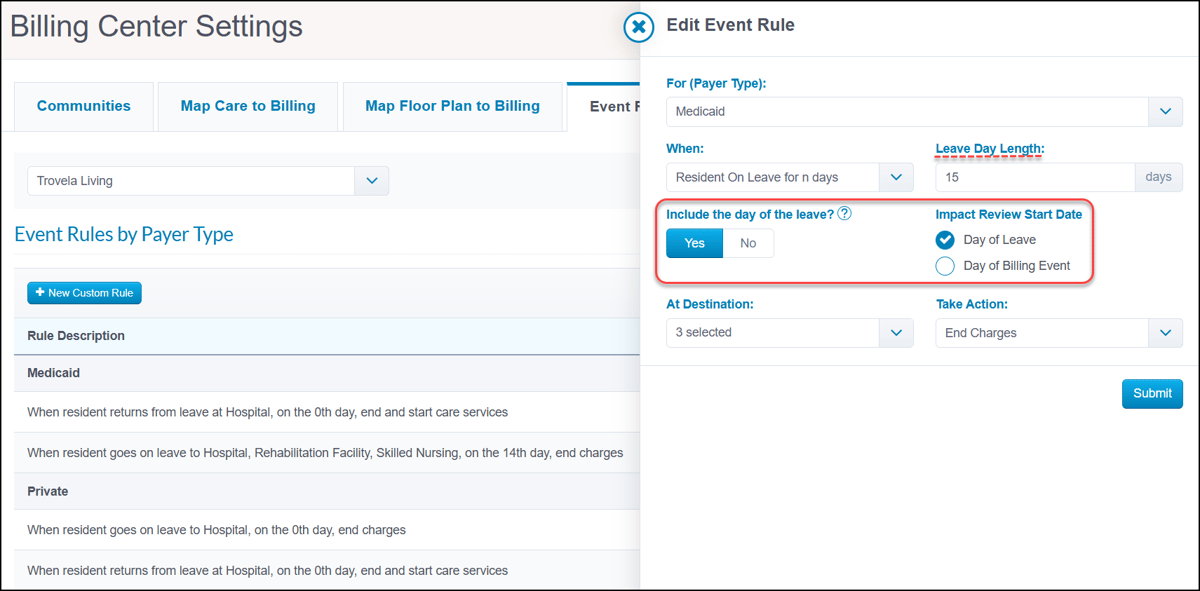 Access to Residency Agreement and Billing settings requires specific security role permissions. Contact your Account Manager for assistance. CRMEnhanced Prospect Address BookImprove your sales pipeline management with enhancements to the Prospect Address Book, which is located in the Prospect Contacts report. A new 'Assigned to' filter and column now makes it effortless to identify Prospects' assigned sales managers. These important updates help to ensure that no lead is missed so your team can act quickly and engage with every potential resident. 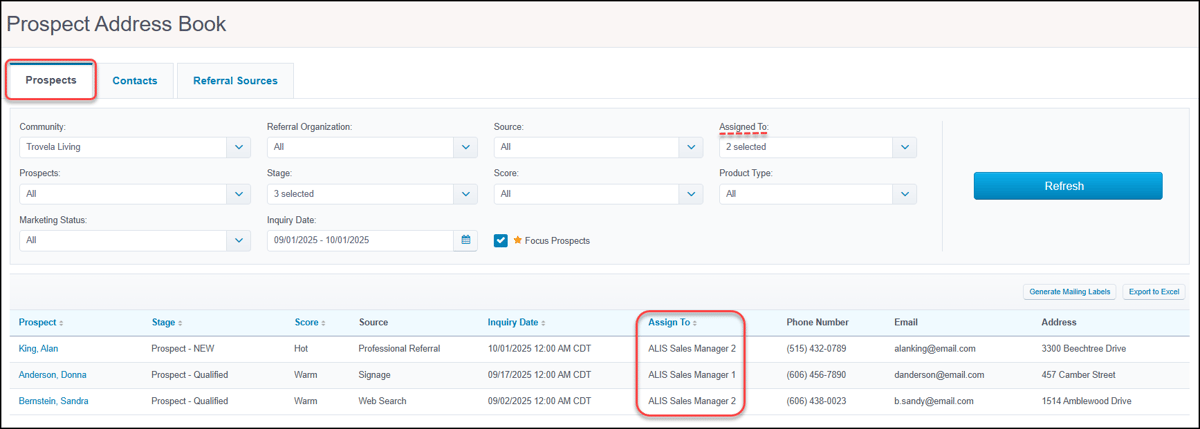 MiscellaneousMultiselect filter for more reportsConsolidate information and gain a comprehensive, portfolio-wide view of your data. Run key Billing, Occupancy, and CRM reports for multiple communities at once with the new multiselect 'Community' filter. This enhanced filter is now available for the following reports:
 Generate Community RecordsWe are excited to introduce Community Records, a powerful new feature in the Print Center aimed at more streamlined data management. This new tab enables authorized users to perform bulk downloads of resident records for an entire community with a single request. This feature simplifies the process of creating offline backups or exporting data for your records with flexible options to include active, moved-out, or all residents. To ensure your data is secured, access to this tab requires the ALIS team to enable the new 'Generate Community Records' permission to your existing security role. 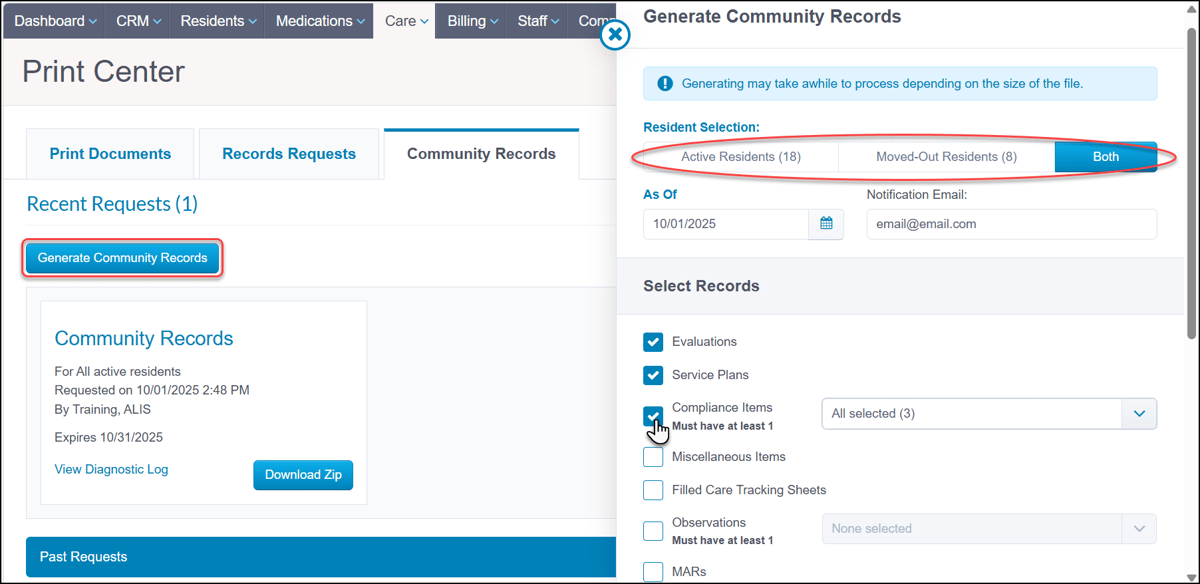 Access to the Community Records feature requires specific security role permissions. Contact your Account Manager for assistance. Risk ManagementHide Care Points on Evaluations and Service PlansWe built a new security role permission to give you more control over user access during your evaluation process. The ‘View Care Points during Resident Evaluation and Review Service Plan’ permission determines with which staff can view care points and levels, helping to ensure Evaluations and Service Plans are completed without potential bias. Roles with current access to create evaluations will automatically have this new permission enabled upon release to ensure a seamless transition. 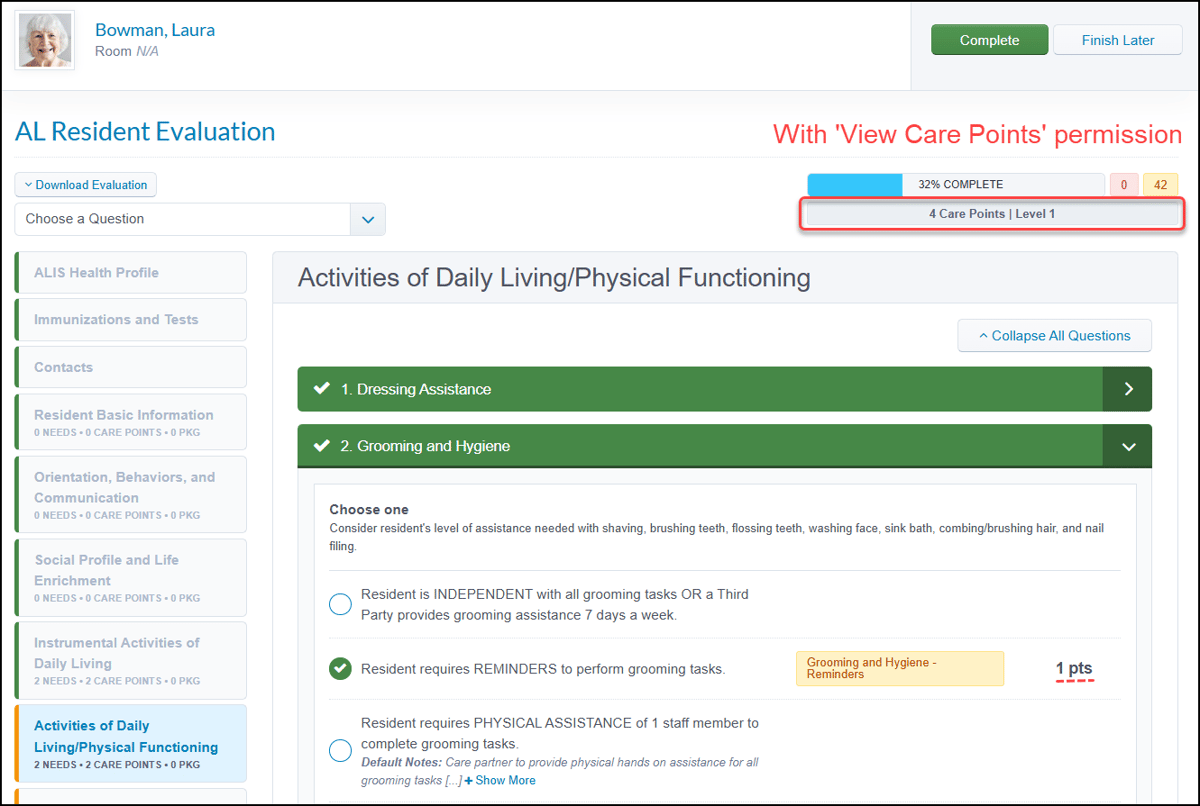 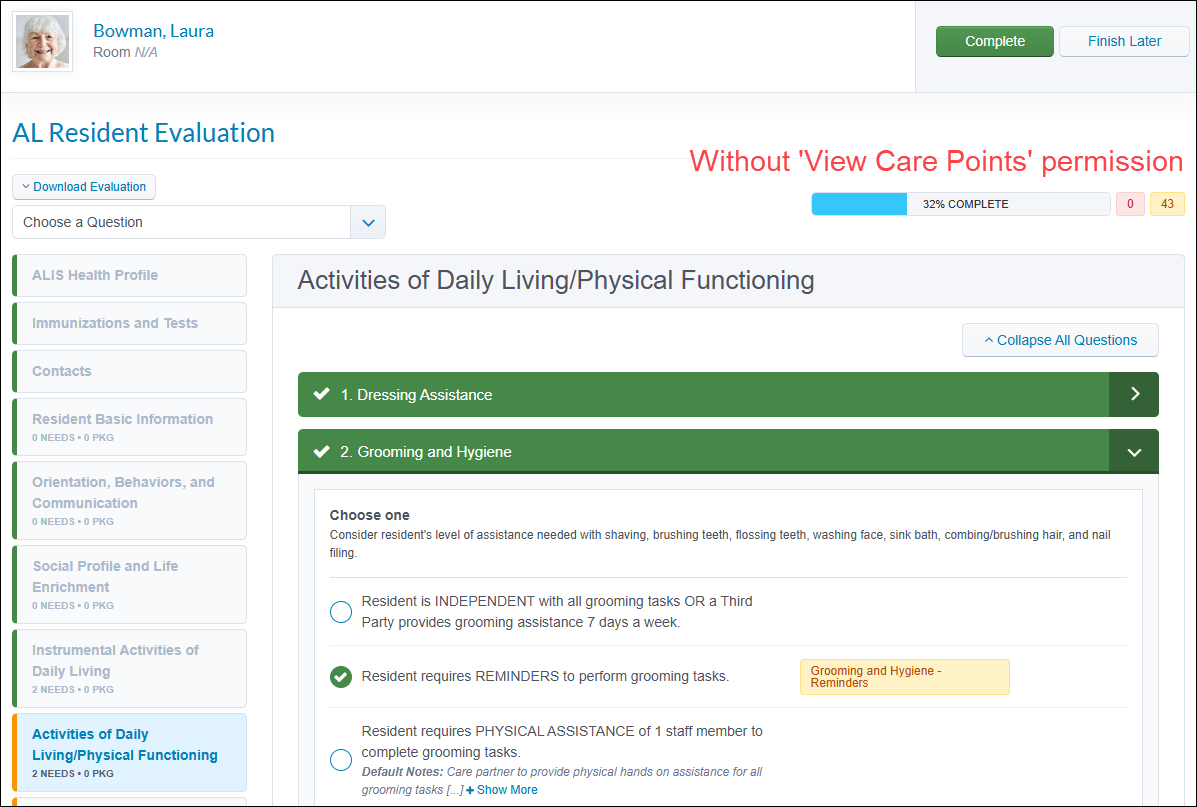 Print Incidents security role permissionWe created a new security role permission to determine users' ability to complete administrative actions for sensitive incident reporting information. The ‘Print Incidents’ permission allows you to specify which staff can solely view incident details within the system, versus those who can also print or export reports. Upon release, this permission will need to be removed for any companies that want to restrict access as roles with the current ability to view incident details for residents will continue to have the ability to print reports. 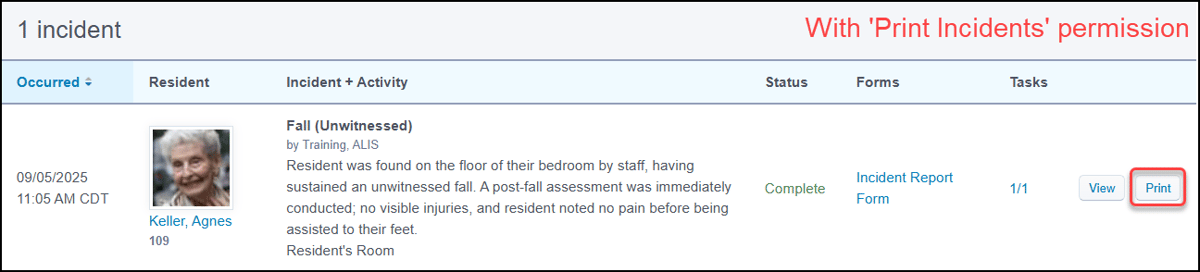 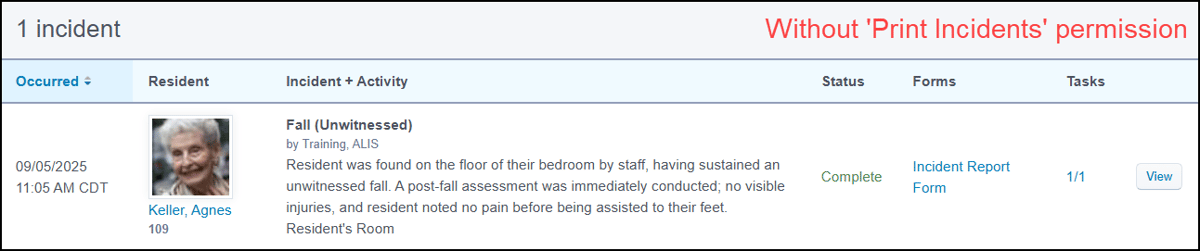 Updating security role permissions requires authorization by your company administrator and an ALIS team member. Contact your Account Manager for assistance. Bug FixesClick HERE to view our list of bug fixes in 9.7.0.App Store/Integrations Activated Insights is the leading workforce engagement and experience management platform for senior living. With Activated Insights, communities can:
If you'd like more information, click here. Want to enable an integration? Reach out to info@go-alis.com to get started. |
The next scheduled release is:
Monday November 3rd 2025
If you have any questions or comments, please contact ALIS Customer Success.
(888) 404-ALIS(2547) or support@medtelligent.com