ALIS 9.6.7 arrives Monday August 11th 2025 at Noon (12 PM CT).
Click here to sign up for release emails.
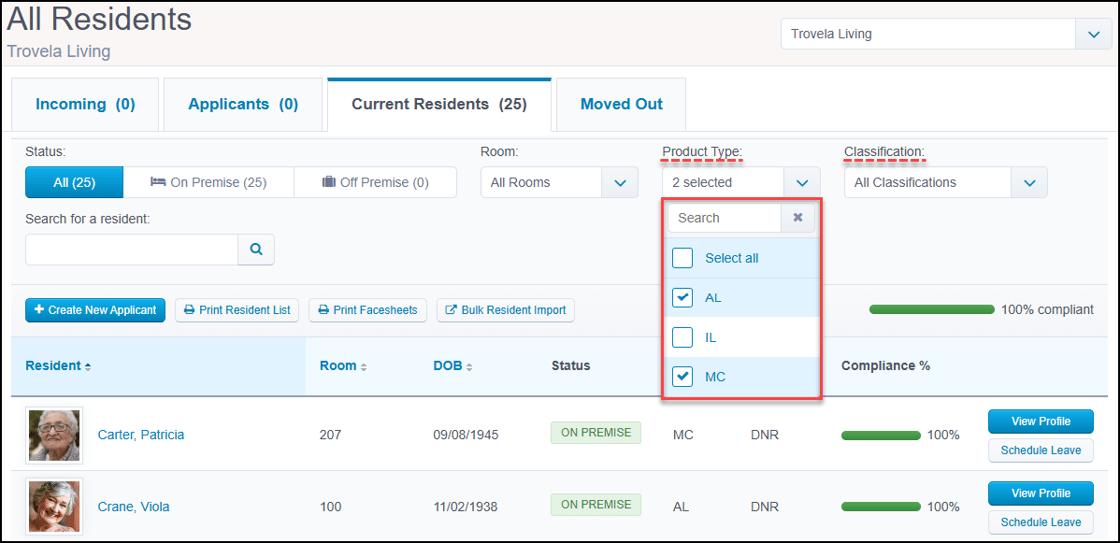
Residents/eHRMultiselect filters for All Residents pageGroup residents more efficiently by using improved filters on the All Residents page.
The Product Type and Classification filters now offer multiselect functionality to provide a more customizable view of the residents displayed here.
These filters are particularly helpful for printing the Resident List and Facesheets.
|
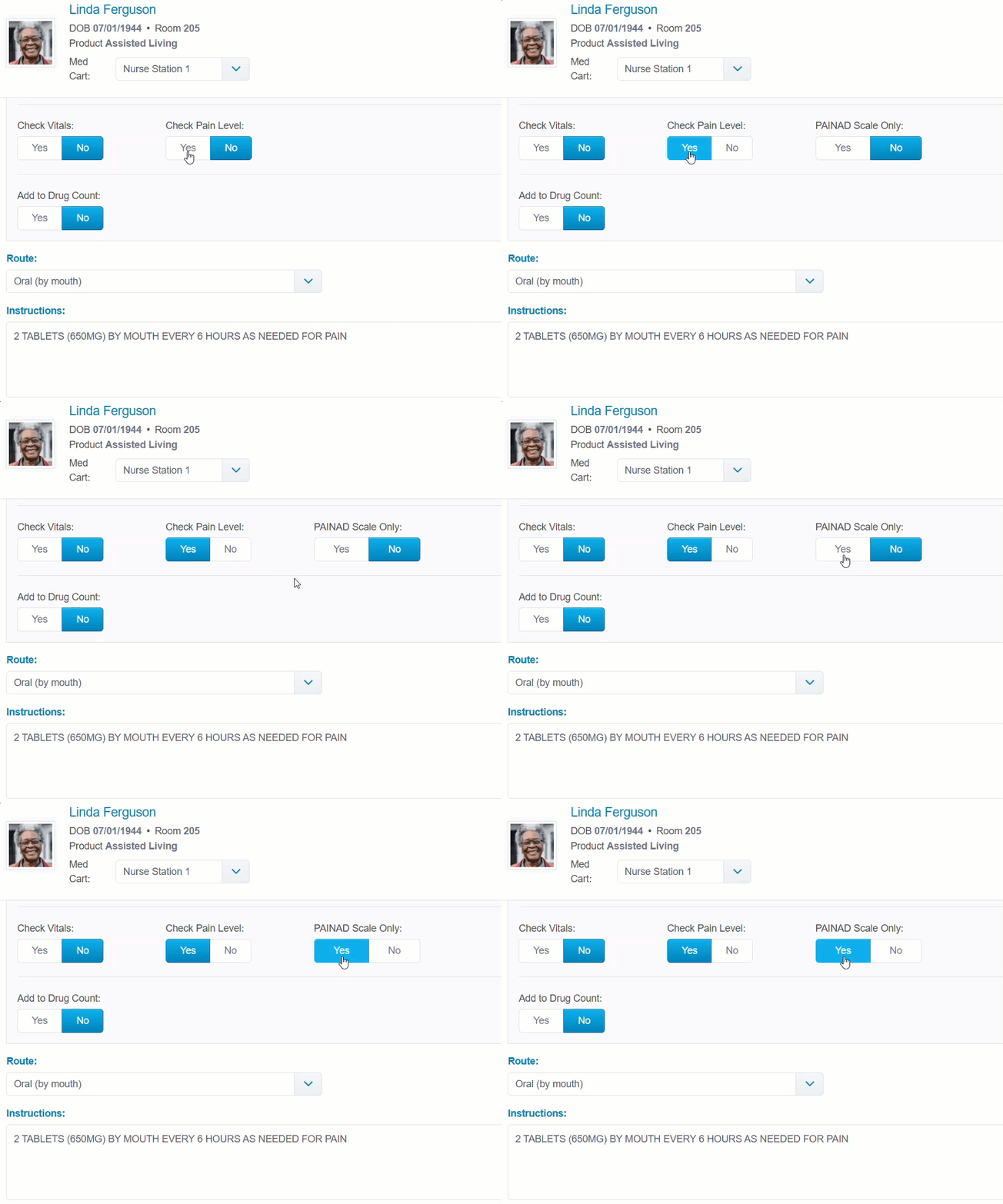
Clinical/eMARNew PAINAD Scale Only settingAs of our July 28th release, clinical teams can use a new setting when processing, editing, or manually creating orders.
Now when adding Check Pain Level to an order, the PAINAD Scale Only toggle appears. When this toggle is set to 'Yes', only the PAINAD scale button is visible in the Pass Meds and Administer PRNs pages.
To make both pain scale buttons available when recording Routine or PRNs, leave the PAINAD Scale Only default set to 'No'.
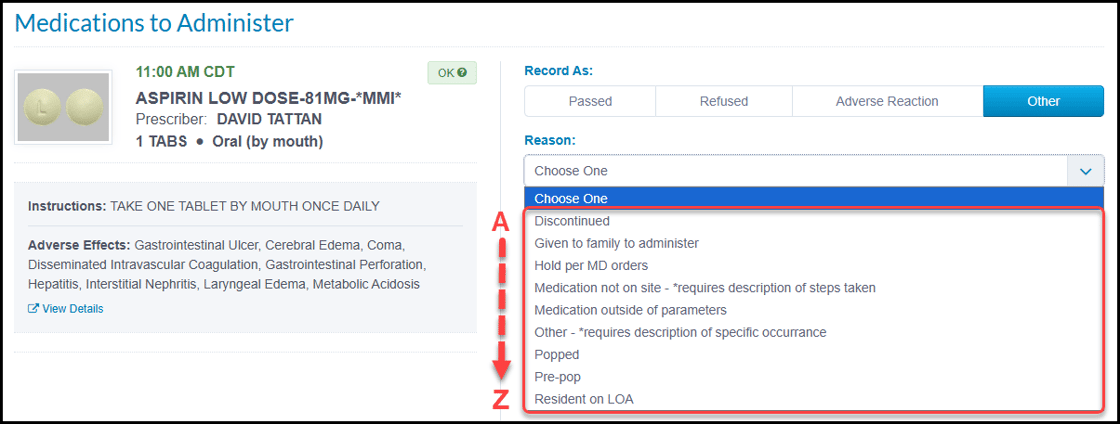
Medication Exception menu alphabetizedAs of our July 28th release, communities utilizing the Medication Exceptions feature now see the exception reasons listed in alphabetical order.
This enhancement provides consistency and ease of use when customizing the menu in Medication Settings and recording exceptions on the Pass Meds page.
The Medication Exception list is behind an entitlement and requires the ALIS team to enable. Contact your Account Manager for assistance. |
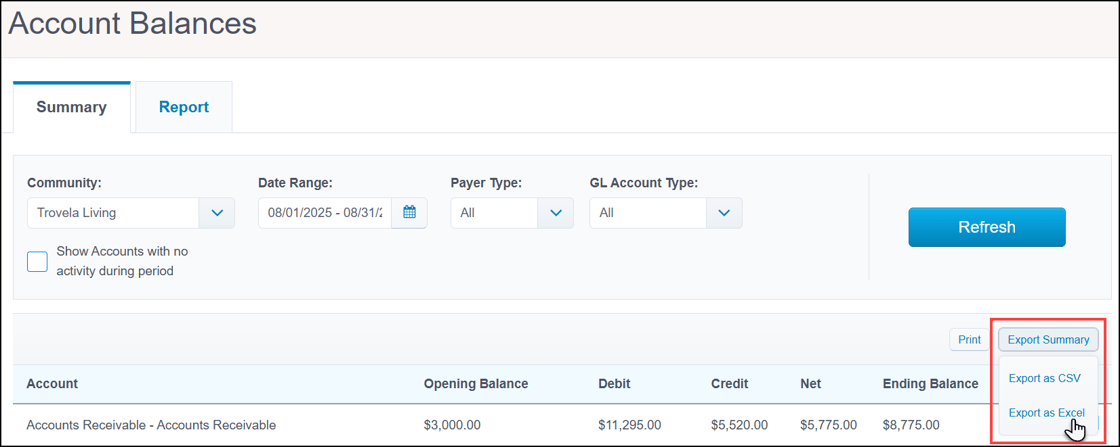
Revenue ManagementFile export options for billing reportsTo improve data accuracy and save time, we have expanded the export options for three of your most highly-used billing reports.
You can now choose between CSV and Excel formats when exporting the Preview GL Export, Transaction Details, and Account Balances reports.
This flexibility prevents common formatting errors, such as auto-converting GL account numbers. With these new options you can trust that your exported data is accurate, eliminating the need for manual corrections.
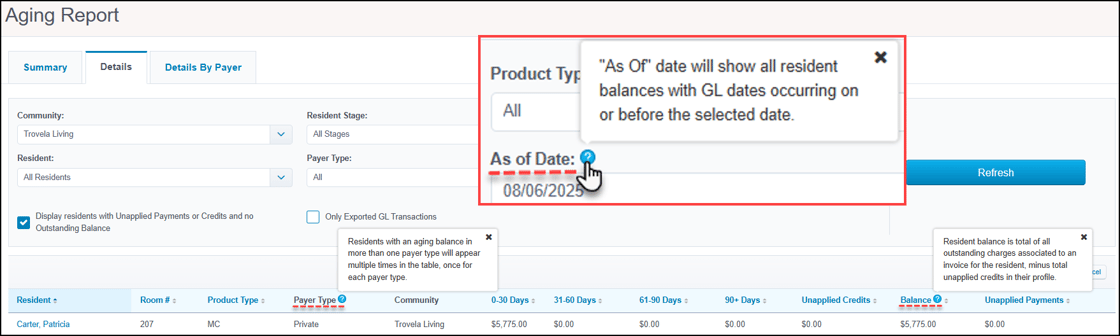
Detailed tooltips in billing reportsTo help you understand and use your billing data with more confidence, we have added new tooltips to our Aging and Collections reports.
Simply hover over the icon on key column headers in each of these reports to view explanations. You can also click on the tooltip to leave the text visible.
This is another step in our ongoing effort to demystify how ALIS calculates columns, and we plan to expand this functionality to more reports over time.
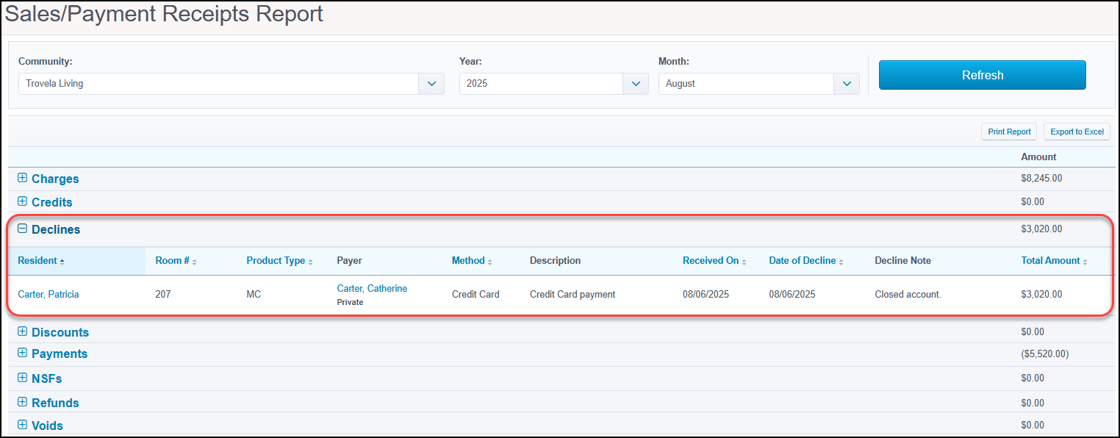
New section in Sales/Payments Receipts reportWe have updated the Sales/Payments Receipts report to provide greater visibility into your monthly transactions.
The report now features a dedicated 'Declines' section, clearly isolating payments that failed for reasons other than insufficient funds (NSF), such as a closed account.
This separation gives more complete insights into payment activity, which makes it easier to reconcile accounts and see the status of every transaction at a glance.
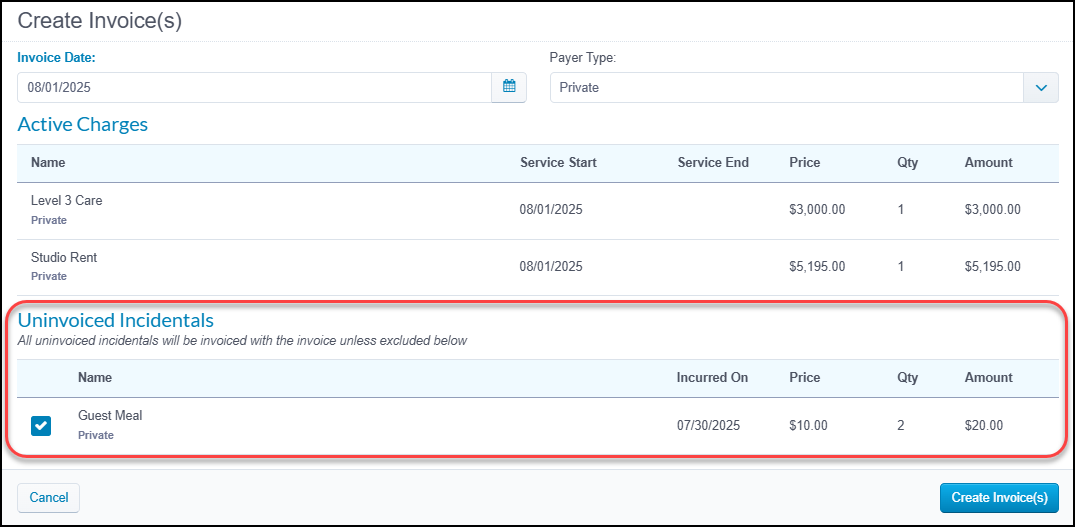
Add incidentals when creating recurring invoicesWe have streamlined a part of your billing process to help ensure all resident charges can be captured regardless of the invoice type.
When creating a 'Recurring' invoice from the resident profile, you are now provided the option to add outstanding incidental charges to that invoice.
This saves you from having to add incidentals separately, reducing risk of missed revenue and creating a more consistent workflow. You have full control to exclude any charges you do not wish to include on the invoice.
|
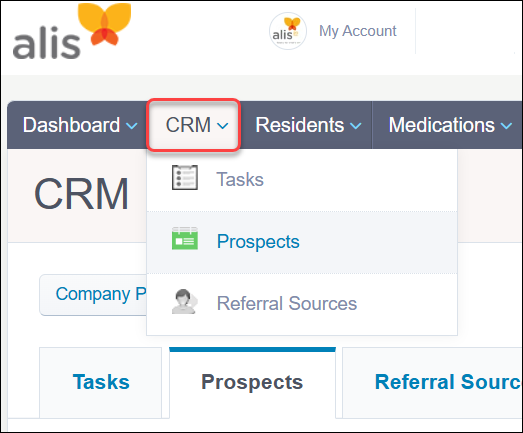
CRMALIS Prospects renamed "CRM"We have enhanced your sales team's workflow with a new name for a familiar tool: the Prospects module is now the CRM.
In aligning our software with industry-standard terminology, this change represents the module's full capabilities for managing your sales processes and now clarifies 'Prospects' as being a specific subset.
For a more cohesive and intuitive experience, you will see this new name reflected in module navigation, settings, and alert category titles.
|
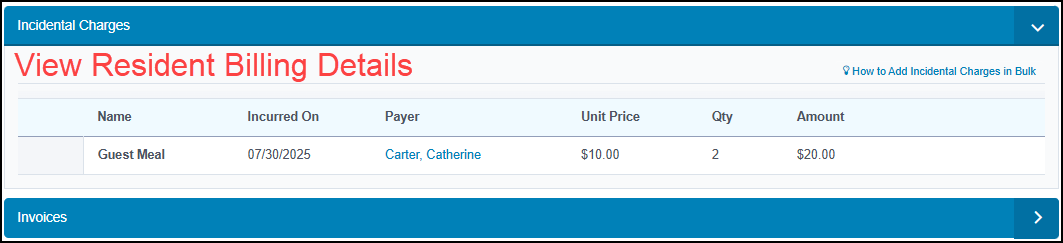
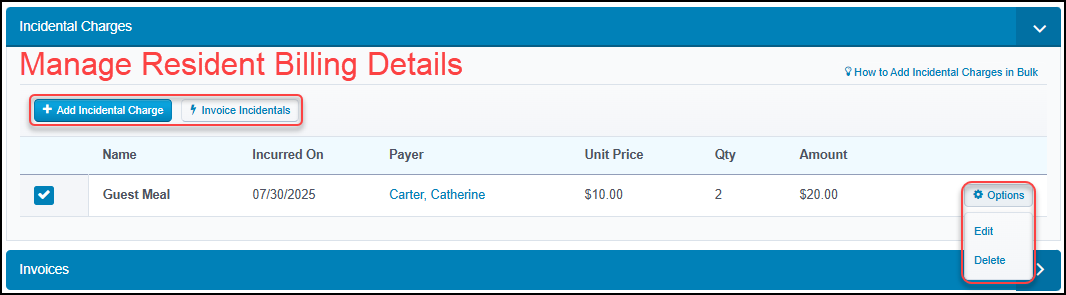
Miscellaneous EnhancementsUpdated security role permission for billing detailsFor more precise control over user access to the billing module, we made an important update to our billing details security role permission.
The 'View Resident Billing Details' permission will be strictly view-only going forward. This change ensures a clear separation between viewing and managing billing data.
Any staff members who need to add charges, edit invoices, or process payments must now be assigned the 'Manage Resident Billing Details' permission.
Updating security role permissions requires an ALIS team member. Contact your Account Manager for assistance. |
App Store/IntegrationsWith our dedication to excellence and passion for senior care pharmacy services, PharMerica offers an array of valuable services for communities and residents alike. At every level and each touchpoint, the PharMerica team ensures the cornerstones of our care delivery system are represented in all we do.
Want to enable an integration? Reach out to info@go-alis.com to get started. |

The next scheduled release is:
Monday August 25th 2025
If you have any questions or comments, please contact ALIS Customer Success.
(888) 404-ALIS(2547) or support@medtelligent.com