If a PRN administration has already been documented in ALIS but needs to be updated, follow the steps below to update the record!
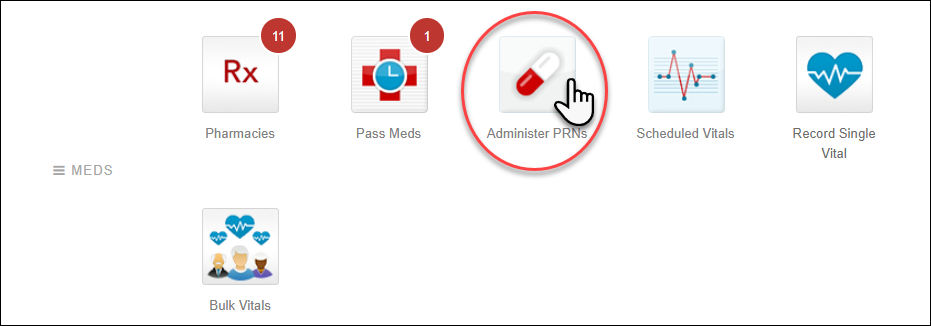
Go to the Administer PRNs page.
In the Choose Residents menu, find the correct and click the Administer PRNs button.
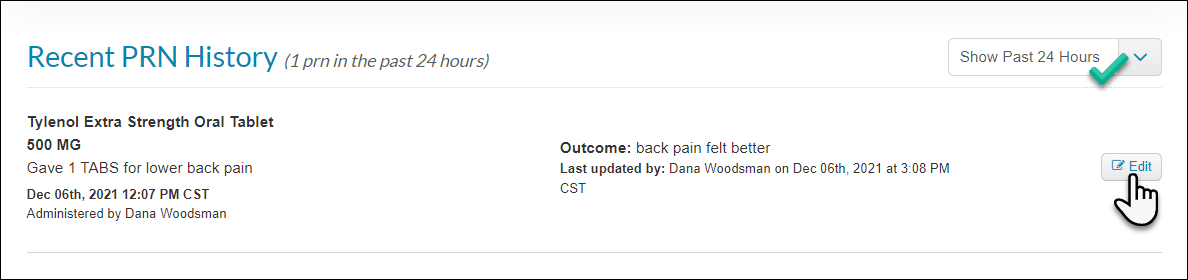
Scroll to the bottom of the page to find the section titled Recent PRN History.
If the PRN has an outcome overdue, it is necessary to log the outcome before you can make any edits.
The dropdown in the top right of the section allows you to you can view PRNs administered up to 72 hours in the past.
Click the Edit button next to the administration you want to update.
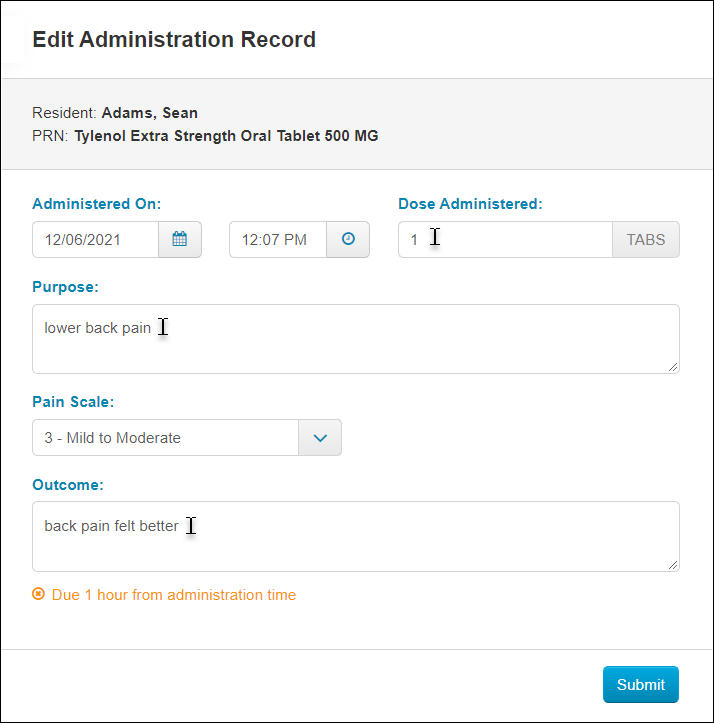
In the pane that opens from the right side of the page, make the necessary updates to the date, time, dose administered, purpose, pain scale (if set up for this order), and/or outcome. Click the Submit button.
The edit functionality is also available when you access a resident's PRNs from Pass Meds. Click the Pass Meds button for the resident within any time frame they have medications, then click the PRN tab and make the edits following steps 3 and 4 above.
You can also edit these records using the MAR Editor. This feature typically requires a high level of security permissions. Read this article for more information about the MAR Editor: How to Edit a Resident's MAR