ALIS 26.2.1.0 arrives Wednesday, February 4, 2026 at 12PM CT.Click here to sign up for monthly release emails.New Release VersioningTo improve clarity and consistency, we have updated our release numbering to a calendar-based format: YY.M.W.HOTFIX. How to read it (e.g., 26.2.1.0):
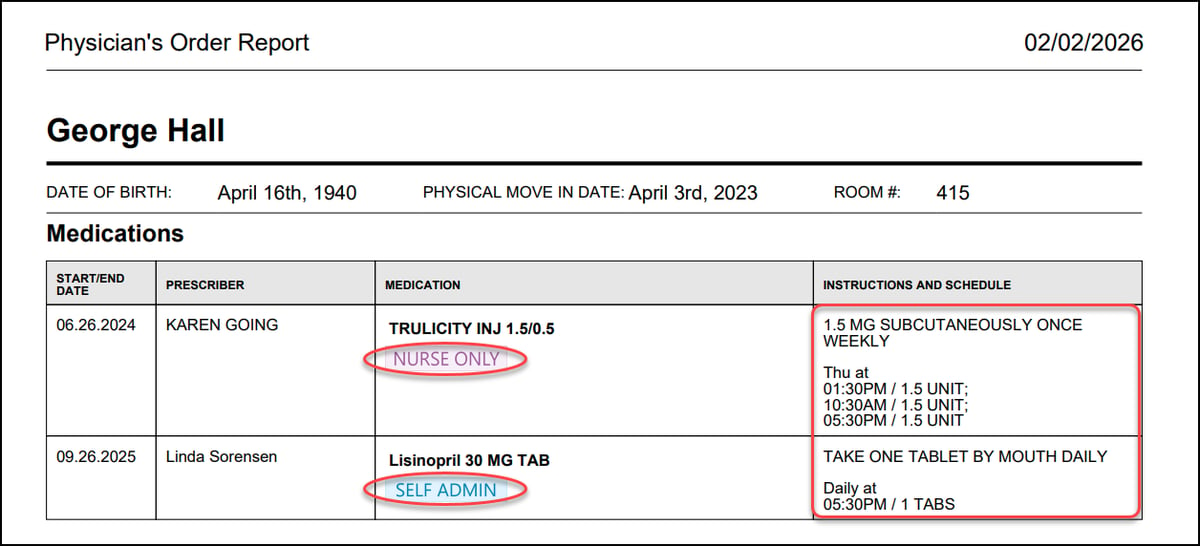
This change allows you to identify when a release occurred and ensures a more predictable schedule for the year ahead. Residents/eHREvacuation ReportAs of our January 21st release, you have a new Evacuation Report, designed to help your team track safety needs and respond faster. Download the PDF directly from the All Residents page and instantly view your residents grouped by Evacuation Status (fully customizable in Resident Settings), along with critical details like Room #, Ambulation Status, and Oxygen usage. Note that this report requires manual setup. To populate this report, update the new Evacuation and Evacuation Notes fields located in each resident's Health Profile. 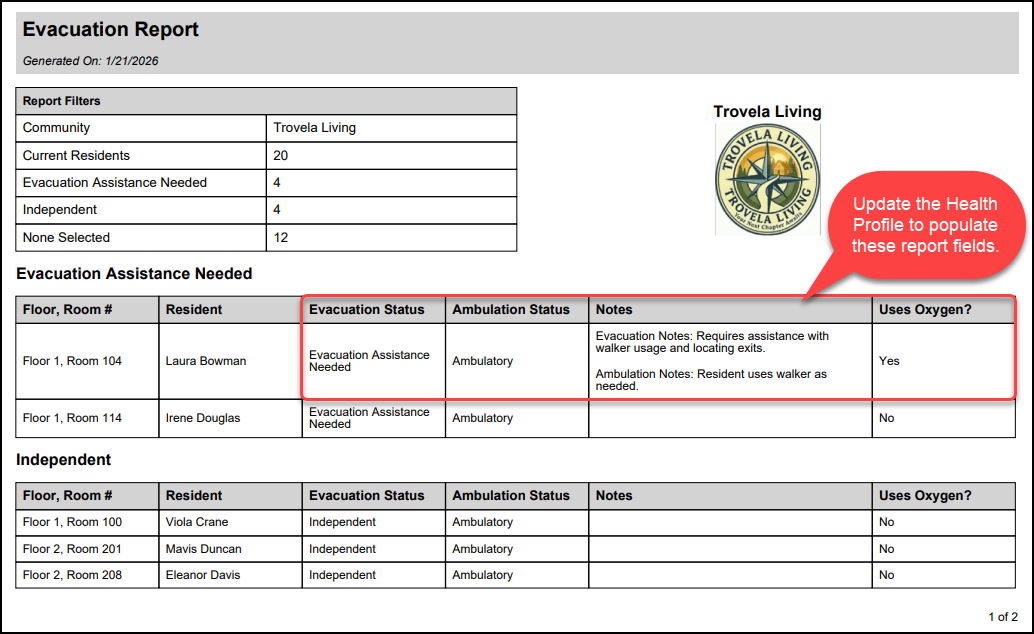 Contact your Account Manager for settings or report configuration assistance if needed. Clinical/eMARCycle-based medication schedulingTo accommodate more complex order schedules—such as oncology medications—we have added a customizable 'N Days On, N Days Off' scheduling option. Set the specific number of days the medication is active (On) versus paused (Off). The cycle pattern is calculated automatically based on the order's Start Date. This schedule must be configured manually when processing incoming pharmacy messages or adding and editing orders. 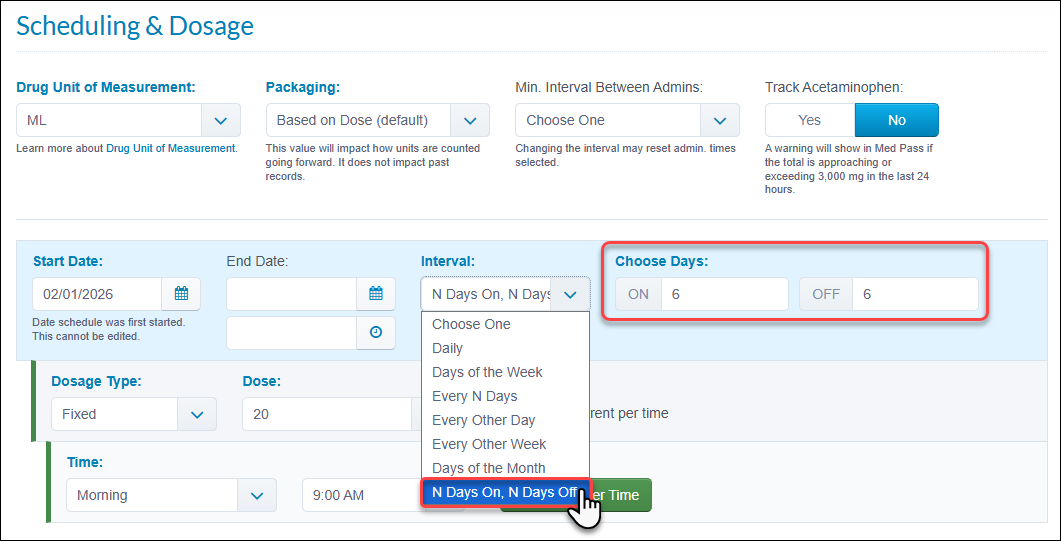 'Create Incident' in Quarantine schedulingYou can now generate an Incident at the same time that you Add/Edit Quarantine scheduling for residents. A new Create Incident checkbox allows you to select an Incident Type which can be done simultaneously with the 'Create Observation' workflow. Your submission options will automatically adjust based on your role. Users with access will see a Submit and Go To Incident button to immediately view the new record, while others will see a standard Submit button to remain on the same page. 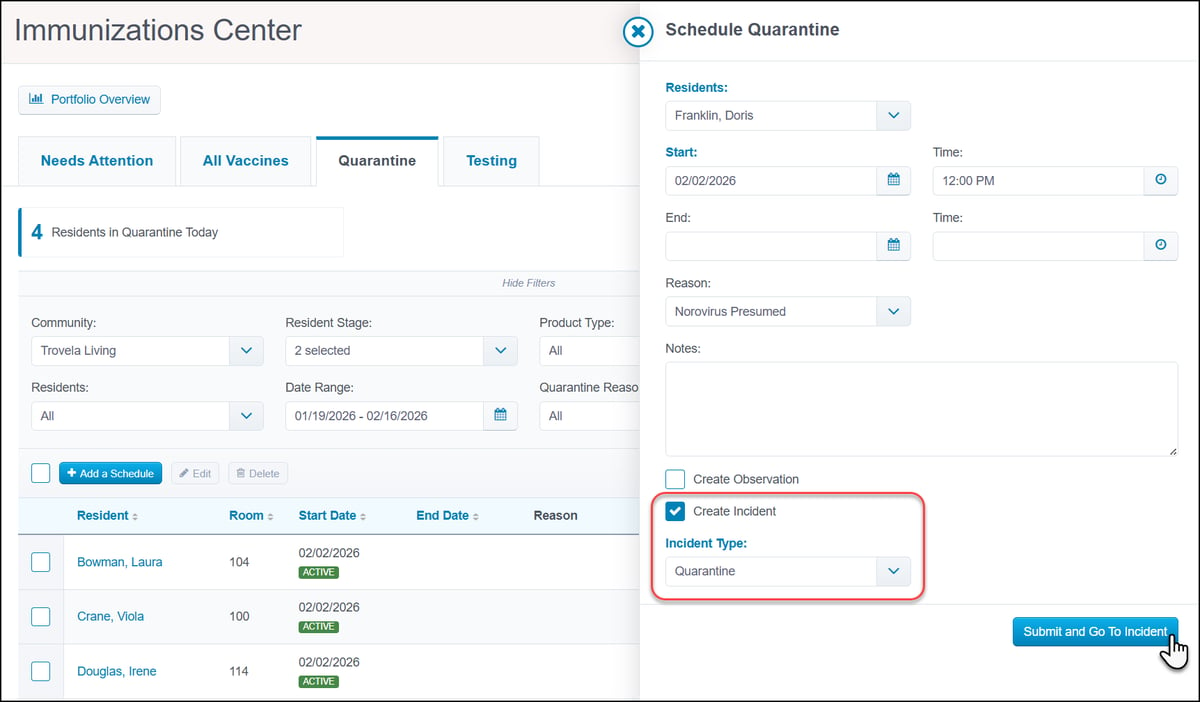 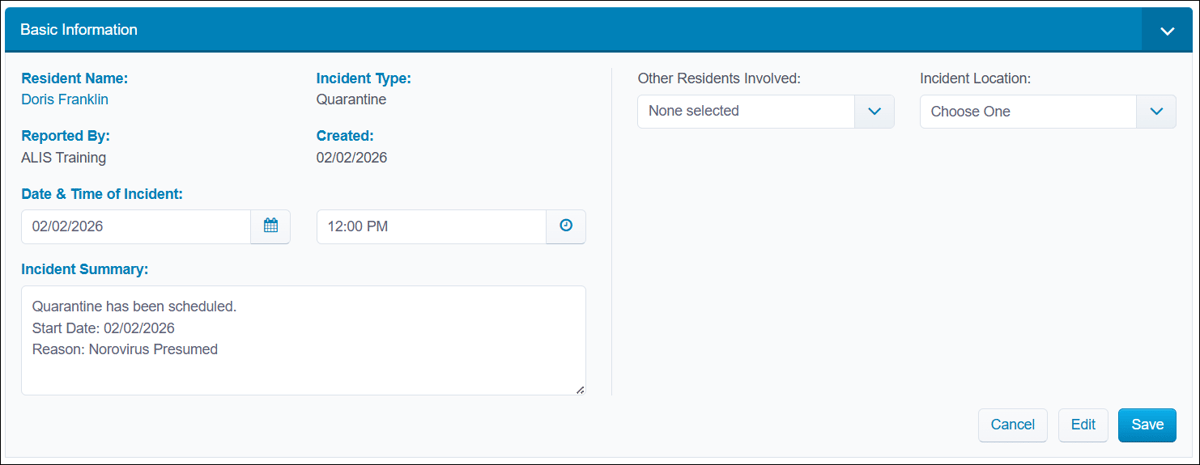 'Diagnosis' in Medication List ReportAs of our January 28th release, we have added a Diagnosis column to the Medication List Report. This update ensures easier compliance with state regulations that require diagnosis details to be listed alongside orders. Note that the Diagnosis column is visible only when exporting the report to Excel. 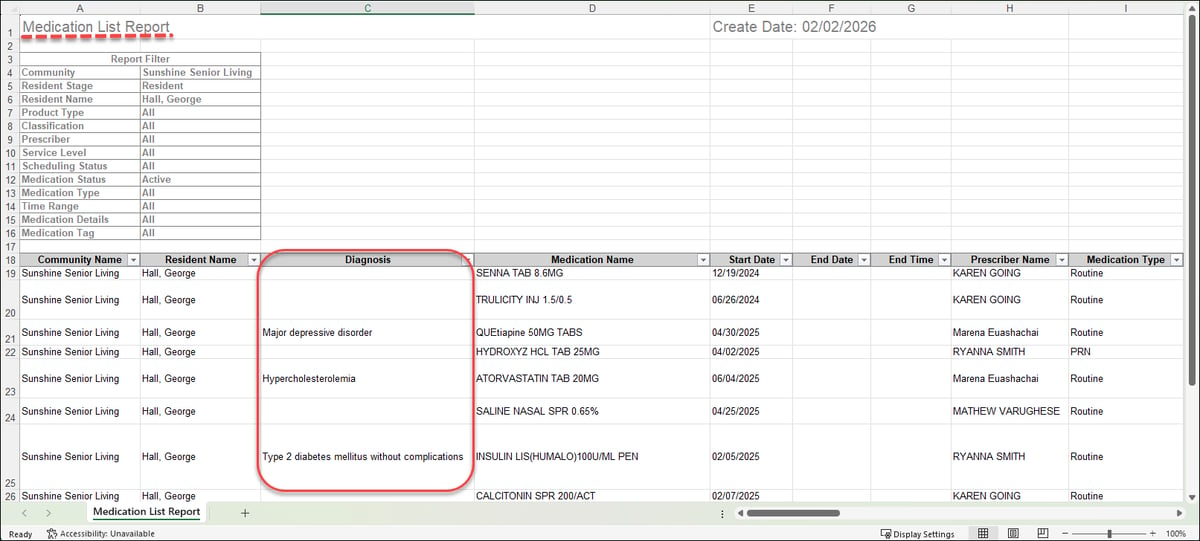 Auto-scrolling for Barcode ScanningAs of our January 14th release, we have introduced auto-scrolling to streamline the Barcode Scanning workflow in Pass Meds. When a medication is successfully scanned, the page automatically scrolls directly to that order, allowing staff to move fluidly through the med pass without manual searching. Auto-scrolling pauses if the last medication is scanned or if an error (e.g., 'Not Time to Pass', 'Wrong Resident') is detected. This feature is available for teams using Barcode Scanning with the ‘Scanning Preselects Med As’ setting enabled. 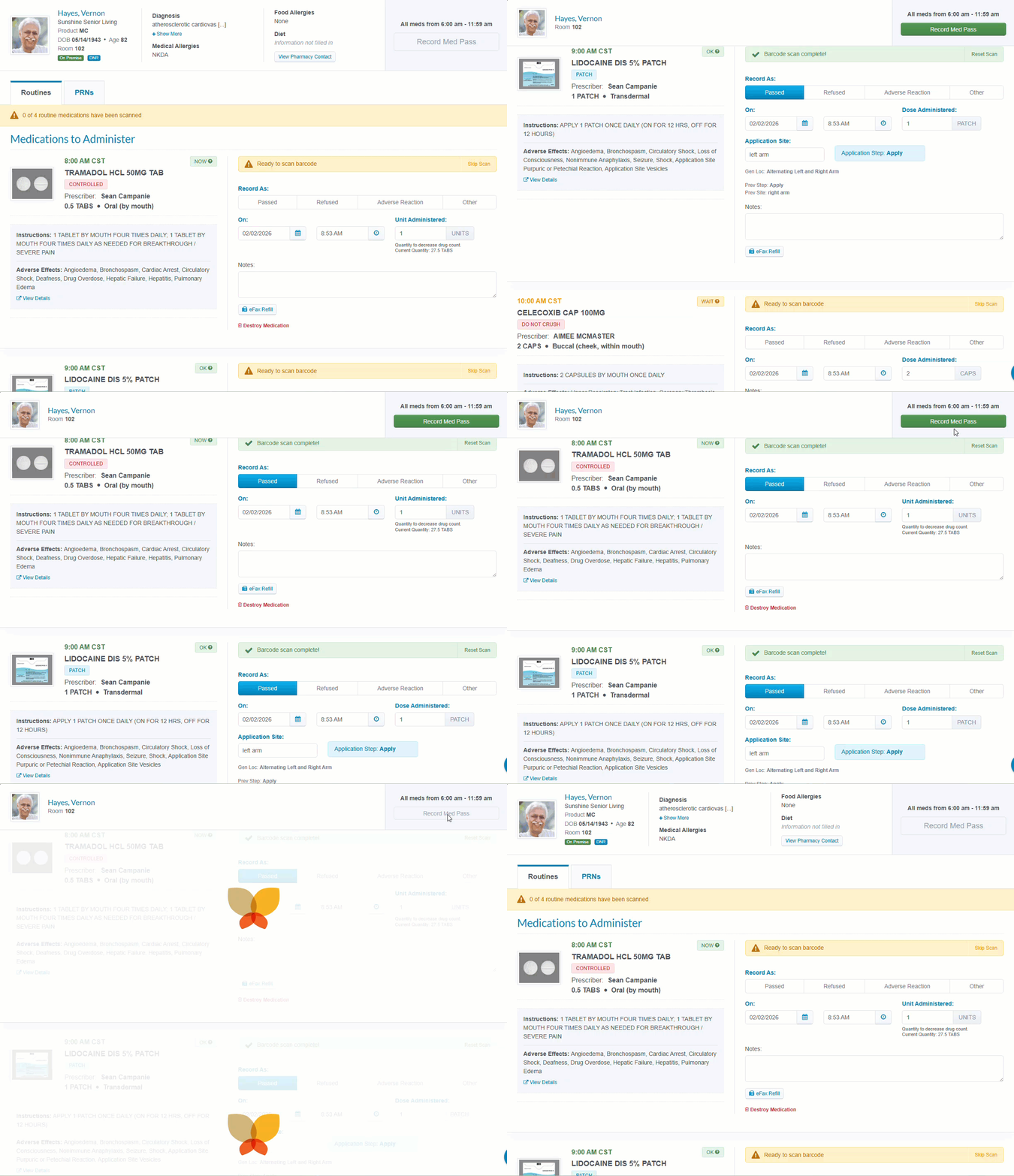 Physician Order PDF improvementsAs of our January 14th release, Physician Order PDFs have been further refined to ensure all critical order information is more organized and visible.
 Revenue Management'Export to Excel' in Invoice CenterTo give you more flexibility with your billing data, we have added an Export to Excel option directly to the All Invoices tab in the Invoice Center. This export follows the same familiar format as the Invoices Report, making it easier to analyze invoices offline or manually split payment amounts according to your specific preferences. 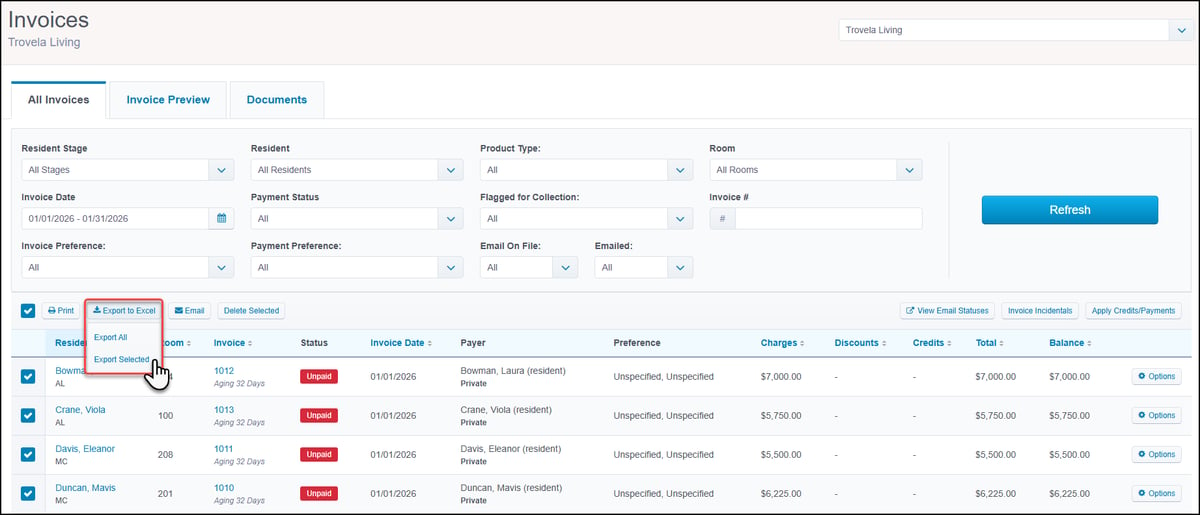 Check Scanning performanceTo ensure better processing and improved stability, we have optimized the Check Scanning workflow by introducing a batch limit of 100 checks. A new tracker displays your current scan count (e.g., 45/100) in real-time. The system will notify you are approaching the limit and will restrict further scanning once the 100-check limit has been reached, prompting you to reconcile and submit the current batch before starting a new one. 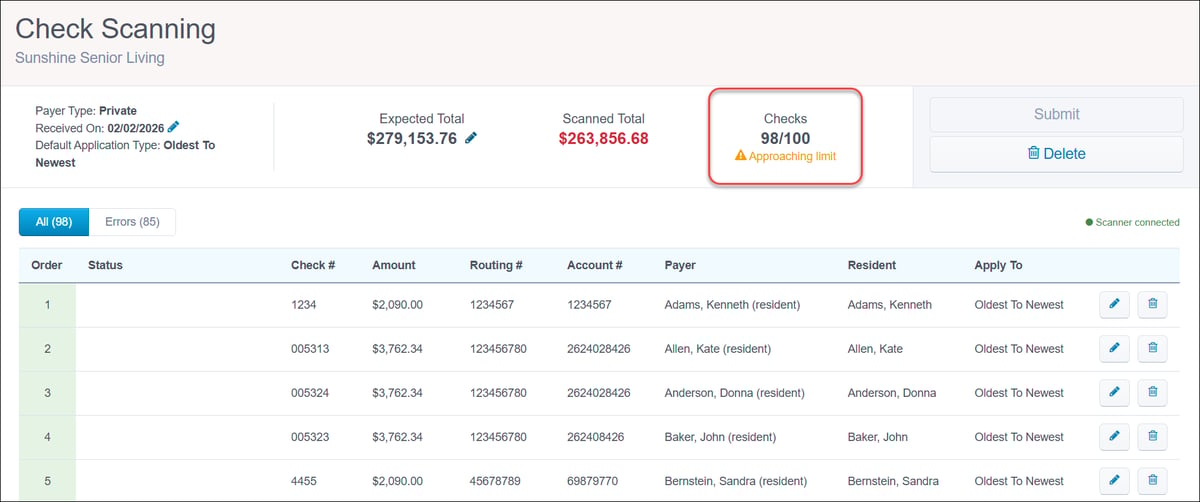 Aging Summary calculation logicAs of our January 21st release, we have updated the calculation logic for the Aging Summary. To improve clarity and consistency in reporting, invoices with future due dates are now included in the Aging Summary. These invoices are treated as having an aging of 0 days and will appear in the 0–30 Days bucket. 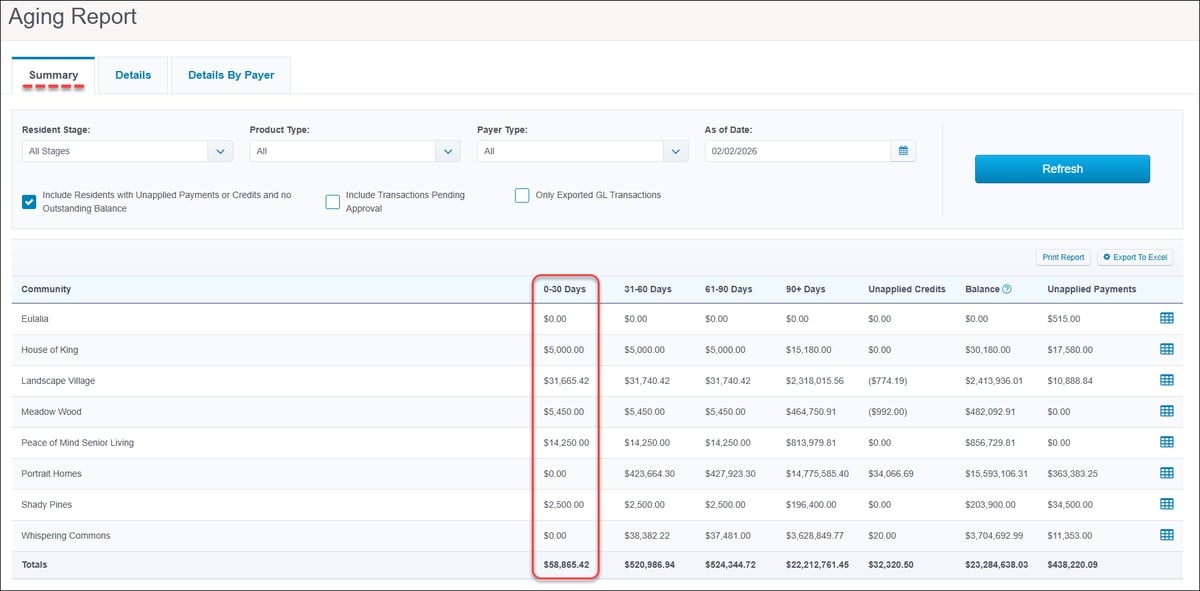 Occupancy and CensusMove In Report updatesWe have expanded the Move In Report to include more detailed information and provide better insight into your lead sources. When exporting the report to Excel, you will now see three new columns: Referral Name, Referral Organization, and Referral Contact Type. The former 'Prospect Source' column has been renamed to 'Prospect Source or Referral Type' to more accurately reflect where your residents are coming from. 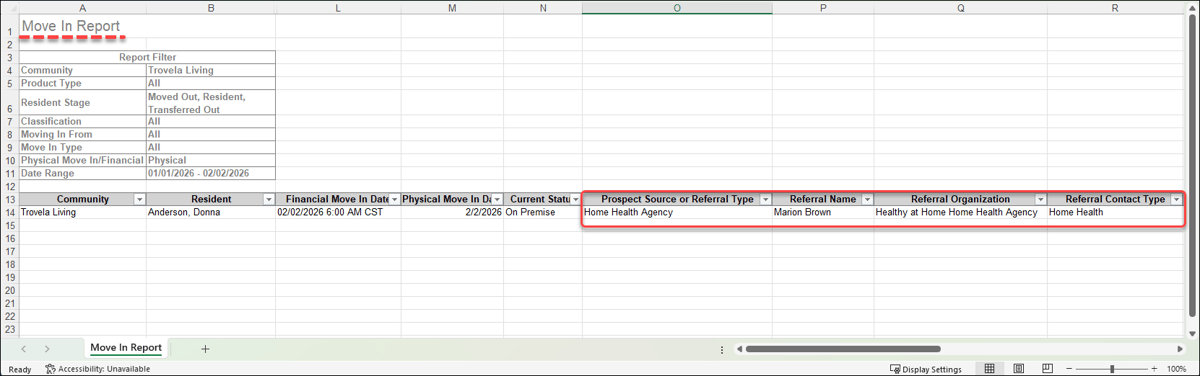 Miscellaneous EnhancementsNew Export APIs for ComplianceWe are expanding our API capabilities to give you more flexibility with your data. Now access new v1 Export API endpoints (api.alisonline.com) for Staff Compliance (released January 21) and Resident Compliance (arriving February 4). These endpoints allow your team to query data directly, enabling you to build your own custom reports and dashboards outside of the ALIS interface. Contact your Account Manager for assistance with feature enablement and/or API access. Risk ManagementNew Returns from Leave logicAs of our January 28th release, we have added a new toggle in Resident Settings to control which care tasks display when a resident returns mid-shift.
This update aligns Care Tracking with the existing logic for Medications. 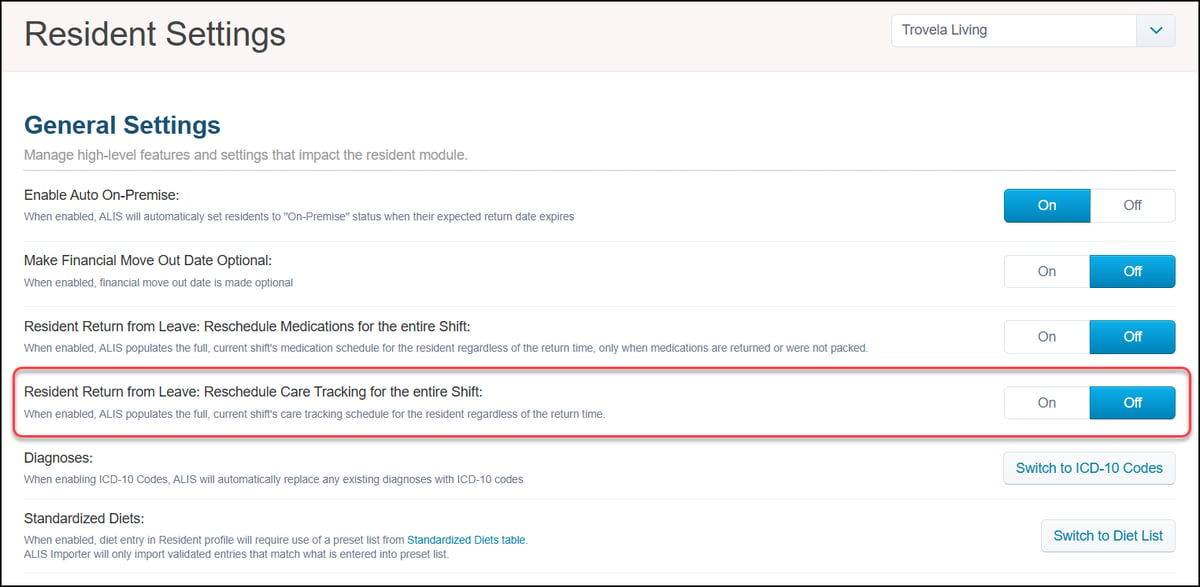 Bug FixesClick HERE to view our list of bug fixes in the last month's releases. App Store/IntegrationsThe Accushield + ALIS integration provides complete visibility into everyone outside your care team who interacts with your residents - visitors, families, home health, home care, hospice, and other third-party clinicians.
Want to enable an integration with us? Reach out to info@go-alis.com to get started. |

General Releases occur weekly. Release Emails and Webinars occur monthly.
If you have any questions or comments, please contact ALIS Customer Success.
888.404.ALIS(2547) or support@medtelligent.com